Following liveHow-to
How to track a runner live in ChatGPT
The short answer
In ChatGPT or Claude, search for livedot and add it (or add https://livedot.me/mcp), then ask "Where's Megan in the Comrades?" or paste their livedot link. You get where they are on the course, their pace, how they're doing against their goal, the heat where they are and their finish time, with a live map in the chat. Free, no sign-in.
On race day, most people following a runner have the same three questions: where are they, are they on track, and when will they finish? With livedot in ChatGPT or Claude, you can ask exactly that, in your own words, and get the answer with a live map in the chat. This guide shows how to set it up in a minute and what to ask on the day.
What does it take?
A minute, once, and nothing from the runner beyond what they already do. livedot, the app to add in ChatGPT and Claude (search for it, or add it at https://livedot.me/mcp), reads the same public live pages anyone can open on livedot.me.
- You: ChatGPT or Claude, on a plan that allows custom connectors. Claude's Free plan includes one.
- The runner: the RunFast app on their phone, live tracking on for the race, and Go live on the day. See how to go live on race day.
- A name or a link: a name finds runners who chose Findable by anyone. A livedot link (livedot.me/their-name) or a follow link (runfast.tech/f/…) finds the runner who sent it.
Following is free, needs no sign-in, and can't post, change or see anything private. Developers know it as the livedot MCP: more at livedot.me/mcp.
How do I track a runner in ChatGPT?
Add livedot, then ask. The steps:
Add livedot to ChatGPT or Claude
In ChatGPT or Claude, search for livedot and add it. If it isn't listed for you, add it by its address, https://livedot.me/mcp: in Claude, Customize > Connectors > + Add > Add custom connector; in ChatGPT, Plugins > + > Add custom MCP server. Following and the weather need no sign-in.
Ask where they are
Type the question the way you'd say it: "Where's Megan in the Comrades?" If you have their livedot link (livedot.me/megan) or their follow link, paste that instead.
Pick the right person if asked
If several runners have that name, the assistant lists the most likely ones and asks one short question, such as a surname or initial. It never guesses.
Read the answer and the map
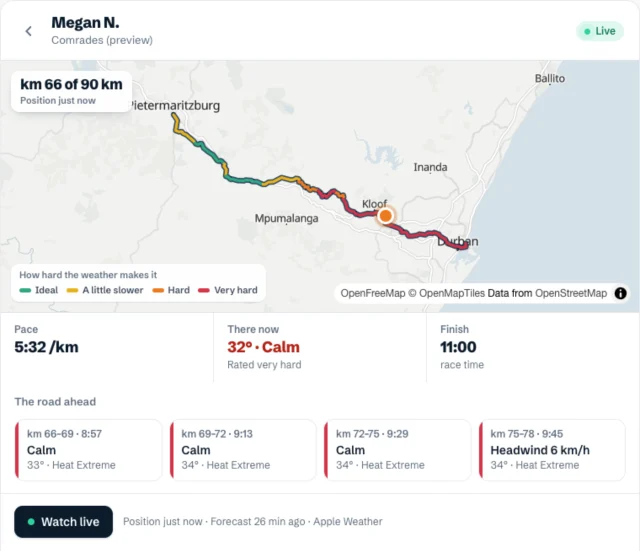
You get their km and mile, their pace, how far ahead of or behind their goal they are, the heat where they are, the road ahead and their finish time, with their dot on the course.
Open Follow live
Tap Follow live to open their live page in any browser. It keeps moving by itself, and you can give them a tap on the back from there.
How do I add livedot to Claude?
In Claude, on claude.ai or in Claude Desktop, search for livedot in Customize > Connectors. If it isn't listed for you, add it by its address:
- Go to Customize > Connectors.
- Choose + Add, then Add custom connector.
- Name it
livedot, pastehttps://livedot.me/mcpas the server URL, and choose Continue. - For signing in, choose Sign in when needed: following never asks; only your own events would. Then Continue and Add.
In a chat, check it's on: + at the bottom left, then Connectors. On a Team or Enterprise plan, an owner adds it from Organization settings > Connectors instead. Anthropic's guide, Get started with custom connectors using remote MCP, has the details for every plan.
How do I add livedot to ChatGPT?
In ChatGPT, search for livedot in Plugins. If it isn't listed for you, add it as a custom MCP server, on plans that allow them. OpenAI's help lists Business, Enterprise and Edu workspaces on the web, and Pro accounts in developer mode with read-only tools, which is all livedot needs.
- Open Plugins (chatgpt.com/plugins).
- Choose +, then Add custom MCP server.
- Name it
livedot, and under Connection pastehttps://livedot.me/mcp. - For authentication, choose OAuth: following never asks you to sign in; only your own events would.
- Read the warning, choose I understand and want to continue, then Create as a plugin.
- Install the plugin, open a new chat, type @ and pick livedot.
ChatGPT's menus differ between plans and change often. OpenAI's own steps are in Connecting custom MCP servers in ChatGPT.
What does the answer show?
Everything the runner's live page shows, in a sentence and on a map. A real answer from the Comrades demo reads:
Megan N. (demo) is at km 38 (mile 24) of 90 km (56 mi) in the Comrades (demo), 2 minutes behind the goal (9:00:00). Running at 6:12 /km (9:59 /mi). Where Megan is: 33°C (92°F), a 4 km/h (2 mph) tailwind, rated very hard (heat stress Extreme). The road ahead (km 36–51) rates Tough: Heat stress Extreme from km 36 (WBGT up to 31°) · Weather costs about 13 min (heat and humidity, from km 36). At this pace Megan finishes around 14:31 race time.
| In the answer | What it means |
|---|---|
| km and mile | Where they are on the course, of the full distance. |
| Goal | Ahead of or behind their goal time, if they set one, such as "2 minutes behind the goal". |
| Pace | Their pace right now, per km or per mile. |
| There now | The temperature and wind where they are, rated from Ideal to Very hard, with heat stress. |
| The road ahead | The next stretches, each with its heat and wind, and the time they'll reach it. |
| Finish | When they'll finish at this pace, in the race's own clock. |
| Follow live | Their live page, in any browser. |
The colours on the course show how hard the weather makes each stretch at a runner's pace. The heat comes from Apple Weather, worked out by the same engine as RunFast, so the numbers match the runner's own app. Answers come in your units: ChatGPT tells livedot where you are; in Claude, the race's units lead and the others follow in brackets.
What if several runners have the same name?
The assistant asks; it never guesses. With a common name in a big field, it shows a list of the most likely runners, each with how far they've run and their pace, and asks one short question: a surname or an initial.
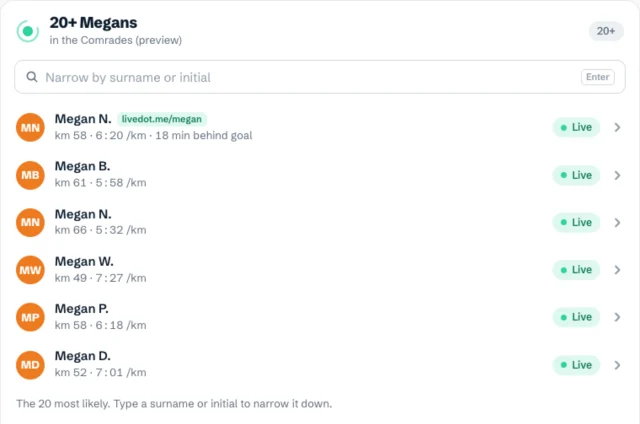
Live runners come first, then the runner whose livedot link matches the name, then the closest names. Tap the right one, or answer the question, and the full answer follows.
The quickest way round it is their livedot link. Ask your runner for theirs before race day: it's one link for every race they do. See how to get your livedot link.
Can I ask how the whole race is going?
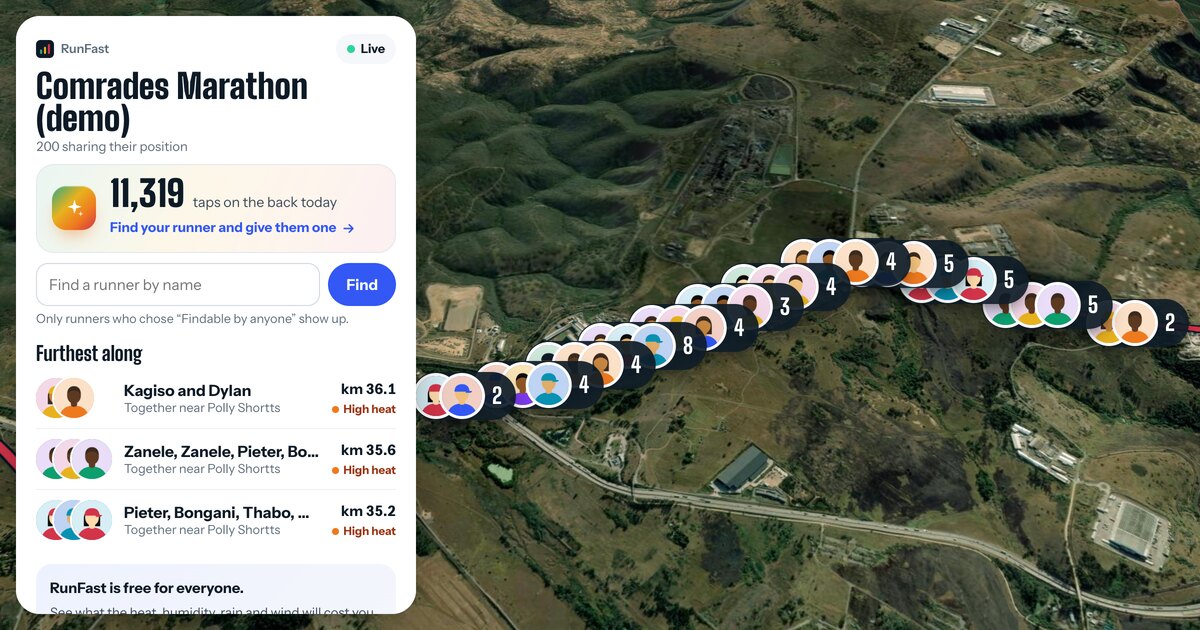
Yes. Ask "How's the Comrades going?" and you get how long it's been under way, how many runners are on the map, how many have finished and who's furthest along, on a map of the field.
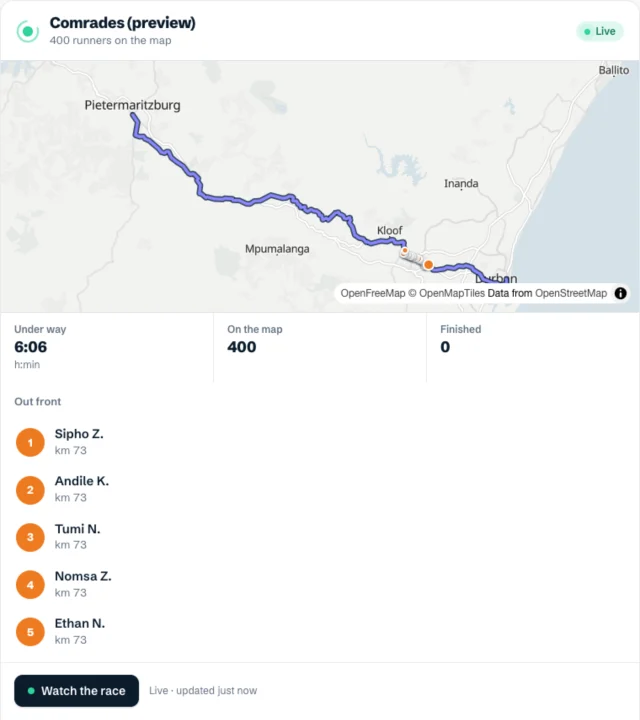
This works for races live on RunFast and Windline right now. If the race isn't live, it says so, and tells you when it starts if it's in the next two weeks.
When can't it say where they are?
When their live page doesn't show a position, the assistant doesn't either, and it says why in plain words:
- Not started yet: it gives the start time, in race time.
- Finished: their time, and how it compares with their goal.
- Paused or stopped: no position while they're stopped.
- Near the start or the finish: positions there stay hidden, for the runner's privacy.
- Not findable: if they didn't choose Findable by anyone, a name won't find them. Their link will.
Names show as first name and initial, such as "Megan N.", and nothing is kept about who asked. For what the live page shares and when, see live tracking and privacy.
Is the answer live?
Each answer is a snapshot of their last position, with how long ago it was sent. Ask again for a fresh one. For a map that keeps moving by itself, open Follow live: the runner's page updates every 10 seconds while they run.
To cheer them on, ask livedot: "Give her a tap on the back." Her phone buzzes, with your name if your RunFast account is connected, or a first name you give. Or tap on her live page. See taps on the back.
For the full picture of following a runner, alerts included, see how to track a runner in a marathon.
Try it now
The Comrades demo runs every day, with Megan mid-race. Once livedot is connected, ask:
- "Where's Megan in the Comrades?" When nobody real matches, livedot shows the demo runner, labelled as the demo.
- "Give her a tap on the back."
- "How's the Comrades demo going?"
- "Fly the Comrades." (the course from the air, in the chat)
For the weather on race day before anyone starts, see how to check race-day weather with ChatGPT or Claude.
Questions
Can ChatGPT track a runner in a marathon?
Yes, with livedot added. It reads the runner's public live page on RunFast and answers with where they are, their pace, their goal, their finish time and the heat where they are, plus a live map. The runner needs to be going live from the RunFast app.
Do I need an account or an app?
No. Following with livedot is free and needs no sign-in, thanks to ProLend. In ChatGPT or Claude, search for livedot, or add it at https://livedot.me/mcp; Claude's Free plan includes one custom connector.
Can I find any runner in a race by name?
Only runners who switched on Findable by anyone for a public race show up by name. For anyone else, ask them for their livedot link or follow link and paste it into the chat.
Is the position live?
It's the position their phone last sent, with how long ago. Each answer is a snapshot, so ask again for a fresh one, or tap Follow live for a page that keeps moving by itself.
Does it work for cyclists too?
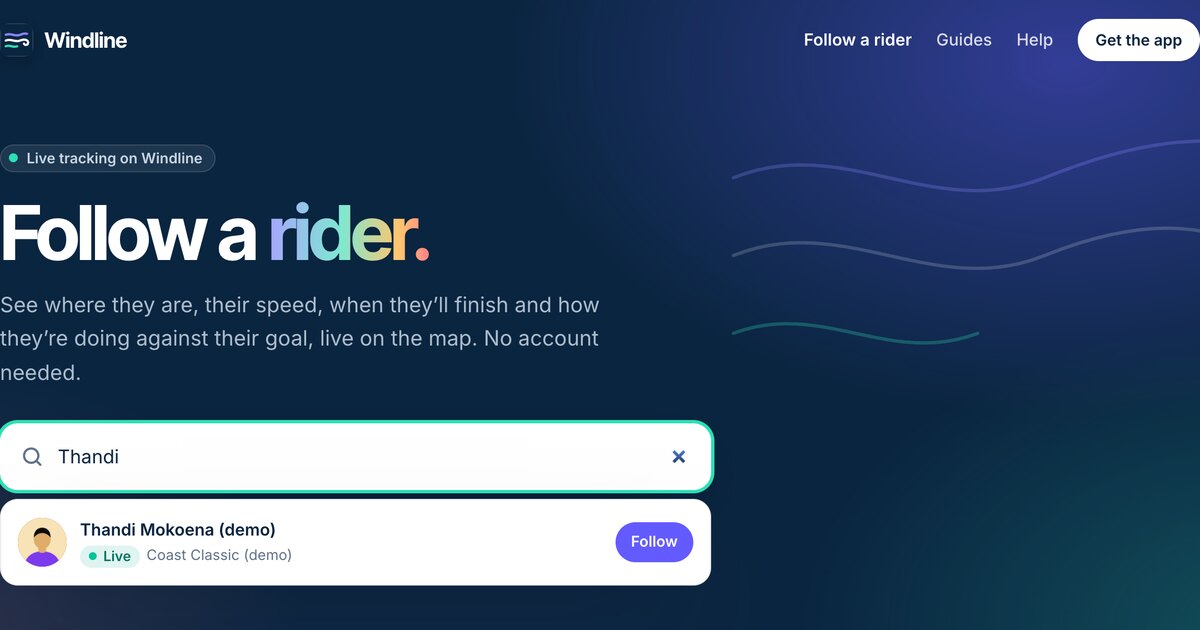
Yes. livedot finds riders in races on Windline, with their speed, the wind where they are and on the road ahead, and their finish time.