Following liveHow-to
How to track a runner in a marathon or ultra, live
The short answer
Ask the runner for their RunFast link (runfast.tech/f/…) and open it in any browser. You see them on the course with their pace, their finish time, the heat where they are and how they're doing against their goal. If they chose Findable by anyone, search their name on livedot.me or runfast.tech/follow. No app or account needed.
Big marathons usually have an official tracker that shows splits from timing mats. RunFast shows something different: the runner's own phone sends their position, so you see where they are between the mats too, with the heat where they're running. This guide is for anyone tracking a runner in a marathon, a half or an ultra, from the roadside or from another continent.
What do I need to track a runner?
You need their RunFast link, or their name if they chose to be found. The runner needs the RunFast app on their phone, with live tracking on for the race.
- You: any phone or computer with a browser. No app, no account.
- The runner: RunFast on their phone, live tracking switched on for that race, and Go live on the day. RunFast is on Android today, from runfast.tech/android; the iPhone app is with the App Store for review.
- A link or a name: their link is runfast.tech/f/ and a short code. A name search finds them only if they switched on Findable by anyone.
How do I track a runner from their link?
Open it in any browser. Everything else updates by itself.
Ask for their link
Before race day, ask the runner for their RunFast follow link: runfast.tech/f/ and a short code. It often comes as a picture for WhatsApp with the link under it.
Open it in any browser
Tap the link on a phone or open it on a computer. There's no app to install and no account to make.
Check in before the gun
Before the start you see their race, their goal, their own words and a countdown to the gun. Leave the page open: it updates by itself.
Follow them through the race
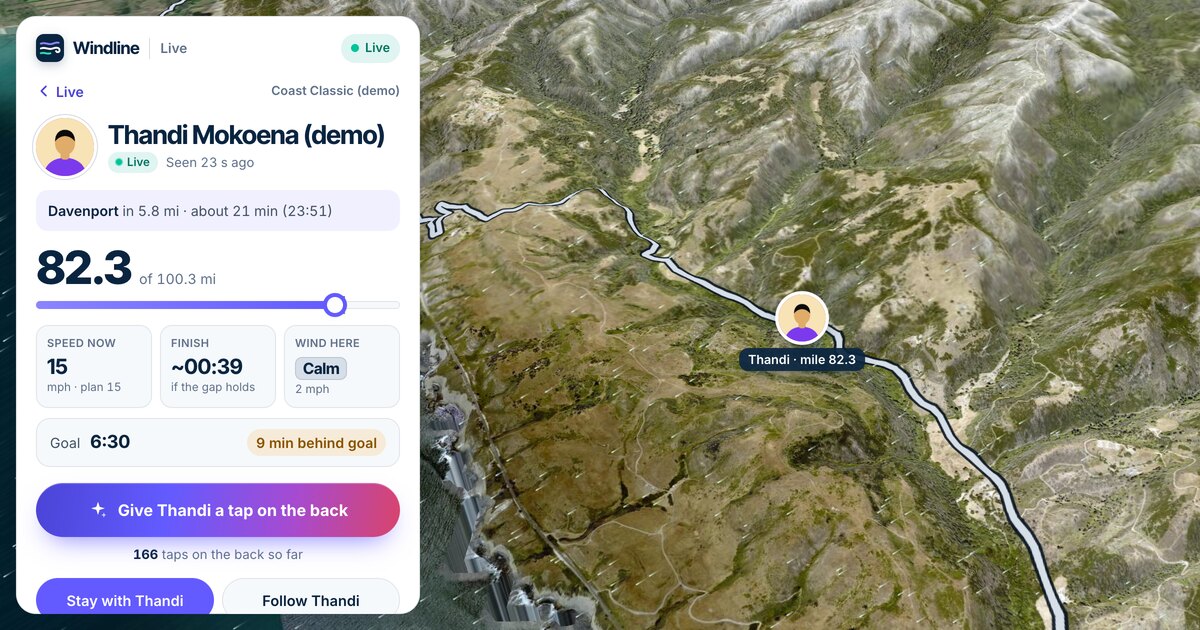
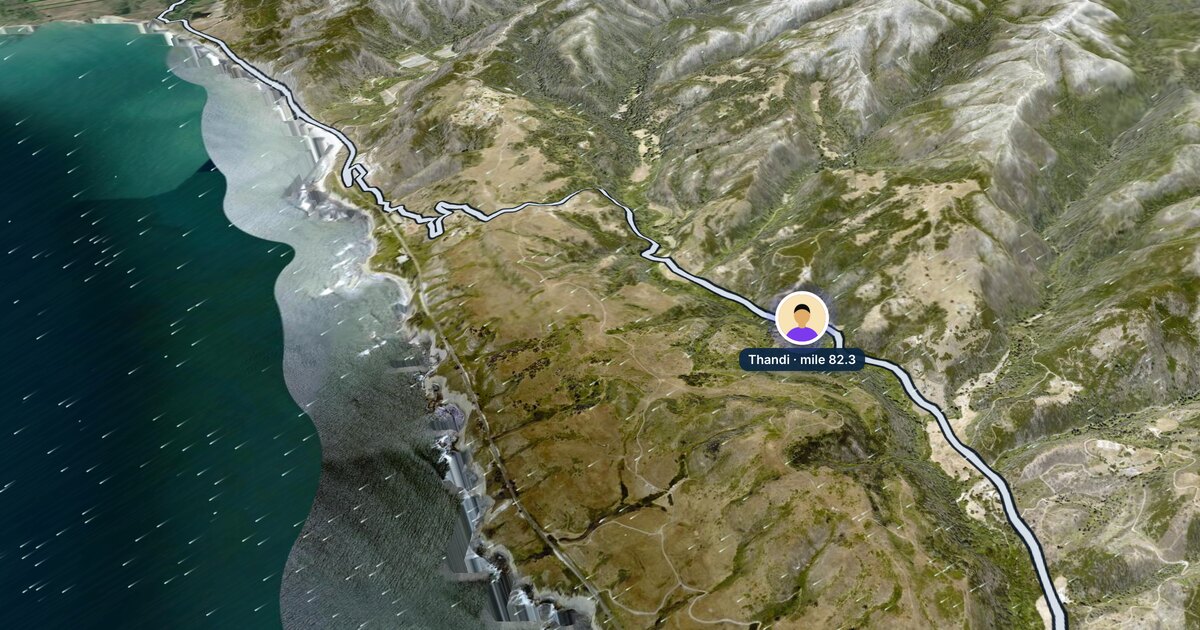
Once they're running, their photo moves along the course with their pace, their finish time, the heat where they are and how far they are ahead of or behind their goal.
Plan where to see them
The card names the next landmark and about how long they'll take to reach it, so you can be there when they pass.
Give them a tap on the back
Tap Give them a tap on the back, once a minute. Their phone buzzes and they see the count.
To come back later, open runfast.tech/follow on the same device: the runners you follow are remembered in that browser.
How do I find a runner by name?
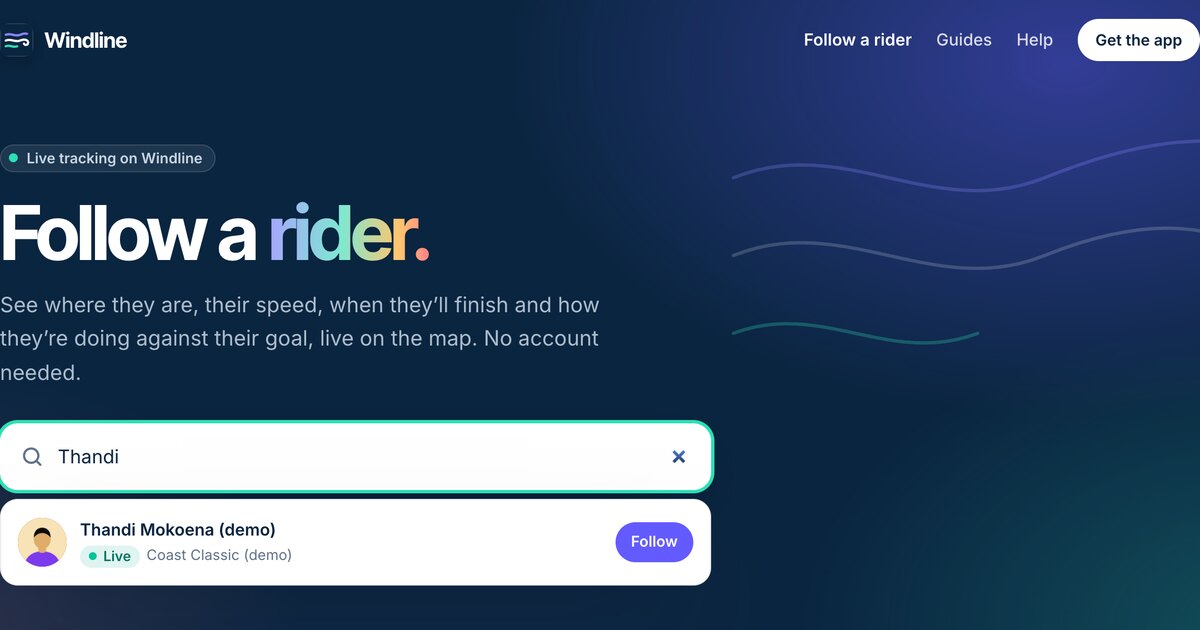
Search on livedot.me, runfast.tech/follow, or the Live tab in the RunFast app. Type at least 3 letters of their name and tap Follow beside the right person.
Only runners who switched on Findable by anyone for their race show up, and it's off unless they choose it. If RunFast says "Nobody by that name has chosen to be found", ask them for their link. More in how to find someone in a race by name.
What does each number on the card mean?
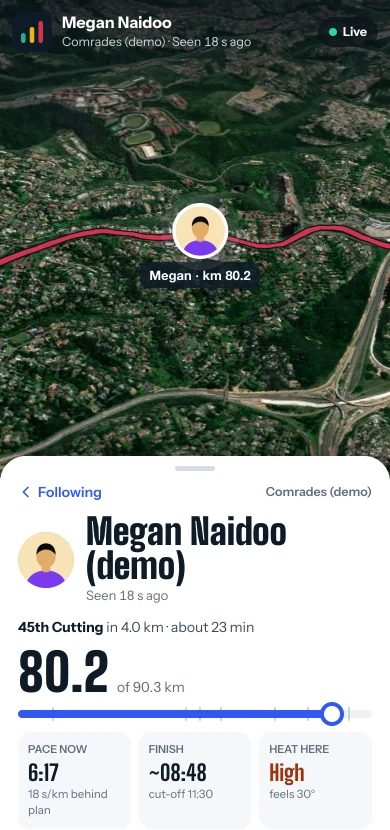
The card answers four questions: where are they, how fast, when will they finish, and how hard is it out there.
| On the card | What it means |
|---|---|
| The next landmark | "45th Cutting in 4.2 km · about 23 min": the next named point on the course, and roughly when they'll reach it. |
| The big number | Distance done, of the total: "80.0 of 90.3 km". |
| PACE NOW | Their pace over the last few minutes, against their plan: "19 s/km behind plan". |
| FINISH | When they'll finish, as it stands, and the race's cut-off. |
| HEAT HERE | The heat stress where they are right now, such as High, and the feels-like temperature. |
| Their words | Up to 60 characters they wrote, such as "Going for a Bill Rowan medal". |
| Goal | Their goal time, and "18 min behind goal" or "4 min ahead of goal", live. |
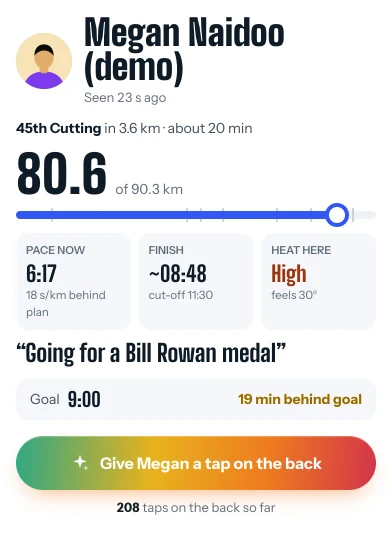
Pace shows per km or per mile, depending on where your device is.
Why is the course coloured?
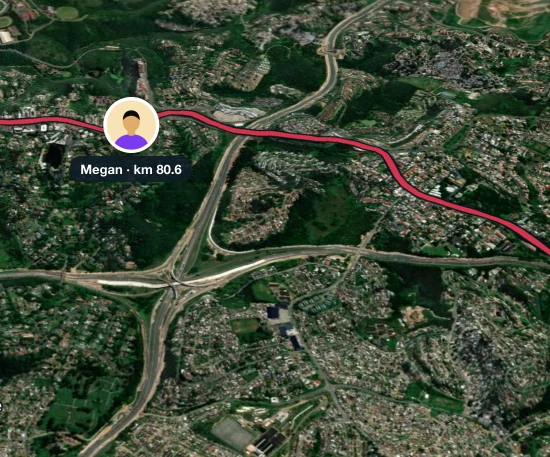
The course is coloured by how hard the weather makes each stretch, at that runner's own pace. It runs from Ideal to Very hard, timed to when they'll reach each stretch, so you can see whether the hard part is behind them or still to come.
The heat is worked out by RunFast at each runner's pace, from Apple Weather. A runner in the back half of a field meets a different afternoon from the leaders, and the colours show that.
What is the ghost?
The ghost is a faint, dashed Goal marker: where a runner at exactly their goal time would be now. It only shows if they set a goal.
It's timed for the hills, like their own plan, so it slows on the climbs. Their card turns it into words: "4 min ahead of goal", "1 min behind goal" or "on goal pace". Near the start and the finish, the ghost isn't drawn on the map, for the runner's privacy, but the minutes ahead or behind still show.
Where should I stand to see them?
Use the next landmark and its time. The card names the next point on the course and about how long they'll take to get there, so you can move along the course and be there when they pass. As their pace changes, so does the time.
For the finish, watch FINISH. It moves as they speed up or slow down, so check it again as they get close.
Will it match the official results?
They come from different places, so use each for what it's for. The official time comes from the timing mats and the chip they wear. The live page comes from their phone: where they are now, and when they'll reach you. For their result, use the event's results; for finding them on the course, use the live page.
Can I get an alert when they start or finish?
Yes, in the RunFast app, with no account. Follow the runner in the app from their link, then tap Turn on alerts. You'll get, for example, "Alex started City Marathon", "Alex is halfway" and "Alex finished in 3:58".
Runners you found by name don't send alerts, so follow from their link for those. runfast.tech doesn't send alerts at all: keep the page open, and it updates every 10 seconds while they're running.
Can I follow several runners, in different races?
Yes, up to 20, on runfast.tech/follow or in the app. They're all on one map, even when they're running different races at the same time: the map frames each one. On livedot.me you can follow up to 20 runners and 20 riders on one device.
Can I watch the whole field?
Yes. A race's live map (runfast.tech/live/race/…) shows every runner who chose to be found, with Furthest along and a box to find one by name. A club race's live map, from the club's page, shows the club's runners: before the gun, Who's in with their goals and a countdown; from the gun, where each one is. Finishers stay on the map for 6 hours. Organising the race yourself? See live tracking for race organisers.
What if their dot stops moving?
Usually it's signal. Their phone keeps every position and sends them when the signal is back, so the line fills in. The status line says what's happening, for example "No signal since km 31, 6 min ago", "Paused at km 21.1" or "Stopped sharing at km 30.0". Every status is explained in what happens when you lose signal.
Can I cheer them on?
Yes. Tap Give them a tap on the back on their card, once a minute. Their phone buzzes and sparkles, and they see the count, with your first name and initial if you're signed in. See how to cheer someone on remotely.
Try it now
Megan at Comrades is RunFast's demo runner, always mid-race, with a field of 200 other demo runners on the race map. Open it to see the card, the ghost and the heat before race day.
Follow someone live: search by name on livedot.me, or open the link they sent you. For riders as well as runners, see how to track someone in a race.
Questions
Can I track a marathon runner without downloading an app?
Yes. Open the runner's link in any browser, on a phone or computer, with no account. The RunFast app adds alerts when they start, reach halfway and finish.
Can I track a runner by their bib number?
Not on RunFast or livedot. You follow a runner from their link, or by name if they switched on Findable by anyone. The event's official tracker may use bib numbers and timing mats; you can use both.
Is the dot on the map their real position?
Yes. It comes from the RunFast app on their phone, which sends its position every 30 seconds, placed on the course. The map updates every 10 seconds while they're running.
Why can't I see my runner?
They may not have gone live yet, or their phone may have no signal. If you searched by name, they may have left Findable by anyone off. If their link says it has been reset, ask them for the new one.
How is the finish time worked out?
It's an estimate that updates as they run. Without a goal, it's their finish at their planned pace. With a goal, it's their start plus their goal plus how far ahead or behind their ghost they are now.