Following liveGuide
How to track someone in a race, live on a map
The short answer
Open the live link they send you (windline.tech/f/… for a cyclist, runfast.tech/f/… for a runner) in any browser. You see their dot on the course, their speed or pace, their finish time and the weather where they are, with no app or account. If they switched on Findable by anyone, search their name on livedot.me.
"Tracking someone in a race" can mean two different things. Many big events' official apps show splits from timing mats and estimate where each person is between them. livedot shows the other kind: the person's own phone sends its position, so their dot moves along the course as they do. This guide covers that kind, for cycling races on Windline and running races on RunFast, wherever in the world the race is.
What are the ways to track someone in a race?
There are three, and none of them needs an account. The link they send you is the surest. Searching by name works only if they chose to be found.
| Way | What you need | Use it when |
|---|---|---|
| Their live link | The link they sent you: windline.tech/f/… for a rider, runfast.tech/f/… for a runner | You're family or a friend. It works as long as they keep sharing with people who have their link, which is the default. |
| Their name | At least 3 letters of their name, and the person switched on Findable by anyone | You know they're racing, but they haven't sent you a link. |
| The race or club map | The race's live map, or their club's | You want to watch a whole field, or everyone from one club. |
Timing mats or live GPS: what's the difference?
Timing mats record when someone crosses a fixed point. Live GPS shows where they are right now. Many race apps use the first, and livedot uses the second.
| Timing-mat splits | Live position from their phone | |
|---|---|---|
| Where it comes from | A chip on the bib crossing mats at set points | The Windline or RunFast app on the person's phone, sent every 30 seconds |
| Between the mats | An estimate from their pace so far | Their real position, placed on the course |
| Who sets it up | The organiser and their timing company | The person racing, in the app |
| What you need to follow | Usually the event's app and their bib number | Their link, or their name if they're Findable |
Some official trackers mix the two. The race-tracking provider RTRT.me, for example, says its software supports chip timing systems and GPS tracking (rtrt.me). If the event has its own tracker, use it as well: it has the official times. livedot adds where they actually are, and the weather where they are.
How do I track someone from their link?
Their link opens a live page in any browser, and it updates by itself.
- Ask them for their link before the start. A rider on Windline shares windline.tech/f/ and a short code. A runner on RunFast shares runfast.tech/f/ and a code. It often arrives as a picture for WhatsApp or socials, with the link under it.
- Open it on any phone or computer. There's no app to install and no account to make.
- Before the start, you see their race and when it starts. RunFast also shows a countdown to the gun, their goal and their own words. Leave the page open: it changes when they go live.
- When they go live, their dot appears on the course and starts moving.
- Keep them on your list. On Windline's page, tap Follow. RunFast adds them to your list when you open the link. Either way, the list is kept in that browser, on that device.
The page works the same in WhatsApp's own browser, Safari, Chrome or on a laptop. If it says the link isn't working, the person has made a new one: ask them for it.
How do I find someone by name?
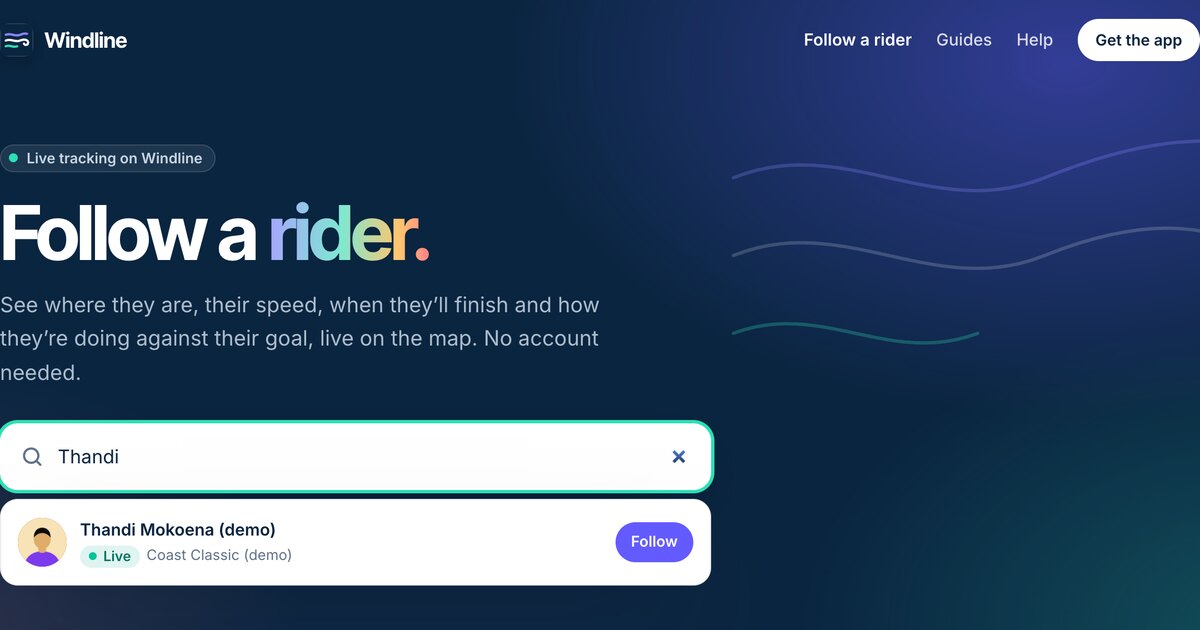
Search for them on livedot.me, which looks through both sports at once. If you know which app they use, search on windline.tech/follow for a rider or runfast.tech/follow for a runner.
Type at least 3 letters of their name. Only people who switched on Findable by anyone for their race show up. It's off unless they switch it on, so a missing name usually means they chose not to be found, not that they aren't racing. The full steps, and what to do when nobody shows up, are in how to find someone in a race by name.
Can I watch the whole race at once?
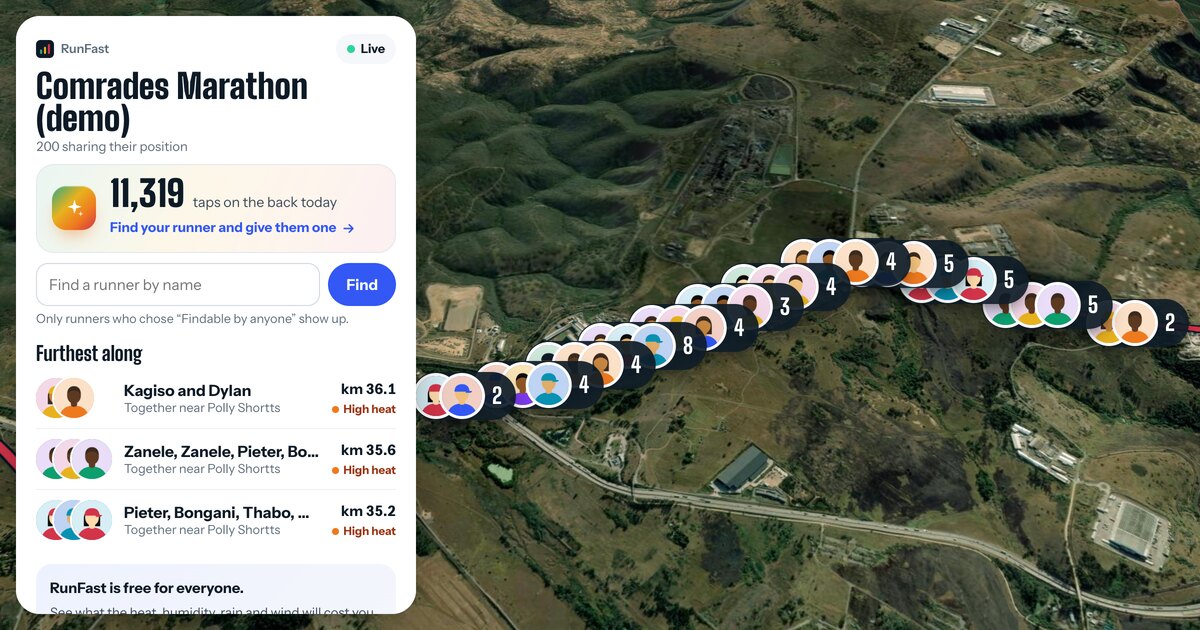
Yes. Every race has a live map with everyone on it who chose to be seen. Clubs can have a map of their own members.
- A race's live map (windline.tech/live/race/… or runfast.tech/live/race/…) shows each person as a dot or a photo, a Furthest along list, and a box to find one person by name. Finishers stay on the map for 6 hours.
- A club's race map shows the club's own riders or runners on race day, so one link in the club's group chat covers everyone. Ask the club for it, or find the club on livedot.me.
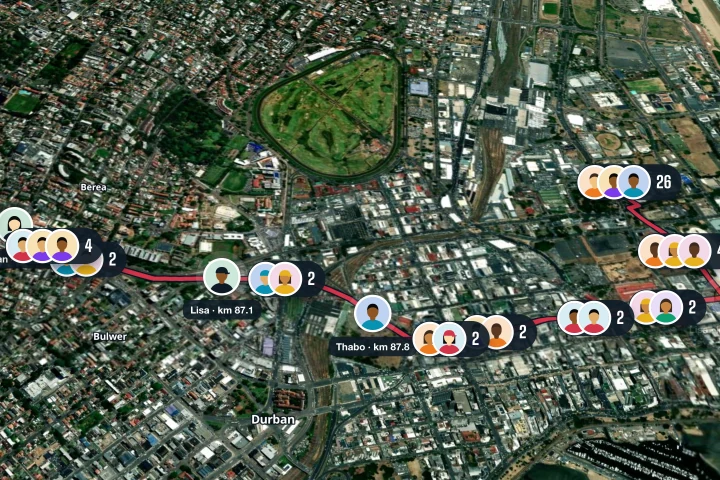
What do you see when you track someone live?
You see their position, their progress, their speed or pace, their finish time and the weather where they are. The details differ a little between the two sports.
| A cyclist on Windline | A runner on RunFast | |
|---|---|---|
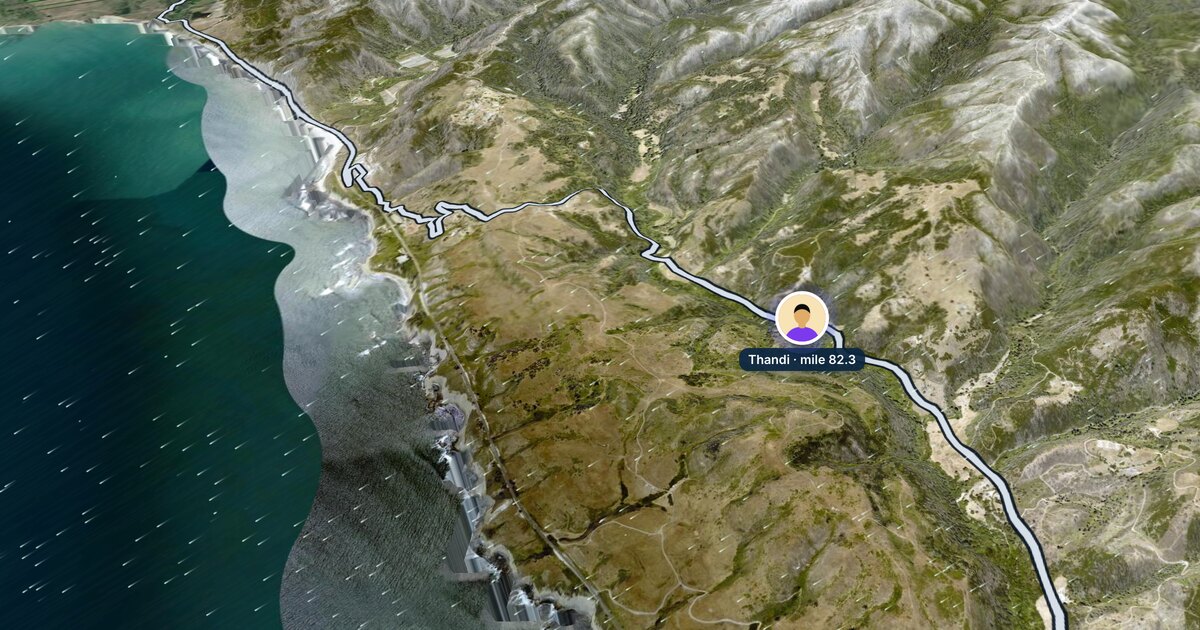
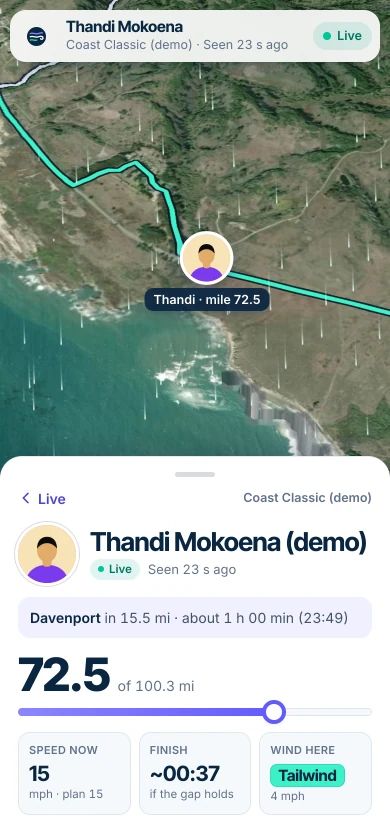
| Where they are | A dot on a satellite map, with the line ridden so far | Their photo on the map, on the course |
| Progress | Distance done of the total, and the next place: "Davenport in 16.4 mi" | Distance done of the total, and the next landmark: "45th Cutting in 4.2 km" |
| How fast | Speed now, against their plan | Pace now, against their plan |
| Finish | Finish: their estimated finish time | Finish: their estimated finish time, and the cut-off |
| Weather | Wind here, and the course coloured by the wind they'll meet on each stretch | Heat here, and the course coloured by how hard the weather makes each stretch at their pace |
| Goal | Their goal time, a faint Goal marker (the ghost) and "7 min behind goal" | The same |
| Status | Live and when they were last seen, or No signal, Paused, Finished, Stopped | "Seen 20 s ago", "No signal since km 31", Paused, Finished, Stopped sharing |
Distances follow where your device is, on the public pages: miles in the US and the UK, kilometres in most of the world.
Do I need the app or an account?
No. Watching, following and even sending a tap on the back all work in a browser, with no account.
The apps add one thing for followers: alerts when someone starts, reaches halfway and finishes.
- Windline: open a rider you follow in the app, tap Alerts and choose Started, Halfway and Finished.
- RunFast: follow the runner in the app from their link, then tap Turn on alerts. Runners you found by name don't send alerts.
Neither website sends alerts, so keep the page open instead. Both apps are on Android today, from windline.tech/android and runfast.tech/android. Both iPhone apps are with the App Store for review. On an iPhone, follow in Safari until then.
What if their dot stops moving?
A dot that stops usually means they've lost phone signal, not that something's wrong. Their phone keeps every position while there's no signal and sends them all when it's back, so the line fills in.
The status says what's happening, for example "No signal since km 31, 6 min ago" or "Paused". Every status, and what each one means, is in what happens to live tracking when you lose signal.
Can I cheer them on from home?
Yes: give them a tap on the back. It's a button on their live page, one tap a minute. Their phone buzzes, and they see the count, with your name if you're signed in. See how to cheer someone on when you can't be there.
Who can see the person you're tracking?
Each rider or runner chooses who sees them, and can stop at any time. They can share with people who have their link, with their club's members, with people they approve, and, only if they switch it on, with anyone who searches their name. livedot never shows an email address or a phone number. See live tracking privacy.
Try it before race day
Two demo races run all day, every day, with simulated riders and runners. They're labelled as demos.
- Cycling: Thandi at the Coast Classic, on Windline, and the whole field.
- Running: Megan at Comrades, on RunFast, and the whole field.
Follow someone live: search by name on livedot.me, or open the link they sent you.
For a runner's race day in more detail, see how to track a runner in a marathon. For a rider, see how to track a cyclist in a race.
Questions
Can I track someone in a race without downloading an app?
Yes. Open their live link (windline.tech/f/… or runfast.tech/f/…) in any browser on a phone or computer. You don't need an app or an account to watch. The apps only add alerts when they start, reach halfway and finish.
Can I track a runner or cyclist by their bib number?
Not on livedot. Windline and RunFast don't use bib numbers: you follow someone from the link they send you, or by name if they switched on Findable by anyone. Official race apps that use chip timing often ask for a bib number instead.
Why can't I find them by name?
Findable by anyone is off unless the person switches it on for that race, and many people leave it off. Check you've typed at least 3 letters of the name on their account, or ask them for their link, which works either way.
How many people can I follow at once?
livedot.me keeps up to 20 riders and 20 runners on each device, with whoever is live first. RunFast also allows up to 20 runners on runfast.tech and in its app.
Can I track someone in any race?
Only if they go live from the Windline app (cycling) or the RunFast app (running) on their phone. livedot doesn't read Garmin LiveTrack, Strava Beacon or an event's own tracker.