Following liveHow-to
How to track a cyclist live in a race or sportive
The short answer
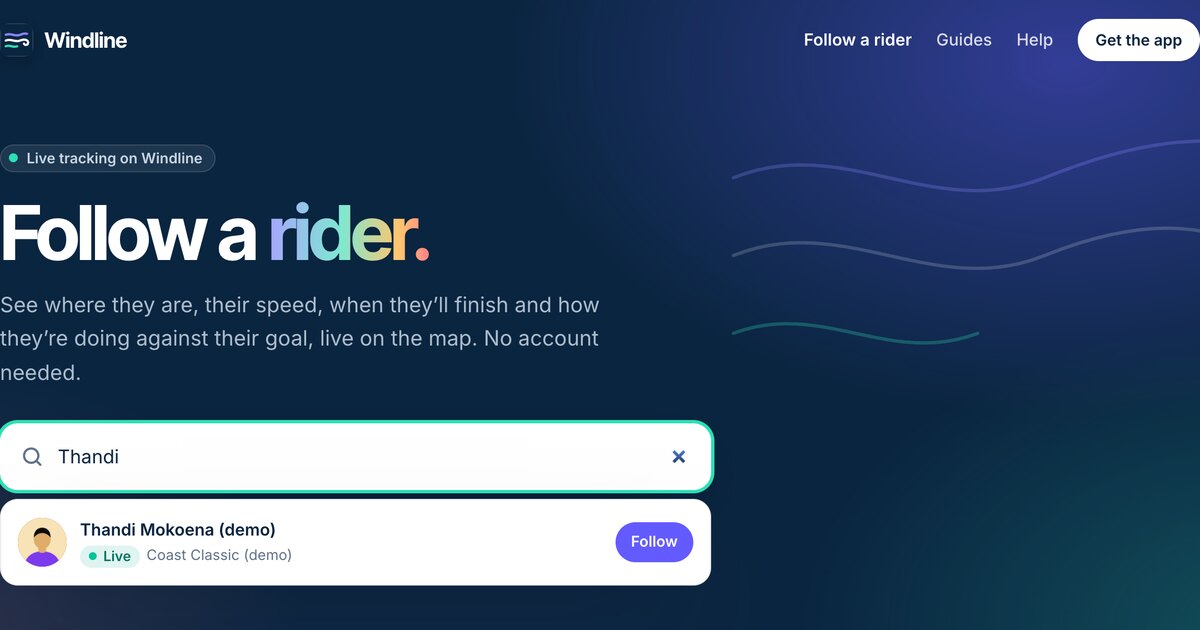
Ask the rider for their Windline link (windline.tech/f/…) and open it in any browser. You see their dot on a satellite map, their speed, their finish time, the wind where they are and the wind on the road ahead, with no app or account. If they chose Findable by anyone, search their name on livedot.me or windline.tech/follow.
A cyclist in a race, a sportive or a gran fondo can share their live position from the Windline app, and anyone with their link can watch from anywhere. What makes it different from a dot on a map is the wind: you see what the rider is riding into, stretch by stretch, at the time they'll get there.
What do I need to track a cyclist?
You need their Windline link, or their name if they chose to be found. The rider needs the Windline app on their phone and the race added in it.
- You: any phone or computer with a browser. No app, no account.
- The rider: Windline on their phone, the event entered as a race (their own, or their club's with I'm riding), and Start live tracking on the day. Going live on a race is in the Android app today, from windline.tech/android. Windline's iPhone app is with the App Store for review, and race tracking reaches it in the update after that.
- A link or a name: their link is windline.tech/f/ and a short code. A name search finds them only if they switched on Findable by anyone.
How do I track a rider from their link?
Open it, and leave it open. The page updates by itself.
Ask for their Windline link
Before the race, ask the rider for their follow link: windline.tech/f/ and a short code. They send it from the race's Live tracking card in the Windline app.
Open it in any browser
Tap the link on a phone or open it on a computer. There's no app to install and no account to make.
Wait for them to go live
Before the start the page shows their race and when it starts. When they tap Start live tracking, their dot appears and starts moving.
Read their card
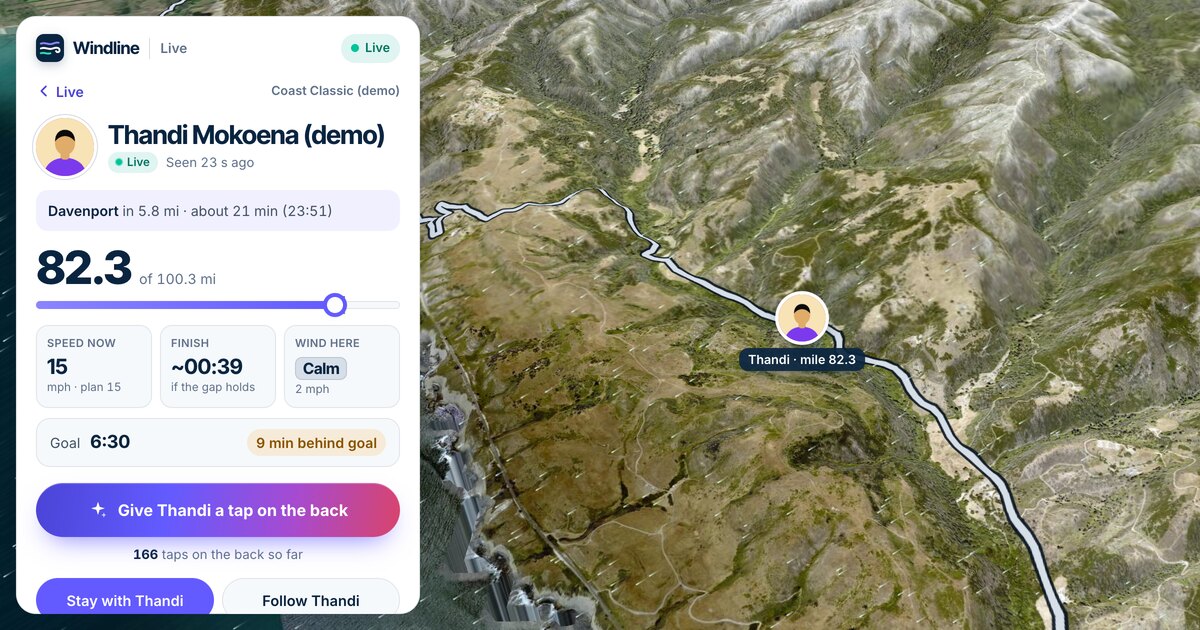
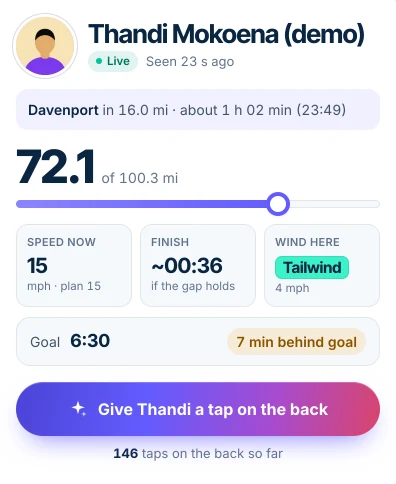
Their card shows the next place and when they'll reach it, the distance done, their speed now against their plan, their finish time, the wind where they are and their goal.
Read the colours on the course
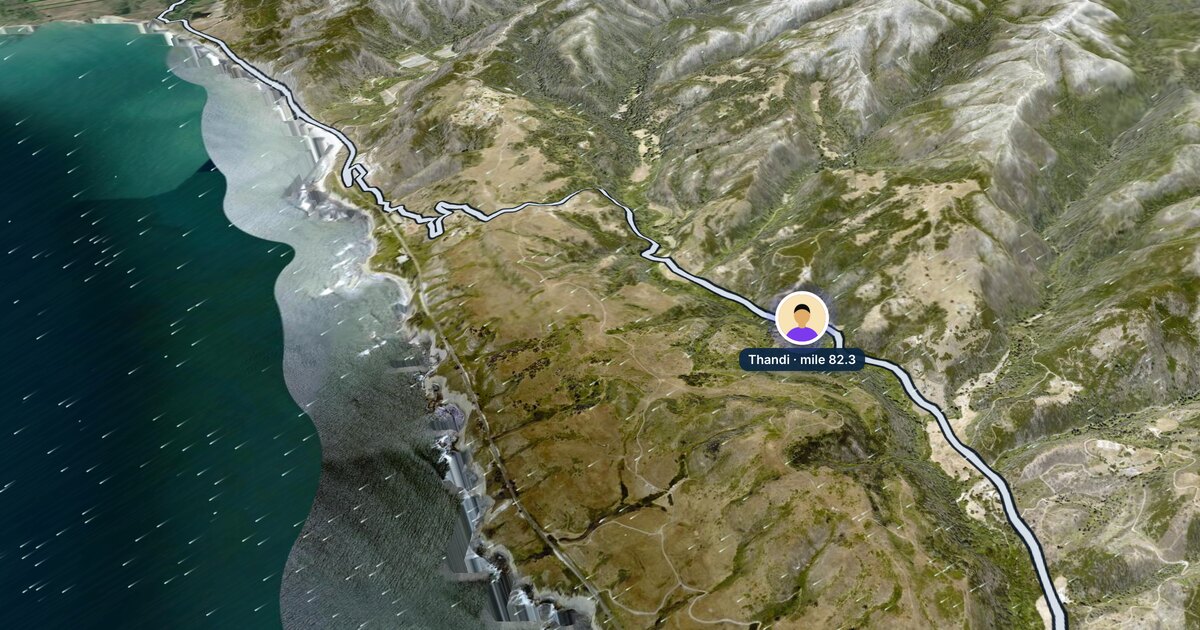
The course is coloured by the wind each stretch will have when they get there, from a strong tailwind to a strong headwind.
Follow, or stay with them
Tap Follow to keep them on your list on that device, or Stay with to put the camera behind them on the road.
The dot glides along the road between updates, with the line ridden so far behind it. On windline.tech/follow, everyone you follow is in one place, live riders first.
What does the rider's card show?
It shows where they are, how fast they're going, when they'll finish and the wind they're in. Every number updates while they ride.
| On the card | What it means |
|---|---|
| Live · Seen 23 s ago | Their status, and when their phone last sent a position |
| Davenport in 16.4 mi · about 1 h 03 min (23:49) | The next place on the course, how far, and about when they'll reach it |
| 71.6 of 100.3 mi | Distance done, of the total |
| Speed now · plan 15 | Their speed over the last few minutes, against their planned speed |
| Finish ~00:36 · if the gap holds | Their finish time as it stands, in the race's own time zone |
| Wind here | The wind where they are now: tailwind, side-on, headwind, and how strong |
| Goal 6:30 · 7 min behind goal | Their goal time, and how they're doing against it, live |
Speeds show in km/h or mph depending on where your device is. If they set no goal, the card says No goal set, and the finish time comes from their planned speed.
Why is the course coloured?
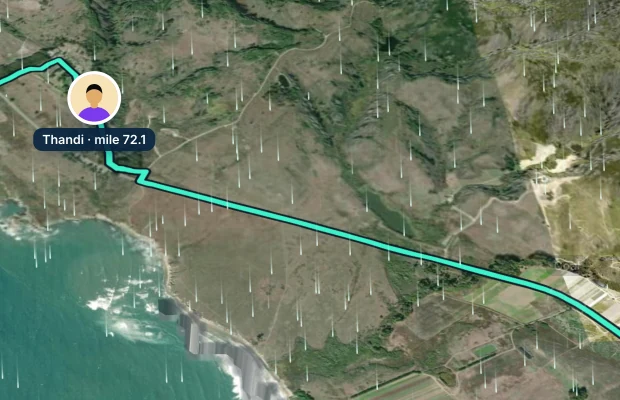
The course is coloured by the wind each stretch will have at the hour the rider gets there. Windline times the forecast to the rider's own speed, so a stretch they'll reach in two hours shows the wind two hours from now.
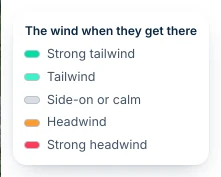
| Colour | What it means |
|---|---|
| Deep green | Strong tailwind: 15 km/h (about 9 mph) or more behind them |
| Light green (aqua) | Tailwind |
| Pale grey | Side-on or calm |
| Orange | Headwind |
| Red | Strong headwind: 15 km/h or more against them |
Stretches already ridden keep the wind they were ridden in. Faint white trails drift across the map too: the wind where the rider is, moving the way it blows. The forecasts come from Apple Weather, and the colours and timings are Windline's own.
What is the Goal marker?
It's the rider's ghost: a faint, dashed Goal ring where someone riding exactly to their goal time would be now. It's timed by the same engine as the forecast, so it slows on the climbs, and it starts from the rider's own start.
The card turns it into words: "7 min ahead of goal" in green, or "13 min behind goal" in amber. At the finish it says, for example, "Finished in 3:24:10 · 6 min under goal". The ghost shows on one-day races with a goal. On a stage race, the card says No goal on stage races.
What do Stay with, Follow and Share do?
They're the three buttons under the rider's card.
- Stay with puts the camera down behind the rider, looking along the road, and keeps it there as they move. Tap it again to stop.
- Follow adds them to the riders you follow in that browser, so they're there when you come back.
- Share sends their page on, for example to someone else in the family.
The round button at the top of the map shows everyone on it again. Report is at the bottom of the card, if something's wrong.
Where should I wait to see them pass?
Use the next place on their card. "Davenport in 16.4 mi · about 1 h 03 min (23:49)" says where they'll be next and about when, so you can drive ahead to a corner or a village and be there in time. The time moves with their speed, so check it again as they get close.
What happens at the finish?
Tracking stops by itself when the rider comes within 150 m of the finish, and their card shows their time: "Finished in 3:24:10", and against their goal if they set one. For 24 hours after that, the tap button becomes Congratulate.
If the rider taps Stop before the end, the card says they stopped, not that they finished. If they forget to stop, tracking ends by itself 3 hours after their planned finish, but never while they're still moving.
Can I see the whole race, or the rider's club?
Yes. A race's live map (windline.tech/live/race/…) shows everyone on the race who chose Findable by anyone, with Furthest along, groups riding together ("Naledi and Ruan, together at mile 99.7") and Find a rider in this race. A club's race map (windline.tech/live/club/…) shows the club's riders on race day; members who sign in also see riders who share only with the club. Running the event? See live tracking for race organisers.
What if their dot stops?
Rural roads lose signal. The rider's phone keeps every position and sends them all when it has signal again, so nothing is lost, and the status says when they were last seen. See what happens when you lose signal.
Can I get alerts, and can I cheer?
Alerts are in the Windline app: open a rider you follow, tap Alerts and choose Started, Halfway and Finished, with no account. On the web, keep the page open instead.
To cheer, tap Give Thandi a tap on the back, once a minute. Their phone buzzes once, with no sound, and they see the count. See taps on the back.
Try it now
Thandi at the Coast Classic is Windline's demo rider: always mid-race down the California coast, with a goal, a ghost and the wind on the course. The whole demo field has 150 simulated riders.
Follow someone live on livedot.me, or open the link they sent you. To find a rider who hasn't sent a link, see how to find someone in a race by name. For runners as well as riders, see how to track someone in a race.
Questions
Can I follow a cyclist live without the Windline app?
Yes. Their link opens in any browser on a phone or computer, with no account. The app adds alerts when they start, reach halfway and finish.
Does it work for sportives and gran fondos?
Yes, when the rider enters the event in Windline as a race, or rides it with their club, and goes live from the Windline app. Each rider is their own dot with their own link.
Why is the course different colours?
It's coloured by the wind each stretch will have at the hour the rider gets there: green for a tailwind, grey for side-on or calm, orange for a headwind and red for a strong headwind. Stretches already ridden keep the wind they had.
What does the Goal marker on the map mean?
It's the rider's ghost: where someone riding exactly to their goal time would be now, slower on the climbs. It shows only on one-day races where the rider set a goal.
Can I see a stage race?
Yes. On a stage race the rider goes live on each day's stage with the same link. Stage races have no goal and no ghost: the card says No goal on stage races.