Following liveGuide
How to cheer someone on in a race when you can't be there
The short answer
Follow them live from their link, then give them a tap on the back from their page: their phone buzzes and they see the count, with your name if you're signed in. It's one tap a minute, with no app or account. Save longer messages for before the start and after the finish, and tap Congratulate when they're done.
Being at the roadside isn't always possible. The race is in another city, or another country, or it starts at 05:30 and you have children to get to school. You can still be part of it: watch them live, and send cheers they actually feel, at the moments they need them.
What's the simplest way to cheer from far away?
Give them a tap on the back. It's a button on their live page: one tap, and their phone buzzes, and they see the count go up. It's a cheer from the roadside, sent from wherever you are.
It works for riders on Windline and runners on RunFast, in any browser, with no app or account. You need to be able to see them: from their link, from a name search if they're Findable, or on their race's map.
How do I give a tap on the back?
Open them, and tap the button under their card.
- Open their live page: from the link they sent you (windline.tech/f/… or runfast.tech/f/…), from Your people on livedot.me, or by tapping them on the race's live map.
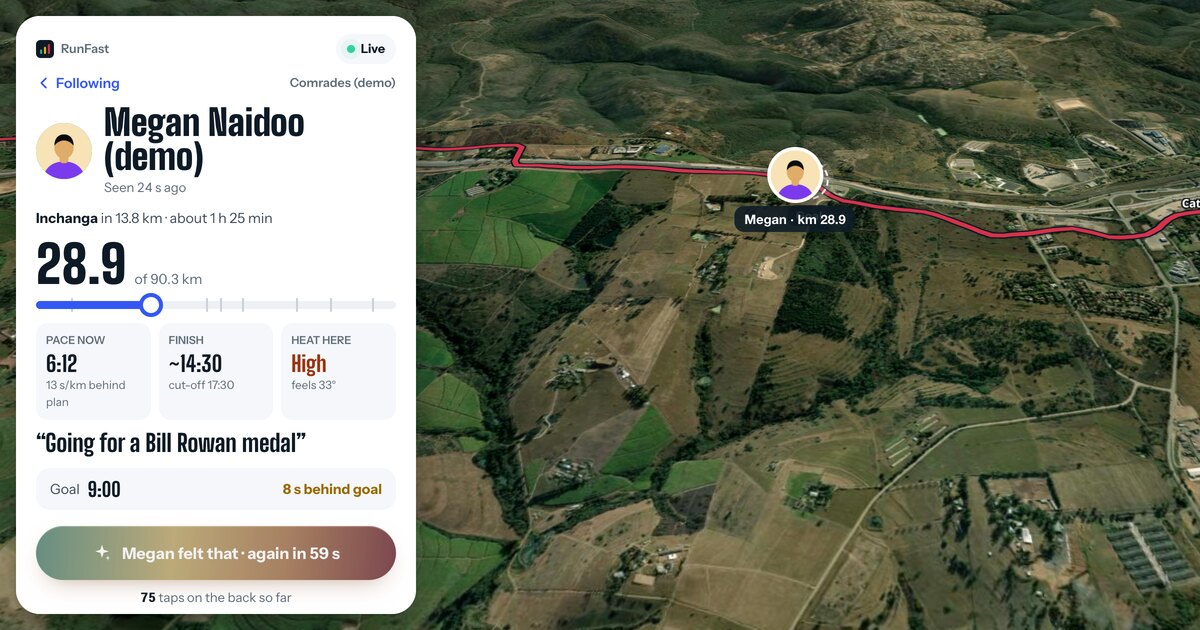
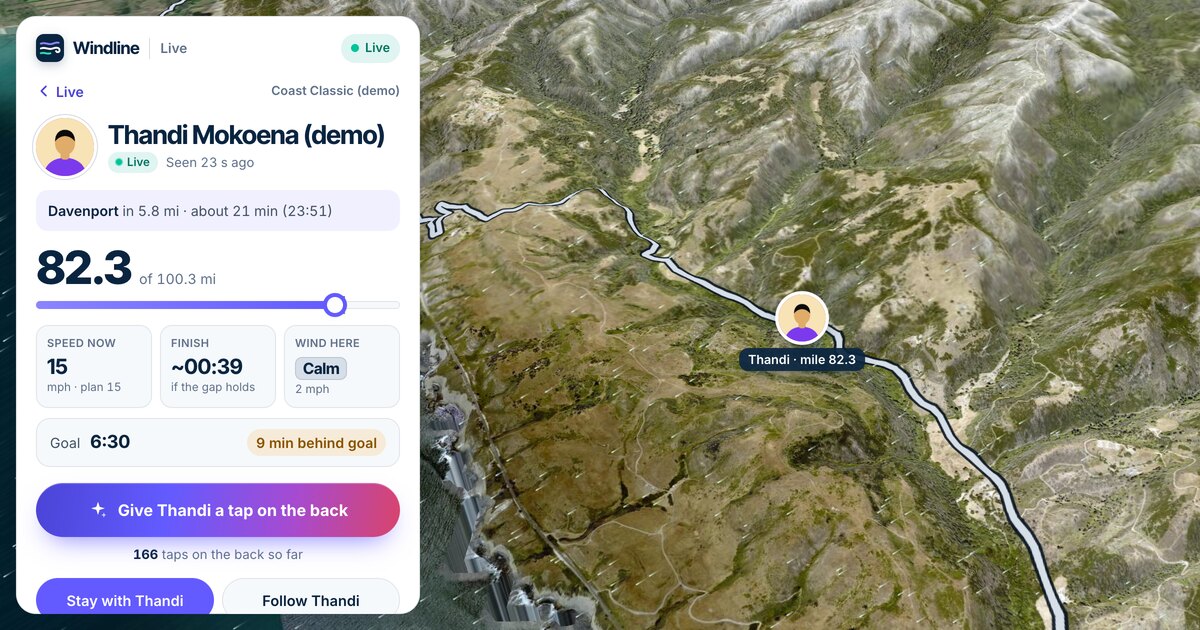
- Tap Give Thandi a tap on the back (with their name). On RunFast, it's Give Megan a tap on the back.
- Watch the button: it says they felt it, and counts down to the next one: "Thandi felt that · again in 58 s".
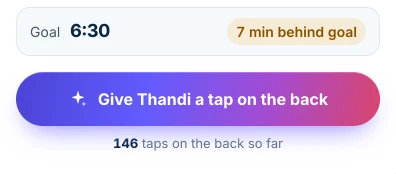
The count under the button is everyone's taps together, so you can see how many people are cheering.
Will they know it was me?
Yes, if you're signed in. They see your first name and initial: "Thandi M., Sipho K. and 12 others". If you're not signed in, your tap counts, but as one of the others.
- On Windline's live page, after a tap it says Sign in so Thandi sees it was you. Sign in with Apple, Google or your email, with your first and last name. When you sign in, your name goes on the taps you already gave from that browser in the last 30 days.
- On RunFast, sign up and they'll see it was you, by first name and initial.
When does a tap help most?
When it's hard. The live page shows you when that is: watch for these moments.
- A headwind or the heat. For riders, an orange or red stretch on the course is a headwind. For runners, the course colours run from Ideal to Very hard: how hard the weather makes each stretch at their pace.
- Behind their goal. If their card turns to "13 min behind goal", a few taps say you're still with them.
- Halfway. In the app, an alert tells you when they reach it.
- The last few kilometres. The next landmark and the finish time on their card tell you when they're close.
- No signal for a while. Taps reach them with their phone's next update, so they're waiting when the signal comes back.
You can tap once a minute, so a run of taps over a hard stretch is something they'll notice.
Does it matter how many taps they get?
To the person racing, yes. The count is the first thing they see after the finish, and every signed-in name is in their list. A tap at a hard moment, from someone they didn't expect, can be the one they remember. Ask the family to send a few each.
Should I send messages as well?
Yes, but at the right time. Mid-race, most people don't read messages, and a phone that keeps lighting up costs battery. Taps are made for the middle of a race: they're quiet, and they're counted for later.
| When | What works |
|---|---|
| The night before | A message: good luck, and that you'll be watching |
| At the start | A tap on the back, the moment they go live |
| During the race | Taps, especially on the hard stretches |
| At the finish | Congratulate, then a message or a call |
| The next day | They'll see every name in their taps list |
How do I congratulate them at the finish?
For 24 hours after they finish, the button becomes Congratulate. They get your taps as a notification, at most one every 5 minutes, such as "12 more taps on the back". After a day, a tap says "Their finish was more than a day ago."
Can I cheer a whole club, or a group of friends?
Yes, one person at a time. Each rider or runner has their own taps, so open each one and tap.
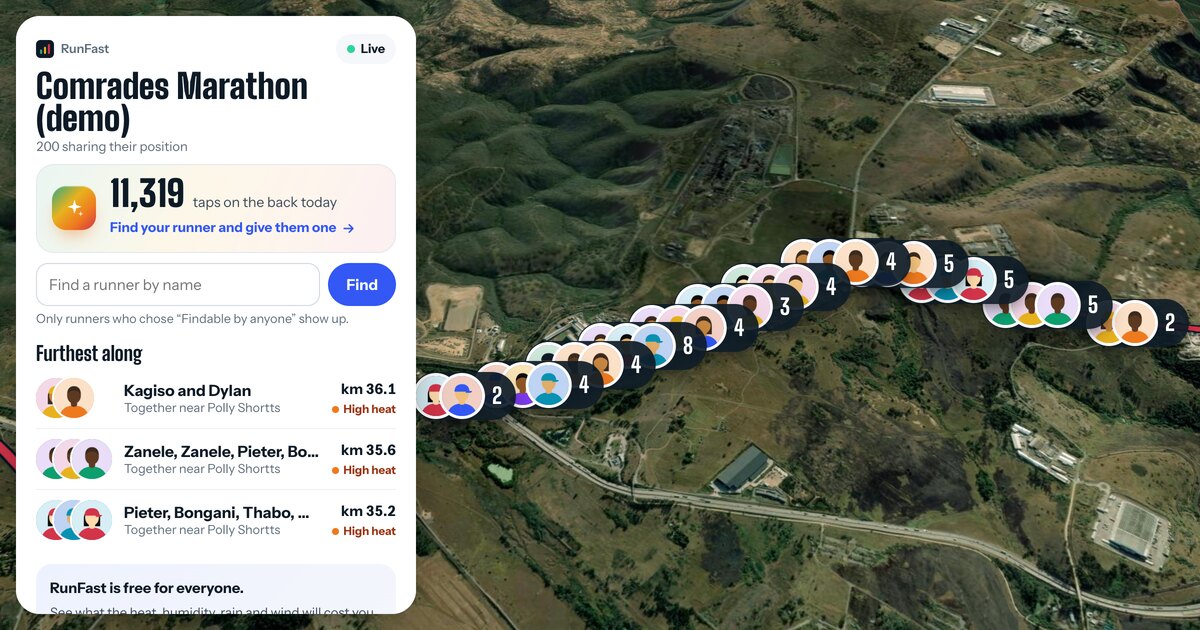
- On a race's live map, tap someone in the map or in Furthest along to open them, then tap the button.
- On livedot.me, Your people shows everyone you follow on one page, live people first, each with their own tap button on their card.
- As a group, share the job: one of you takes the climbs, another the last 10 km, so the taps keep coming when they're needed.
How do we watch together at home?
Put the race's live map on a laptop or a TV, so everyone sees the whole field, and let each person follow their own rider or runner on their phone. Pin the link in the family chat before the start. When someone sees a hard stretch coming, that's the moment for a round of taps.
What does the rider or runner feel?
A buzz, and the count. On Windline, it's one buzz and no sound, and the live notification shows who tapped for about 10 seconds, then the count. On RunFast, iPhone shows a sparkle on the Lock Screen and Android shows the same words on the live notification. After the race, they can read every signed-in name, newest first. All of it is in taps on the back.
Can I be there in other ways?
Yes. Watching live, getting alerts and being at the right place on the course all help.
- Watch live. Their page updates by itself: where they are, their speed or pace, their finish time, the weather where they are. See how to track someone in a race.
- Get alerts. In the Windline or RunFast app, turn on alerts for when they start, reach halfway and finish. No account needed.
- Meet them on the course. The next landmark and its time tell you where to stand. See the guides for runners and riders.
- Share their page with the rest of the family, using Share under their card.
What about Garmin and race apps?
Some other tools have their own cheering, and they work if the person uses them. Garmin's LiveTrack has Spectator Messaging: followers can send text or audio messages from the LiveTrack page to supported Garmin watches and bike computers, with audio needing headphones or a watch with a speaker (Garmin support). Some official race apps offer cheers for that event. Taps on the back work for anyone live on Windline or RunFast, from any browser. More on Garmin's side in Garmin LiveTrack alternative for race day.
Try it now
Send a tap to a demo: Thandi at the Coast Classic or Megan at Comrades. They're simulated riders and runners, always mid-race, so you can see exactly what the button does before race day.
Follow someone live: search by name on livedot.me, or open the link they sent you, and give them a tap on the back.
Questions
Can the runner or rider hear my cheer?
A tap on the back isn't a voice message. Their phone buzzes and they see the count, and the names of signed-in tappers. On Windline it's one buzz and no sound, so it never interrupts their music or their focus.
Do I need an account to give a tap on the back?
No. Anyone who can see them can tap, in any browser or in the app. Signed in, they see your first name and initial; not signed in, you're counted but not named.
How often can I send one?
Once a minute. The button counts down until you can send the next one, for example: Thabo felt that · again in 58 s.
Can I cheer after they finish?
Yes, for 24 hours. The button becomes Congratulate, and they get at most one notification every 5 minutes, such as 12 more taps on the back.
Will a tap distract them?
It's designed not to. Taps arrive quietly with their phone's next update, and they can read who they're from later, in the app.