Following liveHow-to
Track a cyclist live in ChatGPT or Claude
The short answer
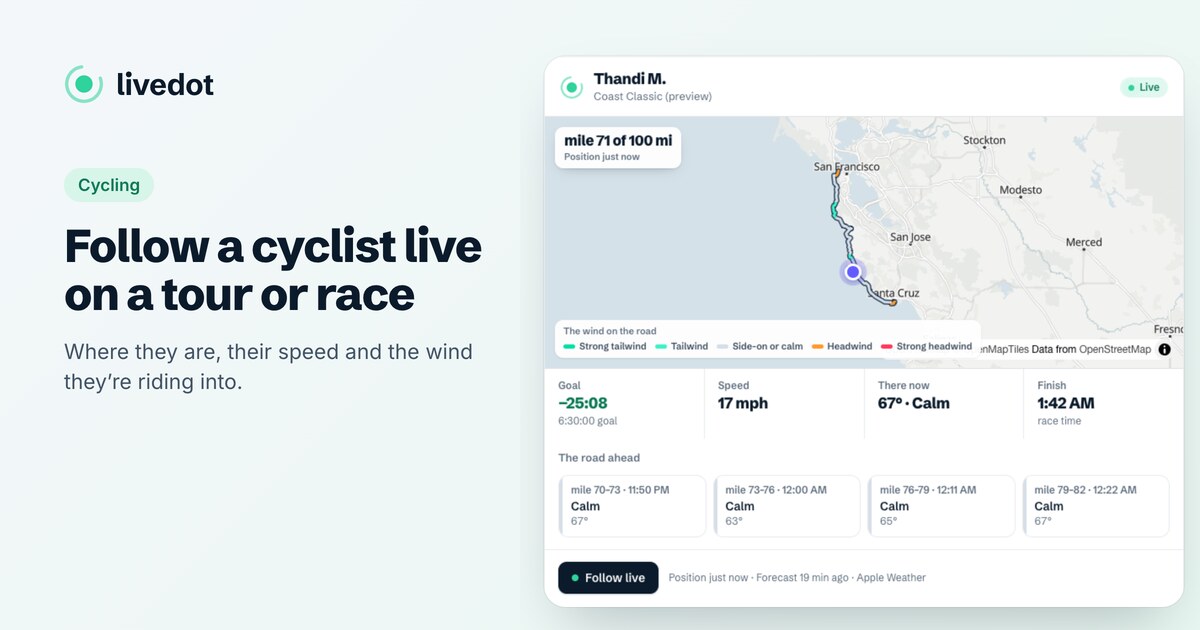
Add livedot in ChatGPT or Claude, then paste the rider's livedot link or follow link, or ask by name if they chose Findable by anyone: "Where's Thandi in the Coast Classic?" You get where they are, their speed, their goal, the wind where they are and on the road ahead, and their finish time, on a live map. Free, no sign-in.
The rider is out on the course and you're at work, at home or on the other side of the world. With livedot in ChatGPT or Claude, you can follow their race in the chat you already have open: ask where they are, see if they're on goal, read the wind they're riding into, and send a tap on the back when it gets hard. This guide is for cycling, on Windline. Following a runner? See how to track a runner live in ChatGPT. It's part of livedot's guides to following live.
What do I need?
A minute, once, and the rider's link.
- ChatGPT or Claude, with livedot added: search for it, or add it at
https://livedot.me/mcp. More at livedot.me/mcp. - The rider going live from the Windline app in a race.
- Their link, or their name if they chose Findable by anyone for a public race.
Following is free, needs no sign-in, and can't see anything they haven't shared.
How do I track them, step by step?
Get their link before race day
Ask the rider for their livedot link (livedot.me/their-name) or their follow link from Windline. A private race needs the follow link.
Add livedot
In ChatGPT or Claude, search for livedot and add it, or add it by its address, https://livedot.me/mcp. Following needs no sign-in.
Ask where they are
Paste the link and ask "Where is she now?", or ask by name if they chose Findable by anyone: "Where's Thandi in the Coast Classic?"
Read the wind
The card shows their mile or km, speed, goal, the wind where they are (head, tail or side-on) and on the road ahead, and their finish time.
Cheer, or open Follow live
Tap Give them a tap on the back on the card, or say it. Follow live opens their page on Windline, which keeps moving by itself.
Name or link: which should I use?
The link, if you can get it. It always finds the right rider.
| You have | What it finds |
|---|---|
| Their livedot link (livedot.me/thandi) | Them, in any public race they're live in |
| Their follow link (windline.tech/f/…) | Them, in that race, private races included |
| Their name | Only riders who chose Findable by anyone, on a public race |
With a name, several riders may match. livedot then shows the most likely few and asks one short question, such as a surname or an initial. It never guesses between people. Names show as the race's own map shows them: the name a Findable rider chose to show, otherwise first name and initial, such as "Thandi M.". For the link itself, send them how to get your livedot link.
What does the answer show?
What their live page shows, in a sentence and on a map:
- Where: their mile and km, of the full distance.
- How fast: their speed now, in mph or km/h.
- Goal: how far ahead of or behind their goal time they are, with a ghost on the map where the goal would put them.
- The wind there: head, tail or side-on, with its strength, rated by Windline's forecast engine.
- The road ahead: the wind on the next few stretches, timed to when they'll reach each one.
- Finish: when they'll finish at this speed, in the race's own time.
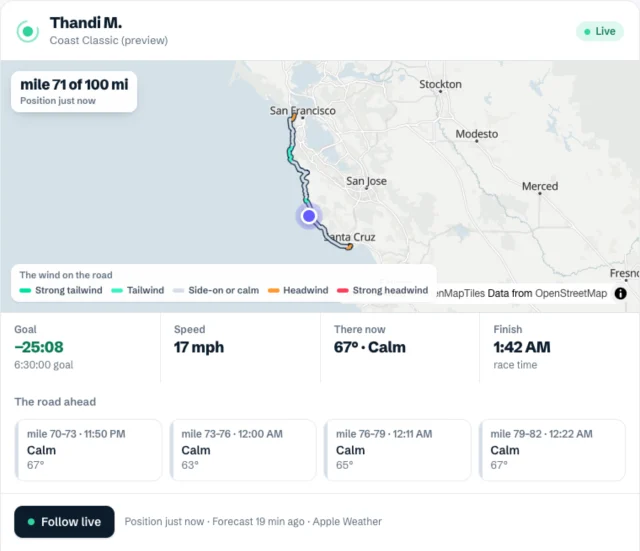
Answers come in your units: ChatGPT tells livedot where you are; in Claude, the race's units lead and the others follow in brackets. The card keeps itself up to date while it's on screen, every 30 seconds.
How do I read the wind?
As the story of the next hour. A tailwind on the card and a headwind on the road ahead means the speed will drop: it's the wind, not the legs. A strong headwind late in the race is when a tap on the back helps most. A side-on wind with gusts is the one to worry about on exposed roads. For how Windline rates the wind, see track a cyclist in a race.
What about the whole race, or their club?
Ask about it. "How's [the race] going?" returns how long it's been under way, how many are on the map, how many have finished and who's furthest along. Riding with a club? "How are [their club] doing in [the race]?" shows every member who chose to be findable, with their mile and time against their goal, on a map of just the club; tap a face for that rider's card. While the apps run their demo, "How's the Coast Classic demo going?" shows a race any time.
What about tours and group rides?
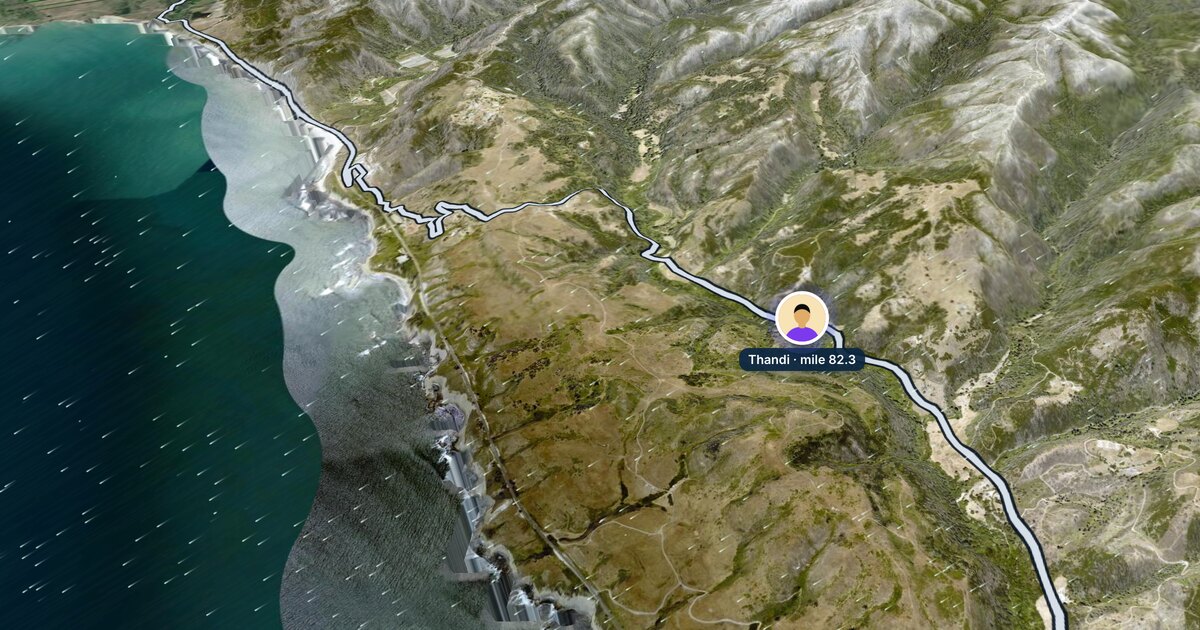
On a multi-day tour, ask about the tour by name: "Where is [the tour]?" shows its days and route, and "Fly day 3 of [the tour]" flies that day in the chat, coloured by the wind. On the tour's days, "Give [the tour] a tap on the back" sends a tap to its organiser, to read out to the riders. While a tour or group ride is shared with Follow live, it's live on the organiser's page at livedot.me; see how to follow a cyclist live on a tour or race.
When can't it say where they are?
When their live page doesn't show a position. livedot says why, in plain words:
- Not started: the start time.
- Paused or stopped: no position while they're stopped, such as at a café stop.
- Near the start or the finish: hidden there, for their privacy.
- Finished: their time, and how it compares with their goal.
If they lose signal in a valley, the answer says when they were last seen; see live tracking with no signal.
How do I cheer them on?
From the same chat. When their card shows Give Thandi a tap on the back, tap it, or say "Give her a tap on the back." Their phone buzzes, with your name if your Windline or RunFast account is connected, or a first name you give. After the finish, the button reads Congratulate Thandi for a day. One tap a minute to the same person. See how to send a tap on the back from ChatGPT.
All of it is free, thanks to ProLend.
Questions
Can I track a cyclist in ChatGPT?
Yes, with livedot added. Paste their livedot link or Windline follow link, or ask by name if they chose Findable by anyone. It works for riders on Windline who are live in a race, and for tours and group rides shared with Follow live through their page.
Why does the wind matter so much?
On a bike, a headwind can cost more time than a hill. The card shows the wind where the rider is and on the next stretches, timed to when they'll get there, so you know when the hard part is coming.
Why can't livedot find my rider by name?
Only riders who chose Findable by anyone, on a public race, can be found by name. Ask them for their livedot link or follow link and paste it instead.
Is the position live?
Each answer is a snapshot of the position their phone last sent, with how long ago. The card refreshes itself while it's on screen; open Follow live for their page, which keeps moving by itself.
Do I need an account?
No. Following is free and needs no sign-in. A tap on the back carries your name if you connect your Windline or RunFast account, or the first name you give.