Sharing your positionHow-to
How to share your live location in a race
The short answer
Add your race in the free app for your sport (Windline for cycling, RunFast for running), turn on live tracking, choose who can see you and send your link. On race day, tap Start live tracking and pocket your phone. Followers open your link in any browser, with no app or account. Tracking stops at the finish.
Get the app for your sport
Install Windline for cycling races or RunFast for running races, and sign in with a free account: Apple, Google, or email and password, with your first and last name.
Add your race
In Windline, tap + on the Events screen, then Set up a new event, and choose Race or event; on a club race, tap I'm riding. In RunFast, tap New run, then Race, or tap I'm in on a club race.
Turn on live tracking
Windline switches Live tracking on for a new race. In RunFast, switch on Live tracking on the race: it's off until you do. Your follow link appears.
Choose who can see you
Leave Findable by anyone off if only the people you choose should follow you. Switch it on if anyone may find you by name.
Send your link
Share your follow link, or the share picture made for WhatsApp and socials, with the people you want following.
Go live on race day
Tap the reminder before the start, or open the race and tap Go live, then Start live tracking. Put the phone in your pocket. Tracking stops by itself at the finish.
You share your live location in a race from your phone, with the free app for your sport: Windline for cycling races, RunFast for running races. Everyone else just opens a link. This guide is the whole picture: what you need, how to set it up, who sees you and what happens on the day.
What do you need to share your live location?
You need a phone with the app, a free account and the race added in the app. The people following you need nothing but the link.
- The app: Windline for cycling races, RunFast for running races. Both are on Android today, from windline.tech/android and runfast.tech/android. Both iPhone apps are with the App Store for review.
- A free account: sign in with Apple, Google, or email and password. Your first and last name are what followers see, never your email address.
- The race: your own, or your club's. Live tracking is per race, so a casual run or a training ride doesn't go live on livedot.
- Signal, most of the time: your phone sends your position over mobile data. Where there's none, it keeps every position and sends them when it's back.
How do I set it up in Windline or RunFast?
Add the race, turn on live tracking and choose who sees you. The two apps work the same way, with a few differences.
| Windline (cycling races) | RunFast (running races) | |
|---|---|---|
| Add the race | Events screen: +, Set up a new event, Race or event. A club race: I'm riding. | New run, then Race. A club race: I'm in. You can also add it on runfast.tech. |
| Live tracking | On for a new race | Off until you switch it on |
| Where the settings are | Your own race: tap it under Organising, then the gear (Race settings). A club race: Your goal and live tracking. | Runs: ⋯ on the race, then Edit. A club race: ⋯, then Your goal and live tracking. |
| Your link | windline.tech/f/ and a short code | runfast.tech/f/ and a short code |
| Who can see you | People I approve, My club's members, Findable by anyone | Anyone with your link, people you approve, Findable by anyone |
| Goal time | On a one-day race | On any race |
| Your words | Up to 60 characters | Up to 60 characters |
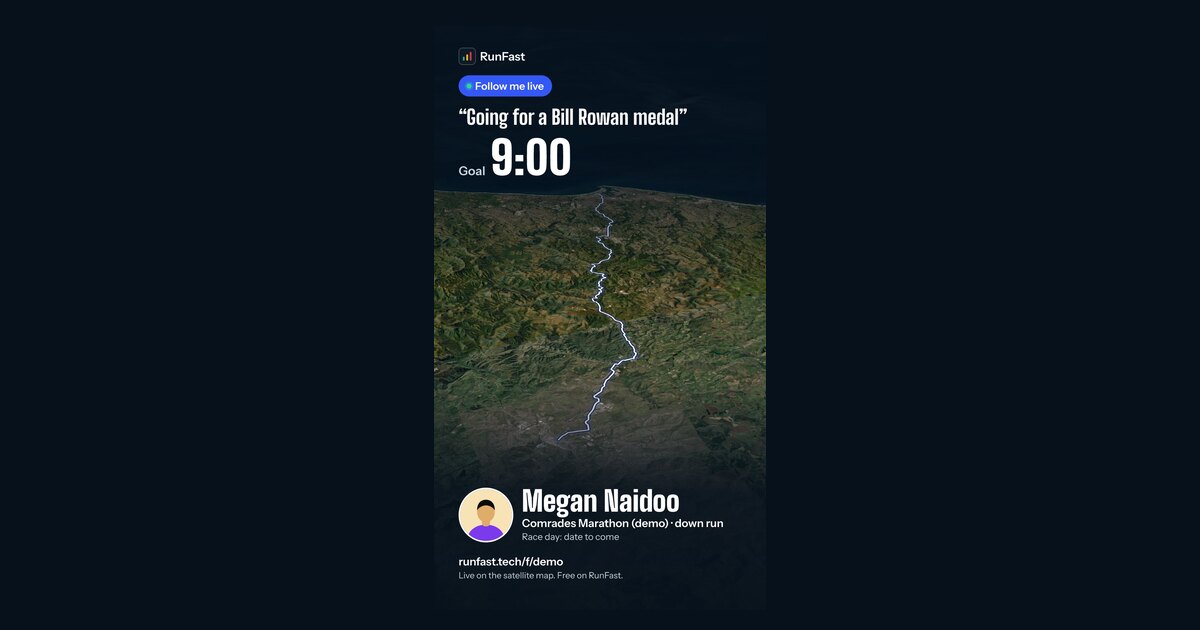
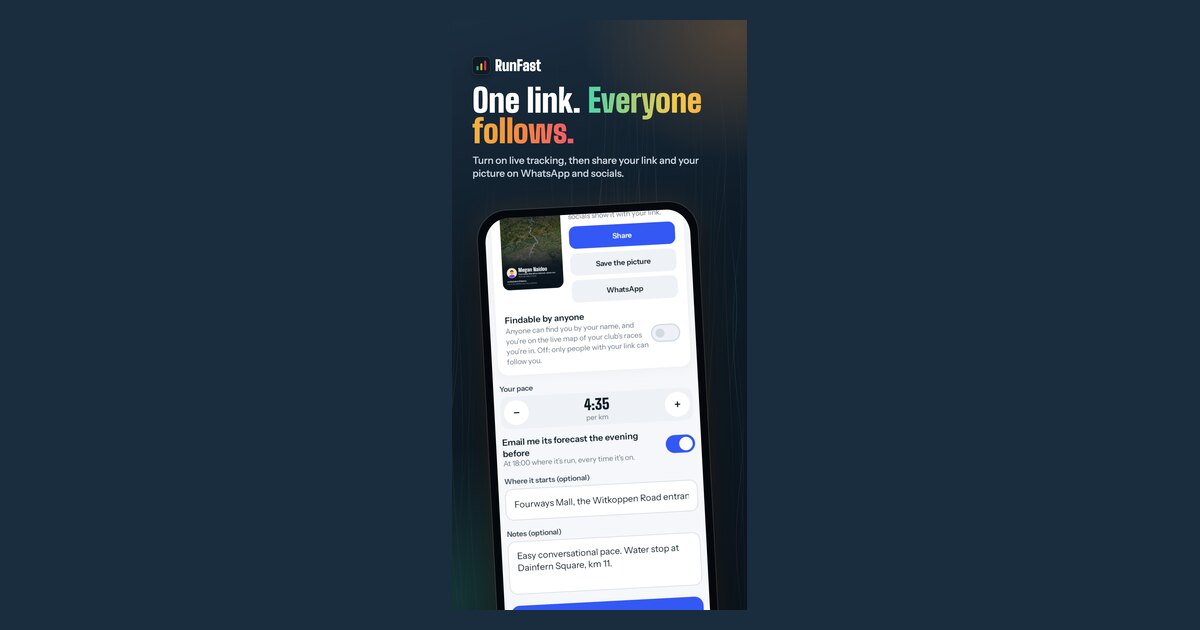
You have one link, the same for every race, until you reset it. The card also makes a share picture for WhatsApp and socials, with your name, the race and your goal.
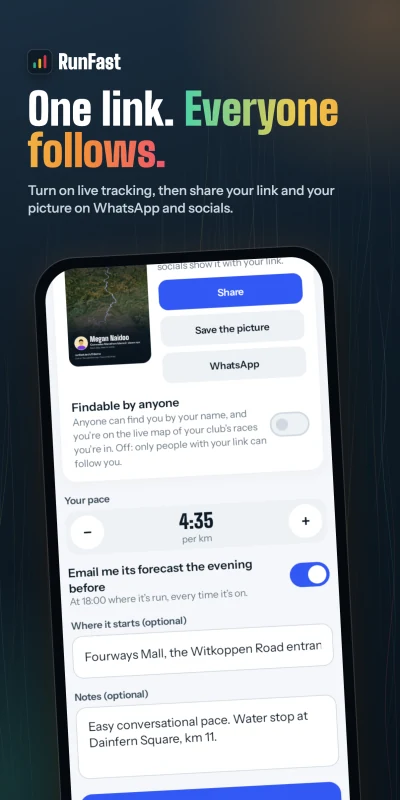
The exact taps for each app are in their own help: going live on a race on Windline, and turning on live tracking on RunFast.
Who will be able to see me?
You choose, per race, and every change takes effect at once. By default, the people with your link see you, and nobody can find you by name.
- People with your link: whoever you send it to. In Windline this is People I approve, on unless you switch it off.
- Your club's members: on your club's race map, if you share with your club. RunFast's club race map shows runners who are Findable.
- Anyone who searches your name: only if you switch on Findable by anyone, which is off by default.
Positions your phone sends are deleted after 7 days. The full detail, including private races and how long each thing is kept, is in live tracking privacy.
How do I get people following me?
Send your link, or the share picture, a day or two before the race, and once more on race morning. Tell them it opens in any browser and needs no account. Pin it in the family group chat, and let them know they can give you a tap on the back.
The step-by-step version, with what to say and what your followers will see before the start, is in how to get friends and family following you.
What happens on race day?
The app reminds you before the start, you tap Start live tracking, and you put the phone away. That's all.
- The reminder: Windline about 30 minutes before the start ("The 94.7 starts at 06:15"); RunFast 2 hours before the gun, with a Go live button that starts straight away.
- While you race: your phone sends your position every 30 seconds. Windline takes one about every 25 metres you move. A notification shows you're live, with Pause and Stop.
- At the finish: it stops by itself. Windline stops within 150 m of the end; both stop 3 hours after your planned finish if you forget.
Battery, permissions and the settings that keep Android phones from closing the app are in go live on race day and the race-day phone checklist.
What do my followers see?
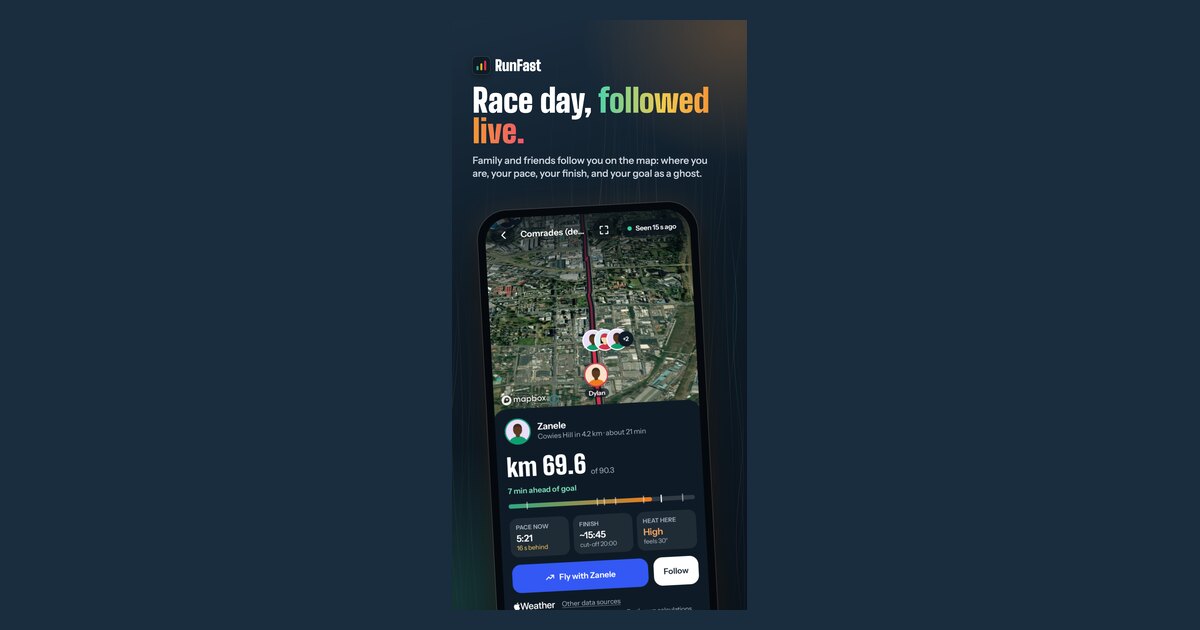
They see your dot on the course, how far you've come, your speed or pace, your finish time and the weather where you are. With a goal, they see your ghost and whether you're ahead or behind.
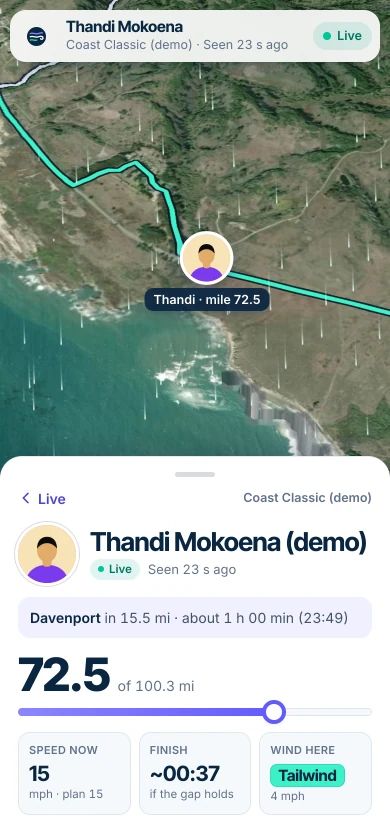
For riders, the course is coloured by the wind on each stretch at the time you'll reach it, from a strong tailwind to a strong headwind. For runners, it's coloured by how hard the heat makes each stretch at your pace. The forecasts come from Apple Weather, worldwide.
Does it work anywhere in the world?
Yes. The weather is worldwide, followers can be anywhere, and distances show in kilometres or miles. On the public pages, units follow where the viewer's device is. In the apps, they're your own setting.
What matters most is your phone's signal on the course. Rural roads and valleys lose it: your followers see "No signal" and when you were last seen, and the real line fills in once the phone sends again. See what happens when you lose signal.
How do I stop sharing?
Tap Stop in the app, or let it stop by itself at the finish. Your followers then see that you stopped, or that you finished, with your time.
- Pause stops sending for a while, and Resume carries on. Followers see "Paused".
- Stop asks first, so a tap in your pocket can't end it. On Android, Windline also asks for your PIN, fingerprint or face.
- Your link keeps working for your next race. If it ended up somewhere public, reset it: anyone with only the old link stops seeing you. See live tracking privacy.
Why not just share my location in WhatsApp or Find My?
You can, and for a training ride or run they do the job. On race day they show a dot on a map, and that's all: they don't know your course, your distance to go, your finish time or the weather ahead, and your followers usually need the same app or an account. A fair, sourced comparison of Garmin LiveTrack, Strava Beacon, Find My and Google Maps is in live tracking apps compared.
What about tours, group rides and casual runs?
livedot is for races. Windline also has its own live link for tours and rides: the event's owner switches on Follow live and shares one link, for example with family. That lives on windline.tech, not on livedot. See Windline's Follow live help. On RunFast, live tracking is for races only: a casual run doesn't go live.
Is it free?
Yes. Going live, your link, your share picture, Findable by anyone, the race maps and following are all free for everyone, thanks to ProLend.
Questions
Can I share my live location from a web browser?
No. Only the Windline or RunFast app on your phone sends your position. A browser, on any phone, doesn't, so opening your race on runfast.tech or app.windline.tech isn't tracking.
Do the people following me need the app?
No. Your link opens in any browser on a phone or computer, with no account and nothing to install. The app only adds alerts when you start, reach halfway and finish.
Is my location shared all the time?
No. You're only seen while you're live on a race. You can pause or stop at any time, and tracking stops by itself at the finish, or 3 hours after your planned finish.
Can I go live on an iPhone?
Not yet. Both apps are on Android today. Both iPhone apps are with the App Store for review, and Windline's race tracking reaches its iPhone app in the update after that. People following you can use any phone, iPhone included.
Does it use my Garmin, Wahoo or Apple Watch?
No. Windline and RunFast send your position from the app on your phone, so a watch or bike computer can keep recording your activity as usual.