Live tracking for races compared: Garmin, Strava, Find My
The short answer
For a training ride or run, Strava Beacon, Garmin LiveTrack, Find My and Google Maps all share where you are. For a race, livedot (through Windline or RunFast) adds the course, your finish time, a goal ghost, the weather where you are, race maps, name search and taps on the back, with followers in any browser. Each has limits.
There are several ways to let people see where you are while you ride or run. Most were built for safety on a training day: someone at home can check you're moving. Race day asks more: where you are on the course, when you'll finish, and a way for people to find you and cheer. This page compares five options fairly, from each provider's own documentation, checked in October 2026.
Which should I use?
It depends on the day. Here's a short answer by situation; the details follow.
| The situation | A good fit |
|---|---|
| A training ride or run on your own, someone at home checking you're safe | Strava Beacon, Garmin LiveTrack, Find My or Google Maps sharing |
| You race with a Garmin watch and want heart rate and pace on the page | Garmin LiveTrack |
| A race, with family and friends watching from anywhere | livedot, through Windline or RunFast |
| A whole club or field on one map | livedot's race and club maps |
| Everyone you're sharing with has an iPhone, for the day | Find My |
You can run more than one at a time. Each uses battery, so on a long day carry a power bank.
How do they compare?
This table uses each provider's own documentation. "Not stated" means their documentation doesn't say; it may or may not do it.
| livedot (Windline, RunFast) | Garmin LiveTrack | Strava Beacon | Apple Find My | Google Maps sharing | |
|---|---|---|---|---|---|
| What sends your position | The Windline or RunFast app on your phone | A compatible Garmin device, paired with Garmin Connect on your phone | The Strava app on your phone | Your iPhone | Your phone, in Google Maps |
| Who can watch | Anyone with your link; anyone by name, if you choose | Email invites (up to 50), or a link in messaging apps | Up to 3 safety contacts by text, with a unique link | People you share with | Google contacts, or anyone with a link |
| What followers need | Any browser, no account | Not stated | No Strava app or account | An iPhone with iOS 15 or later, for Live Location | A link works without a Google account, for up to 24 hours |
| The course | The race's course | Your planned course, on supported devices | Not stated | Not stated | Not stated |
| Finish time | Yes, live, on the page | In Live Event Sharing texts (Android only) | Not stated | Not stated | Not stated |
| Pace or speed | Yes | Pace, speed, heart rate, cadence | Not stated | Not stated | Not stated |
| Weather where you are | Wind for riders, heat for runners | Not stated | Not stated | Not stated | Not stated |
| Updates | Sent every 30 seconds | Every 15 seconds to 1 minute, by device | About every 15 seconds | Not stated | Not stated |
| Cheering | Taps on the back, from any browser | Spectator Messaging, to supported devices | Not stated | Not stated | Not stated |
| Race and club maps, name search | Yes | GroupTrack shows Garmin Connect friends near you | Not stated | Not stated | Not stated |
| Cost | Free for everyone, thanks to ProLend | Free on compatible products; texting the link needs Connect+ | Free in the phone app; subscription from watches | Built into iPhone | Built into Google Maps |
What does Garmin LiveTrack do well?
It works from a Garmin watch or bike computer, with rich data. Garmin describes it as a real-time view of your location during an activity, so friends and family can follow along.
Followers see your location, pace, elapsed time, distance and elevation gain, and in graphs your heart rate and cadence. On supported devices they also see your planned course, and with Spectator Messaging they can send you text or audio messages. Garmin says LiveTrack is free for any compatible product; texting the link, a personalised page and other "Enhanced LiveTrack" features need a Connect+ or Outdoor Maps+ subscription. It needs your phone with you, with a good mobile signal, unless you have one of the LTE watches Garmin lists.
What Garmin's docs don't describe on the LiveTrack page: a finish time, a whole-field map, or a way to find you by name. Its Android-only Live Event Sharing does text an estimated finish to up to 5 phone numbers. The detail is in Garmin LiveTrack alternative for race day.
What does Strava Beacon do well?
It's simple, and it's on your phone already if you use Strava. Strava says you can use Beacon when recording with the Strava mobile app.
You choose up to three safety contacts, and Beacon sends them a text with a unique link. They see your current location, where you've been and where you started, and when you started and how long you've been active, plus your phone's battery. Updates come about every 15 seconds, depending on signal. Recipients don't need the Strava app or an account. When you finish recording, they can no longer see your current location. From a watch or a Garmin, Strava lists Beacon as a subscriber feature.
What it doesn't do, by its own docs: show a race course or a finish time, or let anyone find you by name. The detail is in Strava Beacon alternative for races.
What about Find My and Google Maps?
They're built into your phone, and they're good for keeping family in the loop on any day. They don't know anything about a race.
- Apple Find My: share your location for an hour, until the end of the day, or indefinitely. Apple says both you and the person you share with need an iPhone with iOS 15 or later for Live Location.
- Google Maps location sharing: share for a set time or until you turn it off, with Google contacts, or by link for people without a Google account, for up to 24 hours. Google's page also says the recipient must have a Gmail account, so check it works for your family before the day. Viewers see your battery level and whether it's charging.
Both show a dot on a map. Neither, by its own docs, shows a course, your distance to go, your finish time or the weather where you are.
What does livedot do differently?
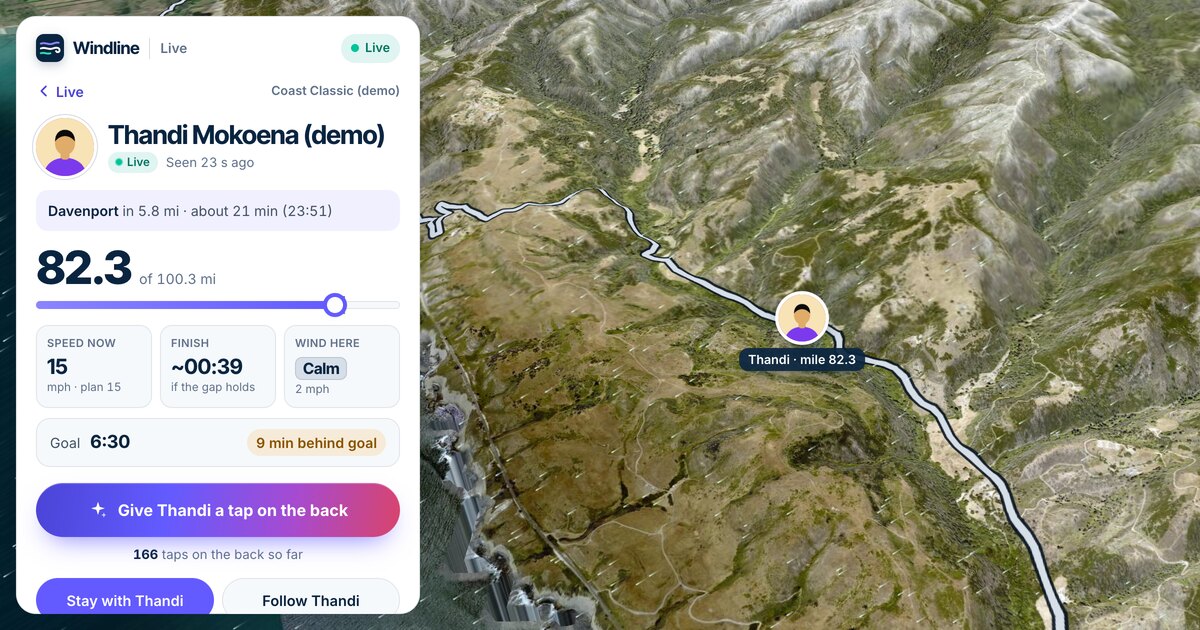
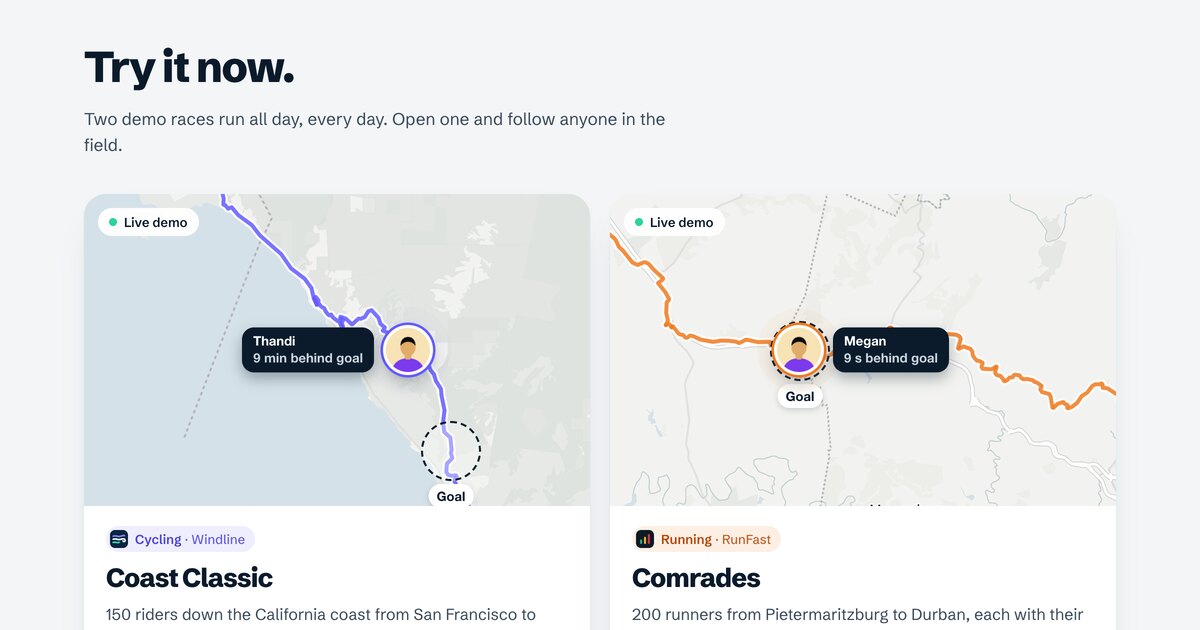
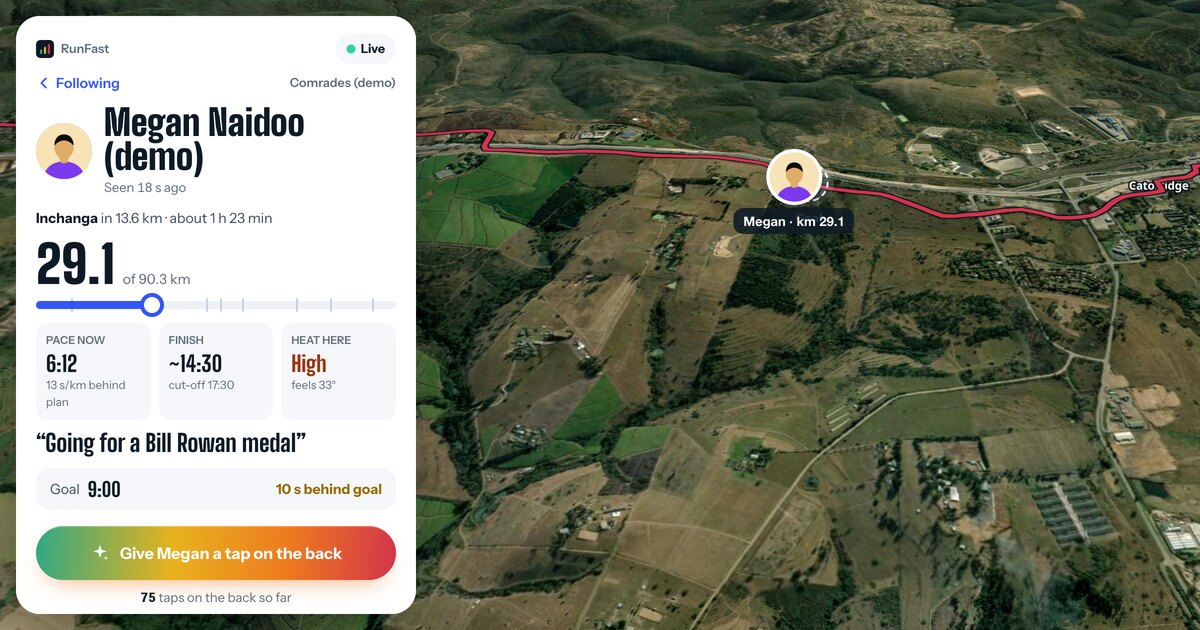
It's built for races. A rider on Windline or a runner on RunFast goes live from the app, and everyone else opens a link in any browser.
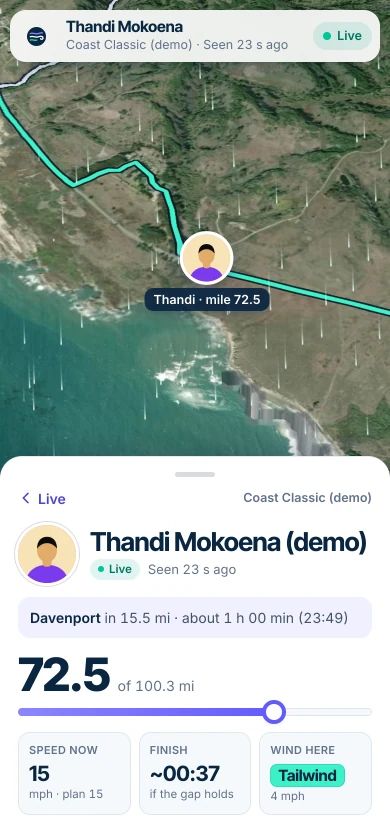
- The course and your progress: distance done and to go, the next place on the course and when you'll reach it, and your finish time.
- Your goal, as a ghost: where someone at exactly your goal time would be, and "4 min ahead of goal".
- The weather where you are: the wind for riders, the heat for runners, timed to each stretch.
- Race and club maps, and name search for people who choose Findable by anyone.
- Taps on the back, from any browser.
And its limits, plainly: going live needs the Windline or RunFast app on your phone, on Android today, with both iPhone apps with the App Store for review. It's for races, not every training day. It needs phone signal to send, though nothing is lost without it. It isn't official race timing. And it doesn't read Garmin or Strava. How to set it up is in how to share your live location in a race.
Can I use them together?
Yes. A Garmin watch can record your race while the Windline or RunFast app sends your live position, and you can send a Beacon to a safety contact too. Each one uses battery, and each sends its own link, so tell your followers which link is for what.
Which is easiest for followers?
A link that opens in a browser, with no account, is the simplest thing to send to a whole family group: nobody has to install anything or sign in. Whichever you choose, send the link before the day, and once more on race morning. For the follower's side, see how to track someone in a race.
Sources
Checked in October 2026, from each provider's own documentation:
- Garmin: LiveTrack feature, LiveTrack is free, Enhanced LiveTrack, Show Course, update rate, Spectator Messaging, GroupTrack.
- Strava: Strava Beacon, Beacon compatible devices, Beacon for Garmin.
- Apple: Share your location.
- Google: Share your real-time location.
Providers change their features, so check their pages for the latest. If something here is out of date, tell us through Windline's contact page, which livedot shares.
Questions
Which live tracking options are free?
All of them have a free way in. livedot is free for everyone, thanks to ProLend. Garmin says LiveTrack is free on compatible devices, with texting the link on a paid plan. Strava Beacon is free in the Strava phone app, and paid from watches. Find My and Google Maps sharing are built in.
Can my followers watch without an account?
On livedot, yes: any browser, no account. Strava says Beacon recipients need no app or account. Find My needs an iPhone on both ends for Live Location. Google says a link works for people without a Google account, for up to 24 hours.
Do I need a Garmin watch for live tracking in a race?
No. Windline and RunFast send your position from the app on your phone. Garmin LiveTrack needs a compatible Garmin device paired with the Garmin Connect app on your phone.
Can I use Find My to track someone in a marathon?
Yes, if you both have iPhones and they share their location with you. You'll see where they are, but not the course, their distance to go, their finish time or the weather where they are.
Does livedot use my Garmin or Strava data?
Not for live tracking. The live position comes from the Windline or RunFast app on your phone; neither reads Garmin LiveTrack or Strava Beacon.