Following liveHow-to
How to track someone in a marathon with ChatGPT
The short answer
A supporter's plan: the week before, get their livedot link (such as livedot.me/megan) and add livedot to ChatGPT or Claude. On the morning, ask for the weather on the course. During the race, ask where they are, and give them a tap on the back at the hard moments. Near the end, ask when they'll finish.
Marathon day for a supporter is a run of small decisions: when to leave, where to stand, whether they're on track, when to get to the finish. With livedot in ChatGPT or Claude, each one is a question you can ask in your own words. This guide is the supporter's race-day plan: what to set up the week before, what to ask on the morning, during the race and at the end. For everything about the answer itself, the main guide is how to track a runner live in ChatGPT.
What do I need?
- ChatGPT or Claude, with livedot added. Search for livedot, or add it at
https://livedot.me/mcp. No account, no sign-in. More at livedot.me/mcp. - Your runner going live from the RunFast app on race day. See how to go live on race day.
- Their livedot link, or their name. A link such as livedot.me/megan finds them in any race. A name works if they switched on Findable by anyone.
The race-day plan
Get their livedot link the week before
Ask your runner for their livedot link, such as livedot.me/megan. It finds them in any race without a name search.
Add livedot to ChatGPT or Claude
Search for livedot and add it, or add it at https://livedot.me/mcp. No account needed.
Check the weather the night before
Ask "What will the weather be like for the marathon?" for the heat and wind along the course at the times runners get there, if the race is on livedot.
Ask where they are during the race
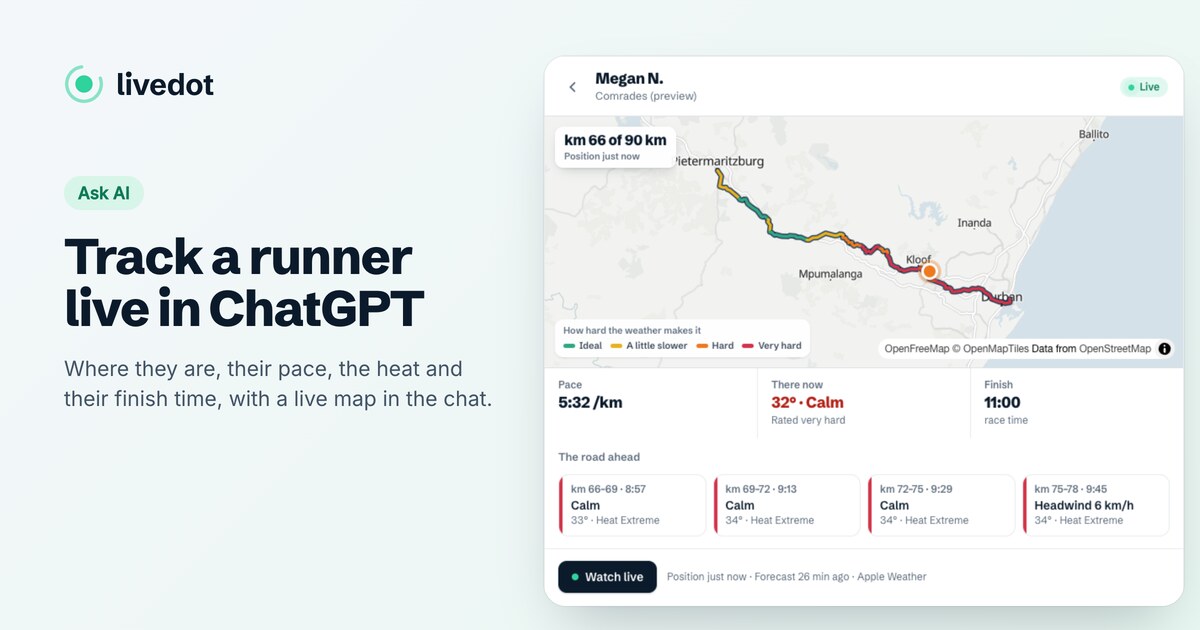
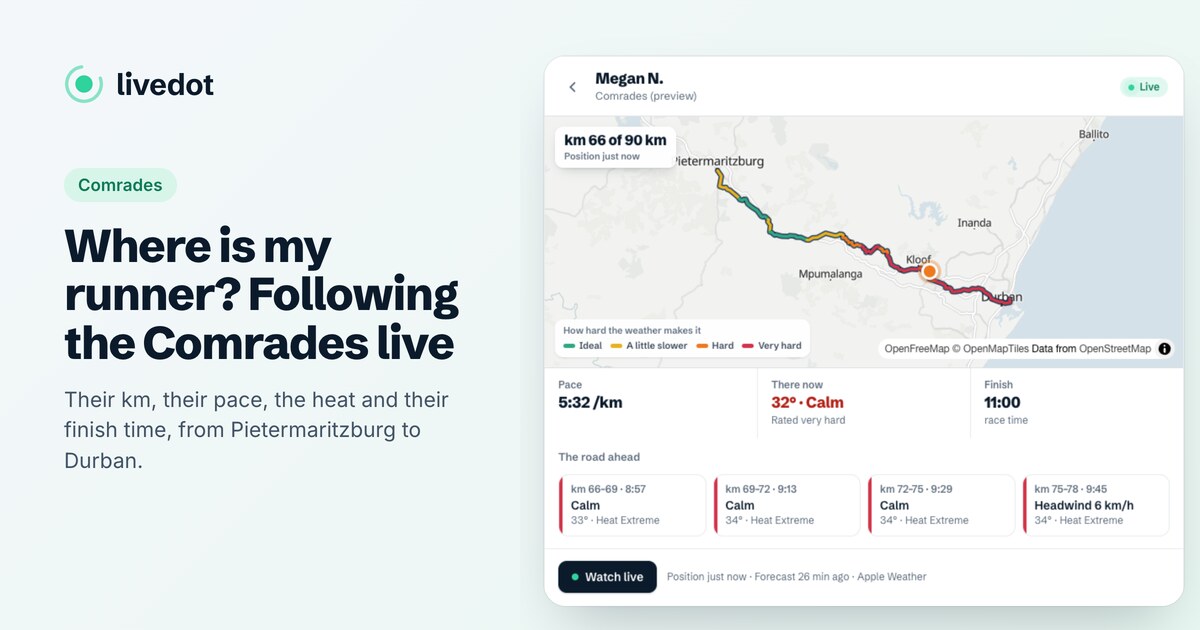
"Where's Megan?" or their link. You get their km, pace, goal, the heat where they are, the road ahead and their finish time on a live map.
Cheer at the hard moments
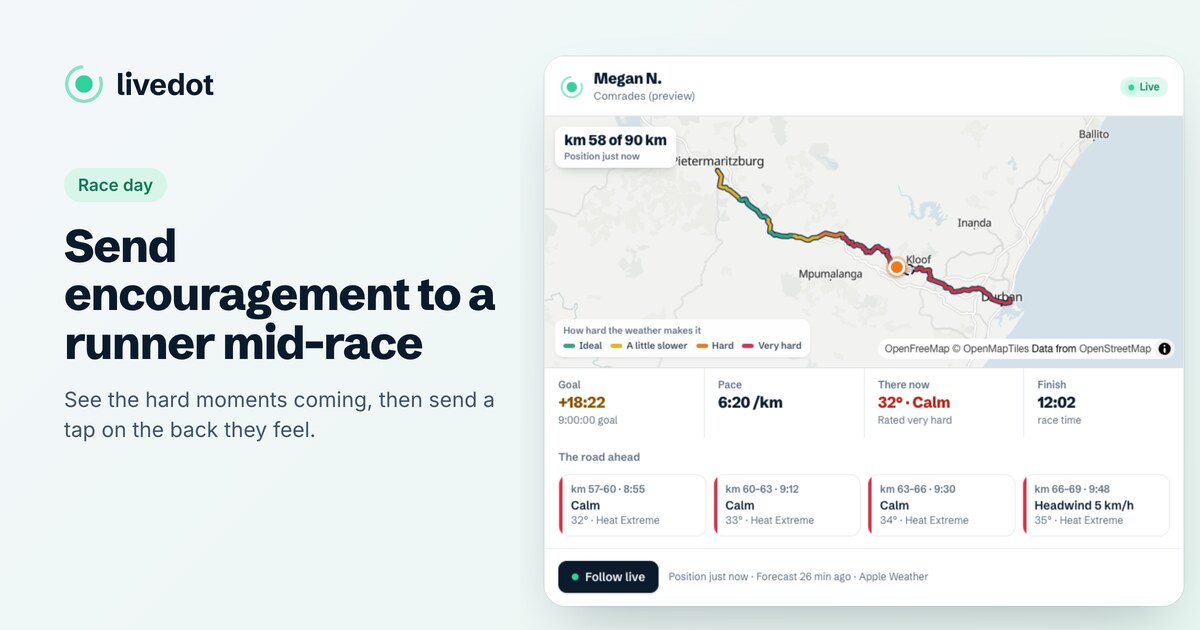
When the heat builds or they slip behind their goal, ask livedot to give them a tap on the back. Their phone buzzes, with your name if your RunFast account is connected or a first name you give.
Be at the finish on time
The answer gives their finish time at their current pace, in race time. Ask again as they get close: it moves as they speed up or slow down.
The week before: get their link
Ask your runner for their livedot link, and save it. It's one link for every race they do, in RunFast and Windline: livedot.me and the name they chose. Paste it into the chat on the day ("Where's livedot.me/megan?") and there's no searching through namesakes. Runners claim theirs in their account: see how to get your livedot link.
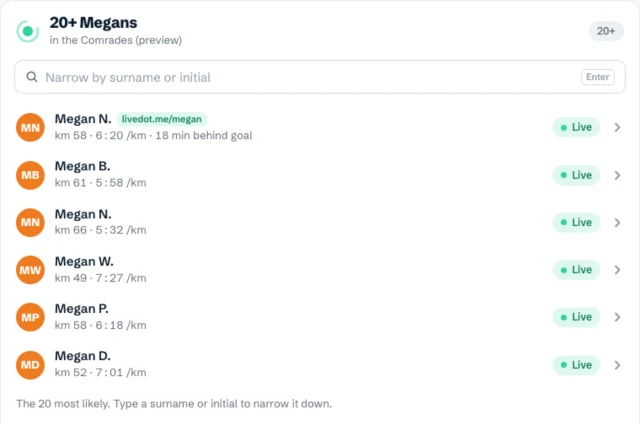
No link? Their name works if they're Findable by anyone for the race. With a common name in a big field, livedot shows a short list, live runners first, and asks for a surname or initial.
The morning: the weather
Ask "What will the weather be like for the marathon?" If the race has a livedot page or weather preview, you get the heat and wind along the course at the times runners reach each stretch, rated Good, Fair or Tough, with heat stress and how much the weather is likely to cost in minutes. It tells you what your runner will feel at halfway, not just at the start. See race-day weather with ChatGPT or Claude.
During the race: where are they?
Ask "Where's Megan?" whenever you like. The answer, with a live map in the chat:
- where she is: "km 32 of 90" in the Comrades demo, and in miles if you read miles;
- her goal: "on goal pace", or minutes ahead or behind, if she set one;
- her pace right now;
- the heat where she is, rated from Ideal to Very hard;
- the road ahead: the next few stretches, with their heat, wind and the time she'll reach them;
- her finish time at this pace, in race time;
- Follow live, her live page in any browser.
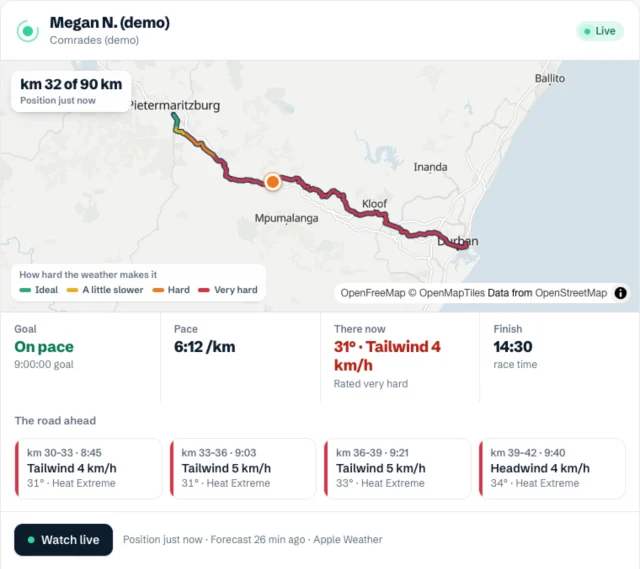
The road ahead is your plan for where to stand: it names the next stretches and when she'll reach them, so you can be there first. Each answer is a snapshot, so ask again for a fresh one, or open Follow live for a page that moves by itself.
The end: be at the finish
Ask "When will she finish?" The finish time moves as she speeds up or slows down, so ask again with 5 km to go. When she's done, the answer says so, with her time and how it compares with her goal. For her official time, use the race's own results: the timing mats are the record.
What if it can't find them?
livedot says why in plain words: not started yet, near the start or finish, not Findable by anyone, or not live. Their link always beats a name. All the cases are in how to track a runner live in ChatGPT.
Can I cheer from the chat?
Yes. Ask livedot to give her a tap on the back ("Give Megan a tap on the back"), or open Follow live and tap on her page. Her phone buzzes and she sees the count. With your RunFast account connected, the tap shows your name; otherwise give a first name ("from Sam"). One a minute, and in the day after the finish it lands as a congratulation. For when it helps most, see how to send encouragement to a runner during a race.
Questions
What should I set up before marathon day?
Get your runner's livedot link, such as livedot.me/megan, and add livedot to ChatGPT or Claude (search for livedot). Check they'll go live from the RunFast app at the start. That's all: on the day, you ask.
What if the marathon has thousands of runners with the same name?
livedot never guesses. It shows the most likely matches, live runners first, with how far each has run and their pace, and asks for a surname or initial. A livedot link avoids the question.
Do I need the RunFast app to follow?
No. Following works in ChatGPT, Claude, or any browser at livedot.me. Only the runner needs RunFast on their phone, going live for the race.
Is it the official race tracker?
No. The official tracker uses timing mats; livedot uses the runner's phone, so it shows where they are between the mats too, with the heat where they are. Use the official results for their time.
Is it free?
Yes, for runners and everyone following, thanks to ProLend. You need ChatGPT or Claude on a plan that allows connectors; Claude's Free plan includes one.