How to share your fundraising page while you race
The short answer
Paste your fundraising link into RunFast or Windline once. Then share one livedot.me link instead of two. Supporters see your live dot on the course, and your cause under Give a tap on the back, with a button to your fundraising page. The money goes straight there. livedot never touches it.
On race day you have two links to share. One is your fundraising page. The other is the way people watch you. Most people send the first, and a few remember the second.
You don't need both. This guide covers what each link does, and how to make one cover the lot.
What does a fundraising page do on race day?
It shows your cause and takes donations. It doesn't show where you are on the course.
That's what it's for, and it does it well. JustGiving, GivenGain, BackaBuddy, GoFundMe, Givebutter, Donorbox and a charity's own website all give people a place to read your story and give. None of that changes.
What's missing on the day is the live part. A supporter who opens your page at 10:00 sees your story, not your position. To find out how you're doing, they have to ask you, and you're mid-race.
What does a livedot link add?
Your live dot, and your cause, on one page.
Your livedot.me page shows your dot on the course map, your distance, your pace or speed, and your finish estimate. Under Give a tap on the back it shows your cause, with a button to your fundraising page.
So the person watching can cheer you on and back you in the same place, without leaving the page to hunt for a second link.
How do the two compare?
They do different jobs. The table lays them out.
| Your fundraising page | Your livedot link | |
|---|---|---|
| Shows your cause | Yes, in full: story, photos, updates | Yes: name, picture and web address, with a button |
| Takes donations | Yes | No. The button goes to your fundraising page |
| Shows where you are on the course | No | Yes, a live dot on the map |
| Shows pace or speed and finish estimate | No | Yes |
| Shows a fundraising total | Usually, on the platform | No. livedot shows no totals or progress bars |
| Viewer needs an app or account | No | No |
| Cost to you | Set by the platform | Free, thanks to ProLend |
The honest summary: keep your fundraising page, and let your livedot link point to it.
How do I put the two together?
Paste your fundraising link into the app once. That's the whole job.
- In Settings on Windline, You on RunFast, or Account on the web, find Riding for a cause or Running for a cause.
- Paste your fundraising link. The name and picture fill in by themselves.
- Share your livedot.me link instead of the fundraising link, on race day.
Windline is for cycling, and RunFast is for running. Both are live in the App Store and Google Play. The cause is the same in both, and on your livedot link.
Prefer a walk-through for your sport? Read watching a run live and supporting a charity or following a charity ride live. For every setting, see how to ride or run for a cause.
Which platforms does it work with?
Any public page that starts with https. That covers JustGiving, GivenGain, BackaBuddy, GoFundMe, Givebutter, Donorbox and a charity's own website.
Some pages don't give away a name or picture. A sign-in page, like a Facebook fundraiser, or a page that blocks automated visits is one. Then you type the name, and a plain letter tile with the first letter stands in for the picture.
Links must use https, and shorteners aren't allowed. The web address always shows under the name, so supporters can see where the button goes.
Where does the money go?
Straight to your fundraising page. livedot never touches the money and takes no cut.
There's no total on your livedot page either. The platform keeps the count, so there's one number in one place. If a link keeps failing, the button goes and the name stays. When the page comes back, so does the button. Anyone can report a link from the card.
What do supporters see, and when?
The cause is on your page before, during and after the race.
- Before: your page says Riding Coast Classic for your cause (on a run: what you're running for).
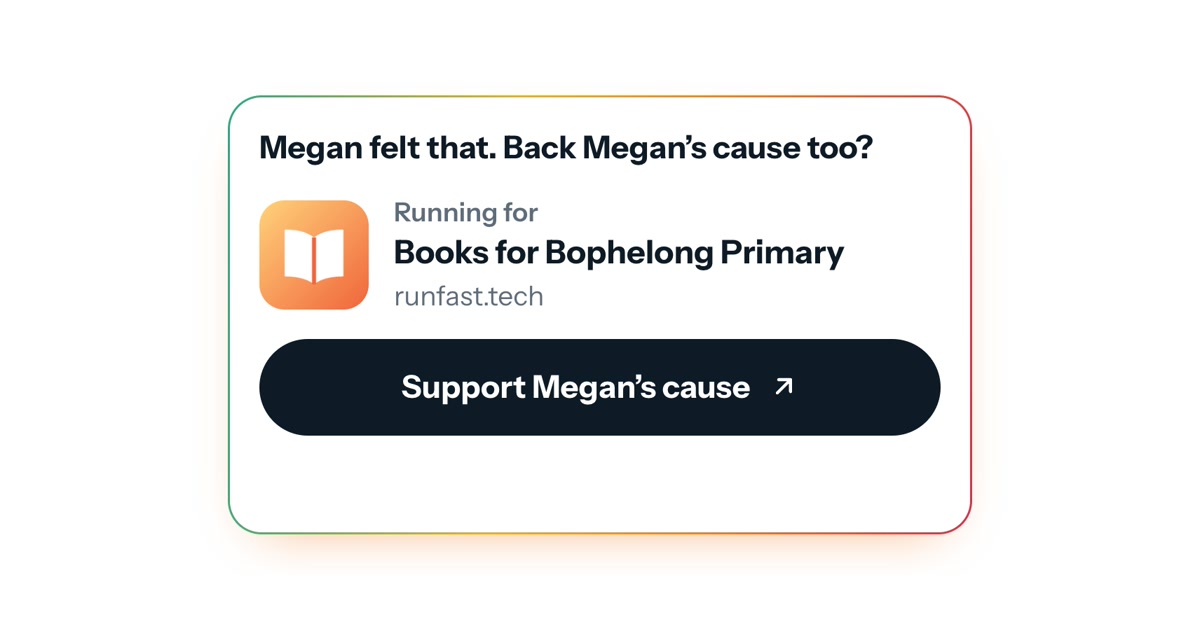
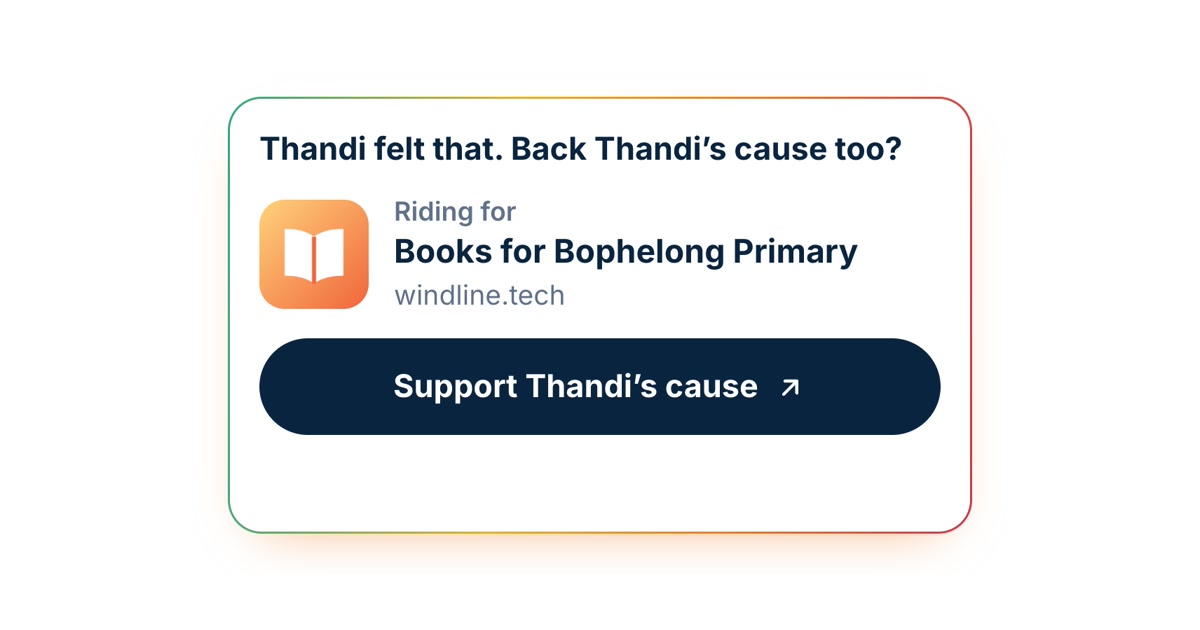
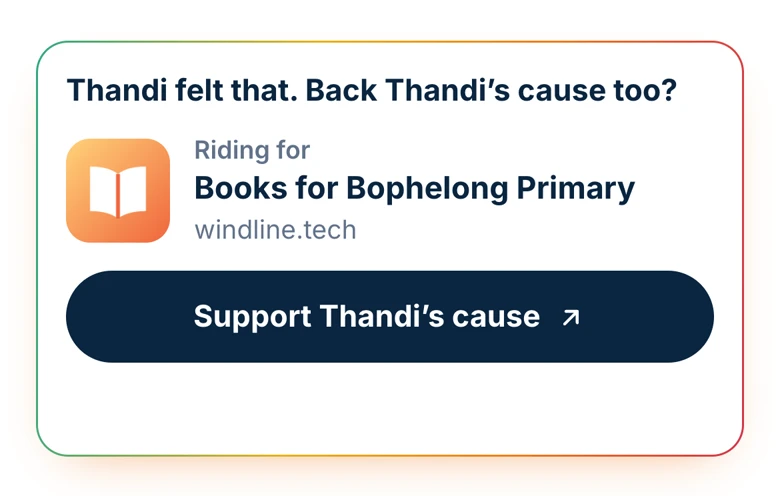
- During: your cause sits on your live card under Give a tap on the back. After a tap: "Thandi felt that. Back Thandi's cause too?"
- After: your result says Rode for or Ran for, and the button stays.
Past races keep what they were for. If you change your cause later, earlier results don't change.
Does the race need to be on livedot?
No. You can go live from RunFast or Windline, or from a Garmin with the livedot data field, at any race or ride. If the race is set up on livedot, your dot sits on the race map with the others, and the race can have a cause of its own. If you're an organiser, see the donate button on the live map.
Look at a running example on Megan's page, or a cycling one on Thandi's page, who rides for "Books for Bophelong Primary".
Where to start
Paste your link in RunFast or Windline, then open your livedot page and check how it looks. Send that link on race day, and keep your fundraising page open in the next tab.
Questions
Can I share my JustGiving or GivenGain page and my live position in one link?
Yes. Paste your fundraising link into RunFast or Windline once. Your livedot.me link then shows your live dot, and your cause sits under Give a tap on the back with a button to your fundraising page. You share one link, not two.
Does a fundraising page show where I am in the race?
A fundraising page shows the cause and takes donations. It doesn't show where you are on the course. That's the part a livedot link adds.
Does livedot replace my fundraising page?
No. Your fundraising page is where people give, and where the total lives. livedot just puts a button to it where your followers are already looking.
Does livedot take a fee from donations?
No. The button goes straight to your fundraising page. livedot never touches the money, takes no cut and shows no totals or progress bars.
What if my platform page won't give a name or picture?
Some pages keep them back, like a sign-in page such as a Facebook fundraiser, or a page that blocks automated visits. Then you type the name yourself and a plain letter tile replaces the picture. The link works the same.
Is it free?
Yes. It's free for you and for the people following you, thanks to ProLend.