For organisersGuide
Multi-day tours: tour notes that answer riders' questions with AI
The short answer
Write your tour notes once, as answers to the questions riders ask: what to pack, where to meet, how each day runs. Put them on your published Windline tour from ChatGPT or Claude with livedot. Riders who add livedot can then ask the assistant, and it answers from your notes only, quoting you, with the route and each day's weather.
A multi-day tour is a lot of questions. Before it, riders ask what to pack, where to meet and how hard day 3 is. During it, family ask where everyone is. With livedot in ChatGPT and Claude, you write the answers once in your tour notes, and riders can ask the assistant instead of your phone. This guide is about the notes and the questions; for building the tour itself from GPX files, see how to build a cycling tour with ChatGPT. More in livedot's organiser guides.
What does livedot do for a tour?
Four jobs, on Windline, from one chat.
| Stage | You or your riders ask | What happens |
|---|---|---|
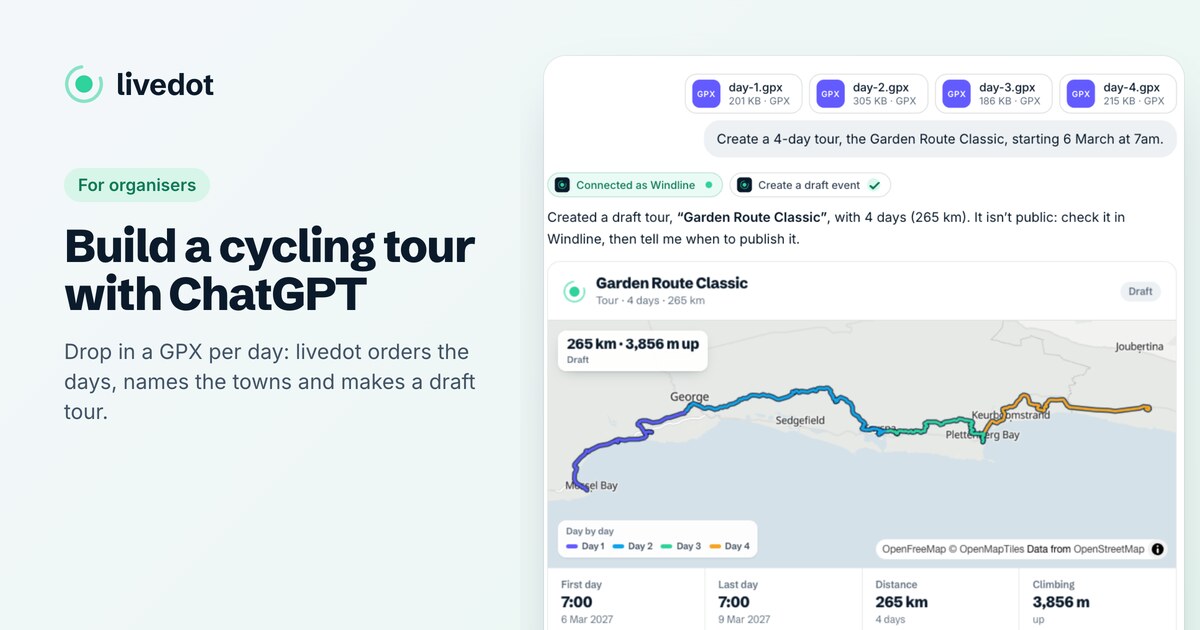
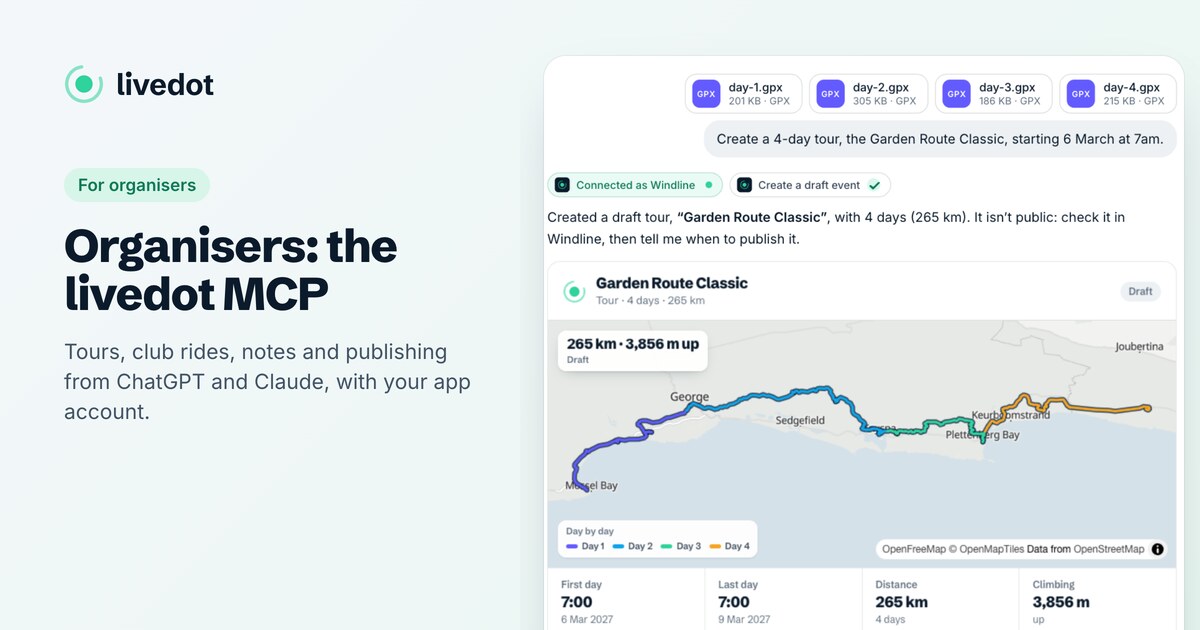
| Build | Several GPX files + "make a tour from these, starting 6 March at 7" | A draft tour, each day in order, after your yes |
| Brief | Your notes + "put these on the tour" | Tour notes, up to 10,000 characters, after you see them |
| Invite | A spreadsheet + "invite these riders to the tour" | One email each to confirm, after your yes |
| Answer | A rider: "What should I pack for [your tour]?" | An answer from your notes, in your words |
You need livedot added in ChatGPT or Claude (search for livedot, or add https://livedot.me/mcp; more at livedot.me/mcp) and a free Windline account. Riders need only livedot, and no account to ask.
How should I write the tour notes?
As answers to the questions riders ask. The notes are what livedot reads when a rider asks, so their shape matters more than their length.
- Use the questions as headings: "What to pack", "Where we meet", "Each day", "Bags and support", "If you're unwell".
- Write each day's meeting point and time, day by day, in plain words.
- Say what's included, and what isn't: meals, bag transfers, the support car.
- Add "check the tour page on the day for final times." Assistants can still slip.
Paste or attach your notes and say "Put these on the tour as its tour notes." livedot shows you the notes as they'll be saved; say yes, and they're on the tour page. Later, "add this to the tour notes" adds to them, and new notes replace the old ones unless you say otherwise. A finished tour stays as it was. Windline's help has the details: adding tour notes with livedot.
What can riders ask?
Anything your published tour and notes cover, by the tour's name, its address or your name as the organiser.
- "What's the route of [your tour]?" Every day in order: from and to, distance, climbing, start time and a map, with each day's weather.
- "Give me the GPX files." A GPX link per day if you let riders download the route; if not, livedot says so and never makes up a link.
- "What should I pack?" "Where do we meet on day 1?" From your notes, often quoting you, with when you last updated them.
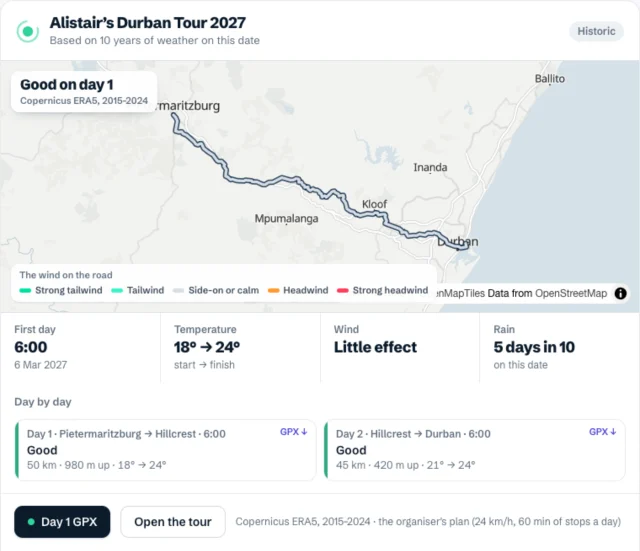
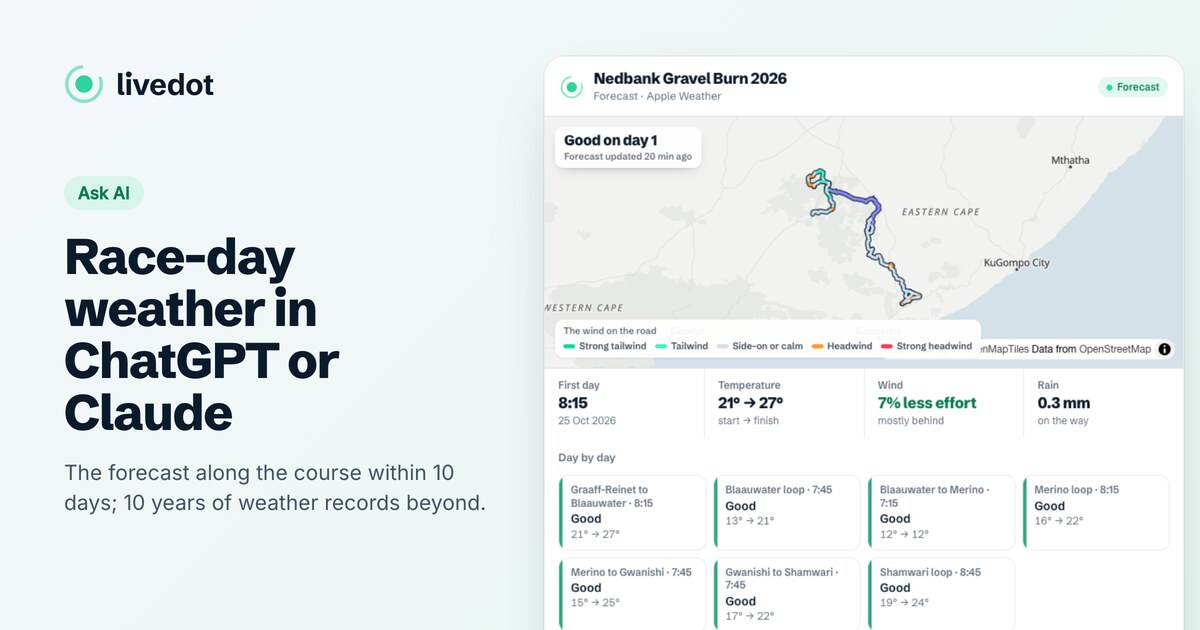
The weather is the live forecast within 10 days of each day, and further out 10 years of weather on that date, labelled as history. Riders can also ask to fly one day, such as "Fly day 3 of [your tour]": a flyover of that day in the chat, coloured by the weather, with Windline's Fly it in 3D.
Will it make things up?
It's told not to. livedot hands the assistant your notes as yours, with one instruction: quote and summarise them, never add to them.
- Not in your notes: the answer says your notes don't cover it, rather than guessing.
- No notes yet: it says the organiser hasn't written any notes for riders yet, with the tour page.
- Every answer links to the tour page, so riders can read your notes in full.
For anything that matters on the day, point riders to the page.
What about building the tour?
One message, before the notes. Attach one GPX file per day and say when day 1 starts; livedot orders the days by the numbers in the file names, else by the map, and shows you the plan before it makes a draft. Publish it with an address, then add the notes. The full walk-through is in how to build a cycling tour with ChatGPT.
How do I invite riders?
From the list you already have. Attach a spreadsheet or CSV with a name and email per rider and say "Invite these riders to [your tour]." livedot shows who it will invite and who it will skip; after your yes, each rider gets one email with Confirm, and the tour goes into their Riding list on Windline.
Nobody is added until they confirm. A tour's organiser can send 50 invites a day, or 500 as the admin of a club page. Only invite people who'd expect to hear from you.
What happens during the tour?
Family can follow it. While you share the day's ride with Follow live in Windline, the tour is live on your page at livedot.me/your-name, with the day's route, what's been ridden, the day (Day 3 of 5) and Live or Paused. See how to follow a cyclist live on a tour or race.
Family and friends can cheer too. On the tour's days, while your tour's taps are switched on, anyone can ask livedot to "Give [your tour] a tap on the back": the taps come to you as the organiser, to read out to the riders.
Change a start time from the chat if the weather turns: "Move day 4 to 6:30." It's all free for you and your riders, thanks to ProLend.
Questions
Can ChatGPT answer my riders' questions about the tour?
Yes, with livedot added on the rider's side. It reads your published tour's notes and answers from them, often quoting you, and says so when your notes don't cover the question.
Can riders download the GPX files from the chat?
If you let riders download the route on Windline, every day in the answer has its GPX link. If you don't, livedot says the organiser hasn't made the route files available.
How long can tour notes be?
Up to 10,000 characters, with headings, bullets, numbered lists, bold and links. They're public, like the rest of the tour page, so leave out door codes and personal numbers.
Can I invite my riders from a spreadsheet?
Yes, to a published tour of yours. livedot shows who it will invite; after your yes, each rider gets one email to confirm, and the tour goes into their Riding list. A tour's organiser can send 50 a day, or 500 as a club page's admin.
Can I make a multi-day running tour?
Not as one event. RunFast saves one route per run or race, so multi-day tours are Windline's.