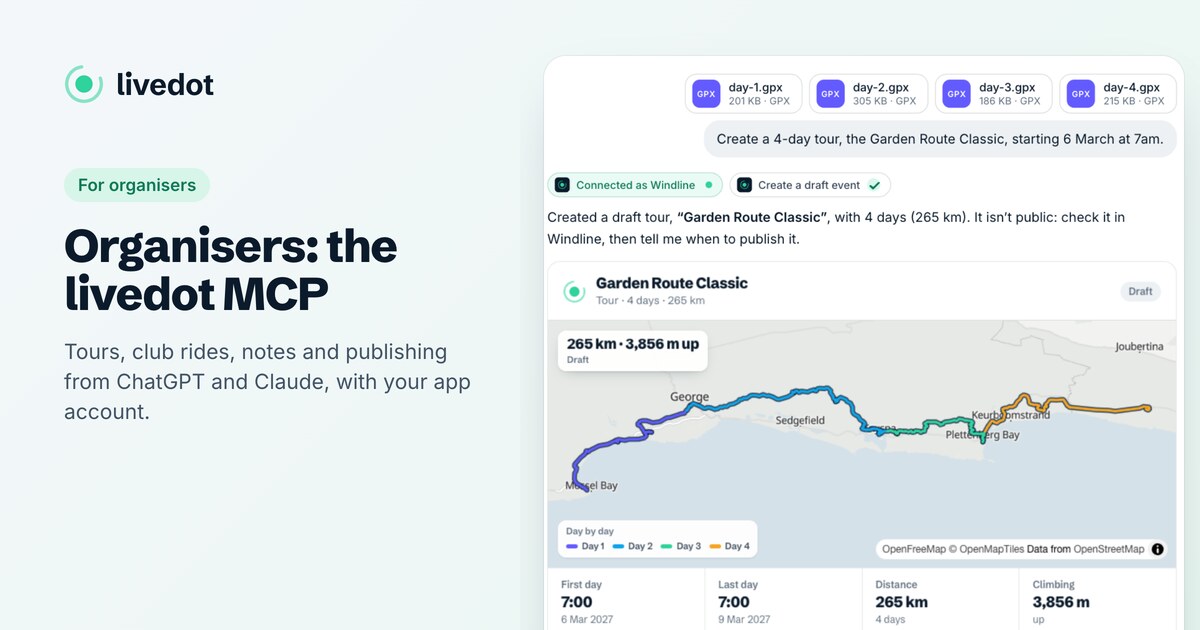
For organisersHow-to
How to build a cycling tour with ChatGPT
The short answer
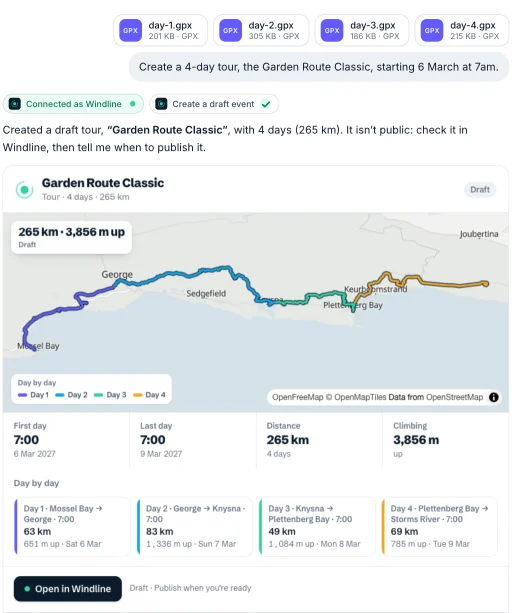
Add livedot to ChatGPT or Claude (search for livedot, or add https://livedot.me/mcp), sign in with your Windline account, attach a GPX file for each day and say when day 1 starts. livedot orders the days, names the towns, dates them and shows you the plan. Say yes and it makes a draft tour with every day's forecast; publish it when you're ready.
Planning a multi-day ride usually means a folder of GPX files and an afternoon of copying them into a planner, one day at a time, in the right order, with the right dates. With livedot in ChatGPT or Claude, you drop the files into the chat, say when you start, and get a draft tour on Windline, with every day's wind forecast, in a couple of minutes. This guide walks through it, and what livedot works out for you.
What do I need?
Three things, and nothing to pay for.
- ChatGPT or Claude on a plan that allows connectors. In Claude, custom connectors work on every plan, and the Free plan includes one. In ChatGPT, OpenAI's help lists Business, Enterprise and Edu workspaces, and Pro accounts in developer mode.
- livedot, the app to add. Search for livedot, or add it at
https://livedot.me/mcp. More at livedot.me/mcp. - A Windline account for the tour to live in. It's free: make one at windline.tech if you don't have one.
And a GPX file for each day, or a Ride with GPS collection with one route per day. Strava links don't work here.
How do I build the tour?
Add livedot
In ChatGPT or Claude, search for livedot and add it, or add it by its address, https://livedot.me/mcp.
Attach every day's GPX
Attach one GPX file per day in a single message, or paste a Ride with GPS collection. Strava links don't work here.
Say when day 1 starts
For example "Make a tour from these, starting 6 March 2027 at 7:00." Add any rest days and your notes for riders.
Sign in with Windline
The first time, livedot asks you to sign in with your Windline account. Choose Windline, sign in on windline.tech, and choose Allow.
Check the plan, then say yes
livedot shows the days in order, where each goes, the distance, climbing and dates. Nothing is made until you say yes.
Publish when you're ready
The tour is a draft until you ask livedot to publish it with an address and confirm. Then it's public at tour.windline.tech/your-address.
What does livedot work out for me?
Everything you'd otherwise do by hand on the dashboard, shown to you before anything is made.
| What | How livedot decides |
|---|---|
| The order of the days | The numbers in the file names, such as 1, 01, "day-2" or "Stage 3". Without numbers, the map: each day starts where the one before ended. Otherwise, the order you attached them. |
| When numbers and the map disagree | One line says so, for example "by number, day 3 starts 40 km from where day 2 ends", and the numbers win. Tell it if you meant the map. |
| Where each day goes | The route's own name, else the towns at each end from OpenStreetMap: "Mossel Bay → George". |
| The dates | One day after another from day 1, at the same start time, skipping any rest days you name. Different start times per day if you ask. |
| The name | Yours, else the name the files share ("Garden Route Classic – Day 1" gives "Garden Route Classic"), else "Mossel Bay → Storms River, 4 days". |
| Distance and climbing | From each file, worked out as Windline's dashboard does. |
A tour can have up to 30 days, and each file can be up to 5 MB.
How does signing in work?
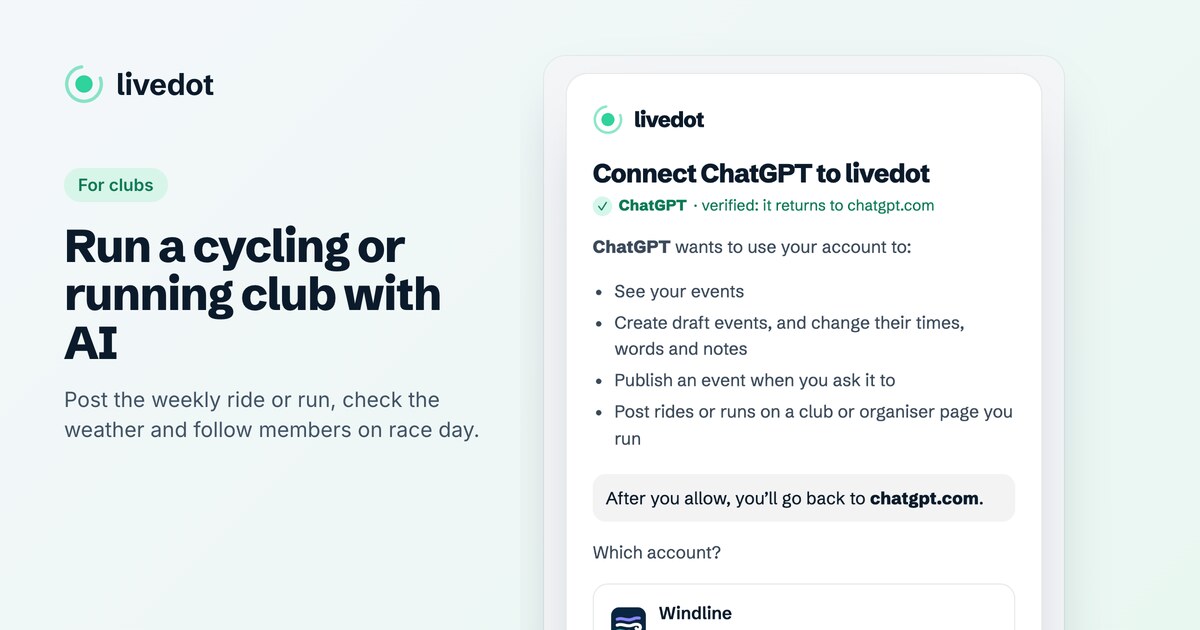
You sign in on windline.tech itself, never in the chat. The first time you ask livedot to make something, it opens a livedot page that names the app asking, with a tick when it's ChatGPT or Claude, and lists what it may do: see your events, create drafts and change their times, words and notes, publish when you ask, and post on a club page you run.
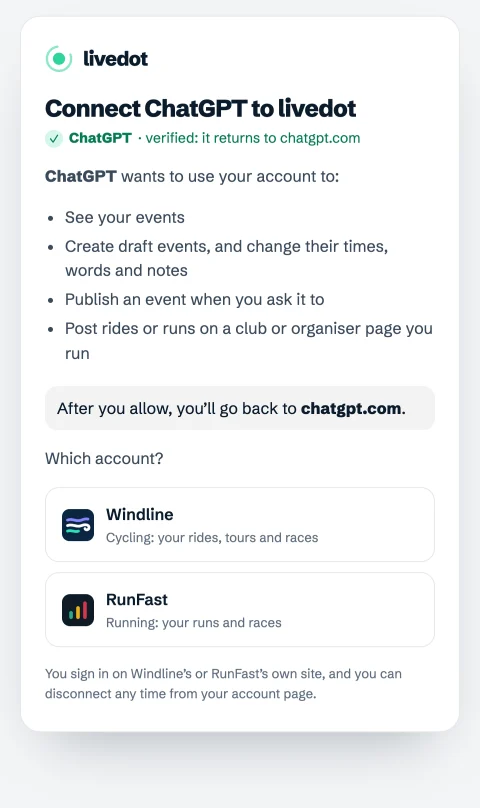
Choose Windline, sign in the way you always do, and choose Allow. Your password never reaches livedot or the assistant, and you can disconnect any time from Account on app.windline.tech. Windline's help has the details: connecting your Windline account.
Can I check the weather first?
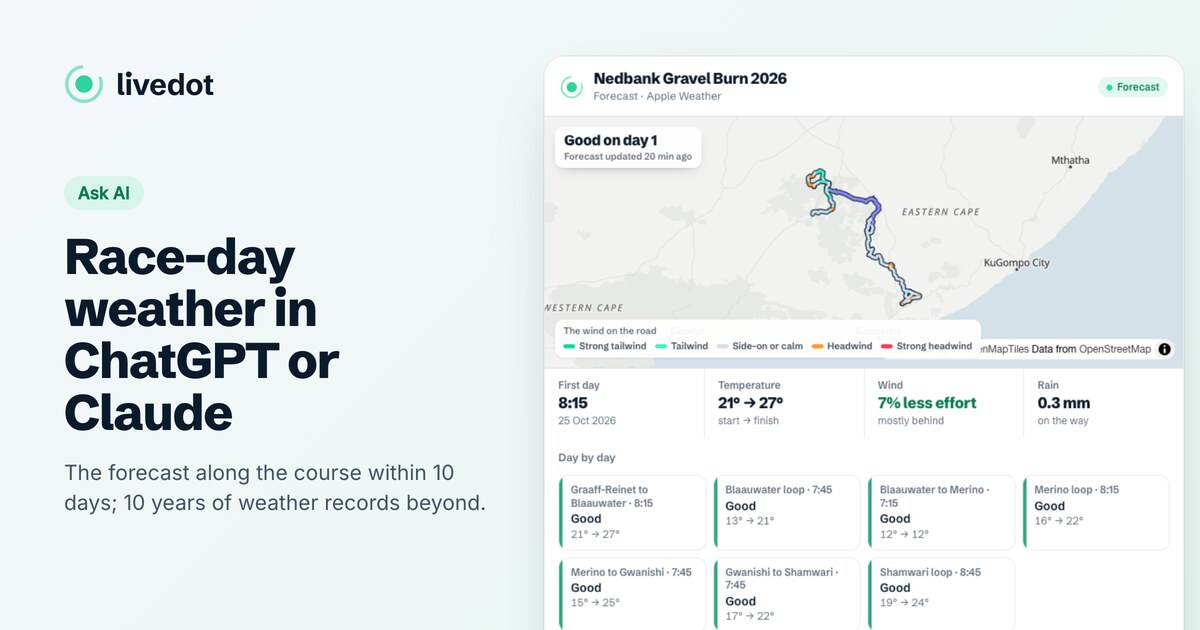
Yes, and with no account. Attach the same files and ask "What's the weather on these, starting 6 March at 7?" You get each day's rating, the temperatures, where the headwind and tailwind are, and the rain: the forecast within 10 days, and further out 10 years of weather on those dates, labelled typical, not a forecast. The days are the same ones the tour would have. See race-day weather with ChatGPT or Claude.
Can I add notes for riders?
Yes. Paste or attach your notes with the files, such as what to pack, meeting points and how each day runs, and they go on the tour, up to 10,000 characters. Later, ask "Add this to the tour notes" and livedot shows you the notes before it saves them. Riders can then ask livedot about them too, and it answers in your words.
Who sees the tour?
Nobody, until you publish it. A tour starts as a draft on your dashboard. Check the pace, the stops and every day's forecast there if you like, then ask livedot to publish it with an address, such as garden-route-2027, and confirm. It's then public at tour.windline.tech/your-address.
A trip just for you? Say so, and it's private: in My Rides, with its own private link, never published. If you run a club page, livedot asks who it's for before it makes anything. For club rides, see running a club with AI.
What else can I ask?
Once the tour exists, the same chat can change it: "Move day 2 to 6:30", "Rename it the Garden Route Classic 2027", "Show me my events". It can't delete anything, can't change a finished tour, and never publishes without asking you. For everything organisers can do, see the livedot MCP for organisers.
Questions
Can ChatGPT make a cycling tour from GPX files?
Yes, with livedot added and your Windline account connected. Attach a GPX file per day and say when day 1 starts; livedot works out the order, the towns and the dates, checks the plan with you and makes a draft tour on Windline.
How does it know the order of the days?
From the numbers in the file names, such as day-1 or Stage 3. Without numbers, from the map: each day starts where the one before ended. If the numbers and the map disagree, it says so and keeps the numbers.
Is the tour public straight away?
No. It's a draft, only on your Windline dashboard, until you ask livedot to publish it and confirm. A tour you say is just for you is private and never published.
Does it cost anything?
No. livedot and Windline are free for organisers, riders and everyone following, thanks to ProLend. You need ChatGPT or Claude on a plan that allows connectors; Claude's Free plan includes one.
Can I build a running tour the same way?
Not as a multi-day event. RunFast saves one route per run or race, so livedot asks you to make one run per file. Multi-day tours are Windline's.