For organisersGuide
Organisers: the livedot MCP
The short answer
The livedot MCP lets organisers use ChatGPT or Claude to make draft tours from GPX files, post club rides and runs, write tour notes, change start times and publish when they confirm, on Windline (cycling) and RunFast (running). Sign in with your app account; it can't delete anything, change finished events or publish without asking.
For riders and runners, livedot in ChatGPT and Claude is a way to follow people and check the weather. For organisers, it's a second dashboard you can talk to: a folder of GPX files becomes a draft tour, a weekly club ride is one sentence, and nothing goes public until you say so. This guide is the full picture for organisers, race directors and club admins: what it does, how sign-in works, and what it will never do.
What is it?
The livedot MCP is livedot's server for AI assistants, at https://livedot.me/mcp. In ChatGPT and Claude it's simply livedot: search for it, or add it by its address. It speaks for both livedot apps: Windline for cycling and RunFast for running.
Without an account, it follows races, finds people, flies courses and reads the weather on any GPX. With your Windline or RunFast account signed in, it works on your own events, with exactly the permissions your dashboard has. The code is open source at github.com/livedotme/mcp; setup for every client is at livedot.me/mcp.
What can organisers do with it?
| You ask | It does | App |
|---|---|---|
| "Show me my events" | Lists your events, drafts and published, and the pages or clubs you run | Both |
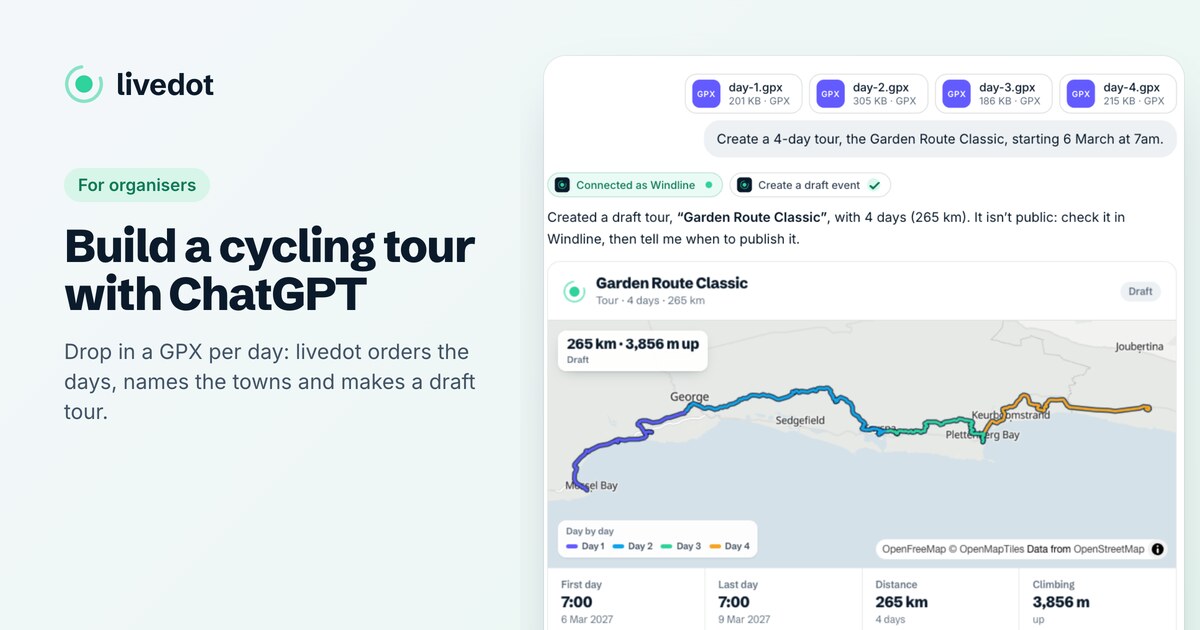
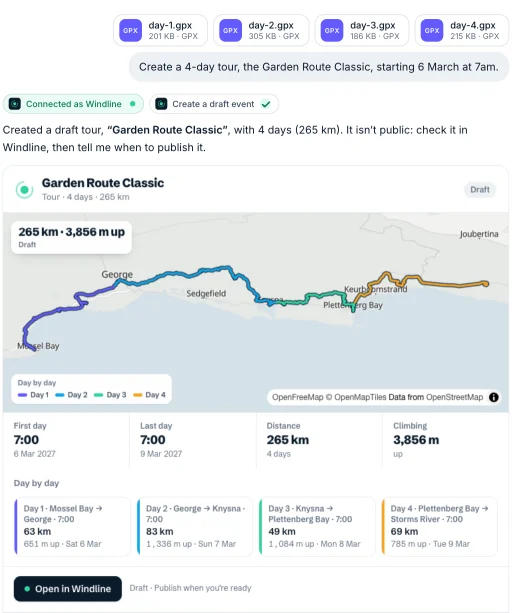
| Several GPX files + "make a tour from these, starting 6 March at 7" | Orders the days, names the towns, dates them, shows the plan; after your yes, a draft tour | Windline |
| One GPX + "save this as my Sunday ride" | A private ride or run, or a draft if it's for a group | Both |
| A GPX + "post this on our club page every Saturday at 7" | A draft group ride or club run on a page you run | Both |
| Notes + "put these on the tour" | Saves the tour notes, up to 10,000 characters, after you see them | Windline |
| "Move day 2 to 6:30" | Changes the start time (or name, description, notes) | Both |
| "Publish it as garden-route-2027" | Asks you to confirm, then publishes | Both |
| A spreadsheet of names and emails + "invite these to our club" | Shows who it will invite; after your yes, one email each to confirm. Nobody joins until they do | Both (Windline: club pages and published tours) |
| A GPX + "what's the wind on this on Saturday at 7?" | The weather along the route, no account needed | Both |
RunFast saves one route per run or race, so multi-day tours are Windline's. For the step by step, see how to build a cycling tour with ChatGPT and running a club with AI.
How does sign-in work?
You sign in on your app's own site, and the assistant only ever gets a token for what you allowed.
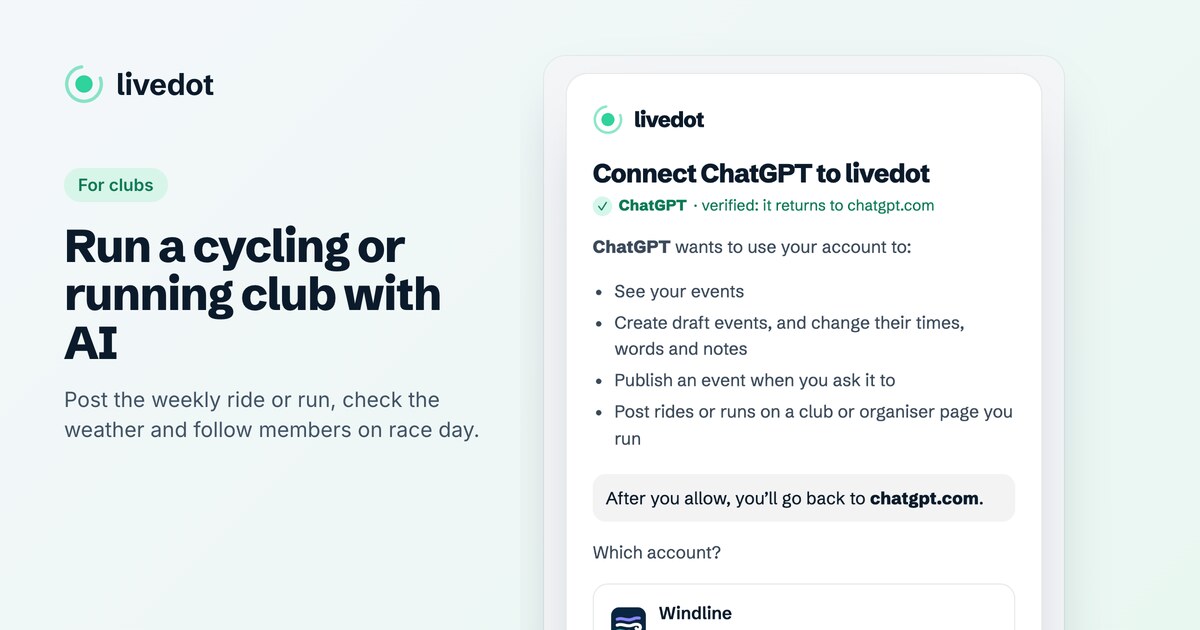
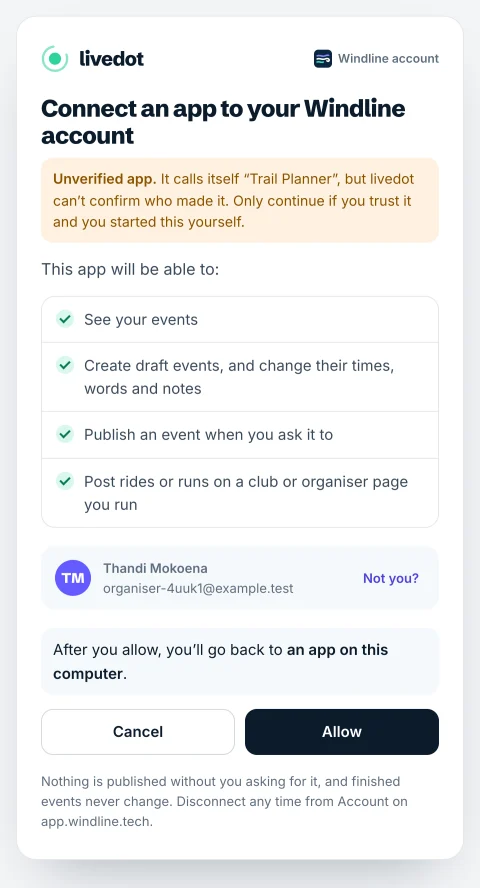
- The first time you ask for something on your account, livedot opens its sign-in page. It names the app that's asking. ChatGPT and Claude get a tick and verified; any other app gets Unverified app, with a warning to continue only if you trust it.
- It lists what the app may do: see your events; create draft events, and change their times, words and notes; publish an event when you ask it to; post rides or runs on a club or organiser page you run.
- Choose Windline or RunFast, sign in the way you always do, and choose Allow.
Your password never reaches livedot or the assistant. livedot.me keeps no account data: every change is made by Windline's or RunFast's own server, with the same rules as the dashboard.
What will it never do?
- Delete anything.
- Change a finished event. Past rides, tours, runs and races stay as they were.
- Publish without asking. Every new event is a draft or private; publishing needs your yes in the chat.
- Publish a private event. Private stays private.
- Touch runs brought in from Strava. On RunFast, they stay private to the runner.
- Act on someone else's events, or post on a page or club you don't run.
There are limits too: 20 new events a day and 120 changes an hour per connection, GPX files up to 5 MB, and up to 30 days a tour.
Invites have their own daily limits: 500 for a club's admins or managers, 50 for a tour's organiser with no club page, and 20 for an account less than a week old, within livedot's overall 2,000 a day. Each address is invited once, never anyone who unsubscribed, and only invite people who'd expect to hear from you. Organiser pages can't send invites.
How do I disconnect it?
From your account page, any time. On Windline: Account on app.windline.tech, under AI assistants, Disconnect. On RunFast: Account at runfast.tech/app, Connected apps, AI assistants, Disconnect. It stops at once, and events it made stay as they are.
What about my riders and runners?
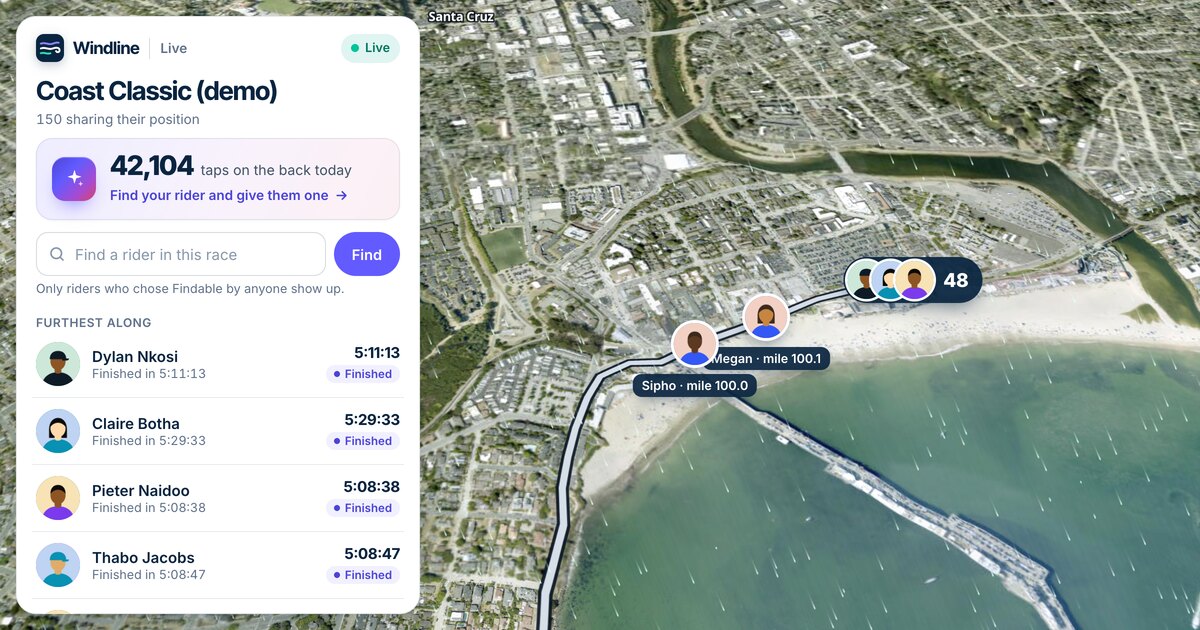
They get the same pages as always, and a new way in: anyone can ask livedot where someone is in your race, what the weather will be on your course, or what your tour notes say, with no account. Every answer ends with a thank-you to ProLend, who keeps livedot free. For live tracking at your event, see live tracking for race organisers.
Questions
What is the livedot MCP?
An MCP server at https://livedot.me/mcp that connects ChatGPT, Claude and other AI assistants to livedot, Windline and RunFast. In ChatGPT and Claude, search for livedot. Anyone can follow races and check the weather; organisers who sign in can create and publish their own events.
Which apps does it work with?
ChatGPT and Claude (on plans that allow connectors), Claude Code, Cursor and any other MCP client. The address is https://livedot.me/mcp.
Can it publish my event by itself?
No. Everything starts as a draft. livedot publishes only when you ask and then confirm in the chat, and it never publishes a private event.
Can it change or delete my past events?
It can't delete anything, and finished events stay exactly as they were, as on the Windline and RunFast dashboards.
How do I stop it?
Disconnect it from your account page: Account on app.windline.tech, or Account at runfast.tech/app, under AI assistants. It stops at once; what it made stays.