For organisersHow-to
How to get your running club found in ChatGPT
The short answer
Add your club on RunFast, fill in Get found (your home area, weekly runs, beginners welcome, pace groups), then post and publish your runs and races. Anyone with livedot in ChatGPT or Claude who asks for a running club near them sees your club with a Join button, and can ask about your races by name.
More people now ask an AI assistant where to run than ask in a shop. "Best running club near me." "Is there a running club in Fourways for beginners?" This guide shows what it takes for your club to be part of those answers through livedot: by place and by name. It's part of livedot's guides for organisers.
What does "found in ChatGPT" mean for a club?
Two things. livedot is the app people add in ChatGPT and Claude to ask about clubs, races, runners and riders on RunFast and Windline (setup at livedot.me/mcp). What it can say about your club depends on how someone asks.
- By place. Someone asks for a running club near a place, and livedot lists the clubs near it, nearest first, from their club pages, with a Join button.
- By name. Someone asks about one of your races by its name, and livedot answers from your club's public page: the weather on the course, the route, and on race day how the race is going.
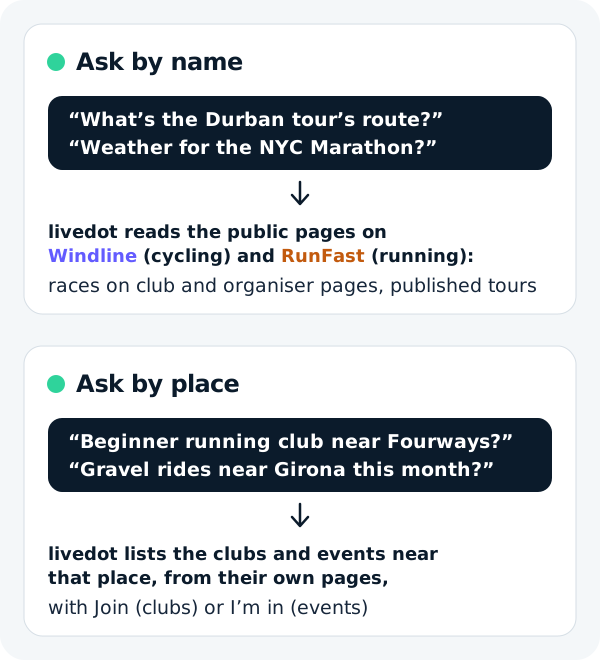
Both start in the same place: a club page with your real runs on it, and your area in Get found.
How do I get my running club found?
Get the page, fill it with what you actually run, and publish. The steps:
Get your club's page
Add your club on RunFast (runfast.tech/app/#/clubs/add). A person sets up its page with its colours and its runs: runfast.tech/c/your-club, and livedot.me/your-club.
Fill in Get found
On your club's page in the RunFast app, open Get found: your home area, sports, Beginners welcome, pace groups, who it's for and your weekly sessions. This is what puts your club in answers for runners near you.
Put your club runs on it
Add each weekly run and one-off run with its route, start time and meeting place, so the page shows what you actually do.
Add your races
Add club races with their date and gun time. These are what livedot can answer about by name, from 14 days before the start.
Publish, then share the page
Publish your runs and races, then share livedot.me/your-club in your group chat, your bio and on your website.
Ask about it yourself
Add livedot in ChatGPT or Claude and ask, as a newcomer would: running clubs near your area, and your next race by name. Fix anything the answer gets wrong on your club page or in Get found.
The club page lives on RunFast, at runfast.tech/c/your-club, and the same club has its page at livedot.me/your-club, with what's live, what's next and what's been. Your members keep joining and saying I'm in on RunFast, as they do now. For setting up runs from a chat, see running a club with AI.
What can people ask about my club?
Clubs near them, and anything livedot knows by name. Your club comes up by place once its home area is in Get found. Your races come up by name once they're on your club's page and start in the next 14 days. A race in progress comes up while it's live.
| Someone asks | livedot answers with |
|---|---|
| "Best running club to join in [your suburb]" | Clubs near there, nearest first, with their weekly runs, Beginners welcome, pace groups, the next run's weather and Join |
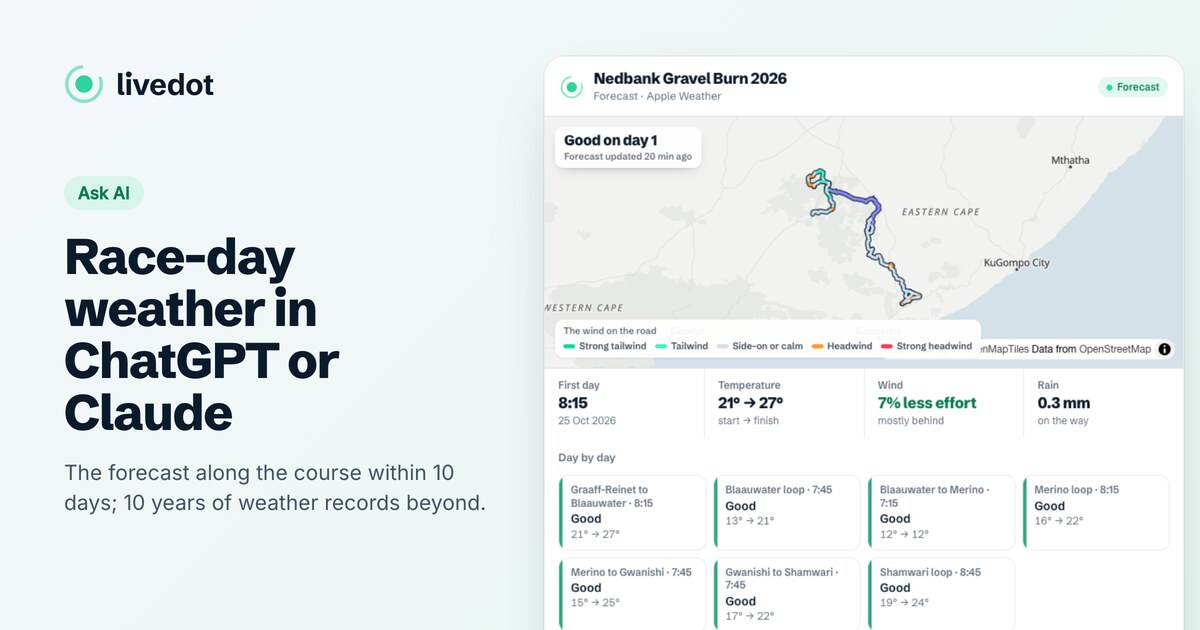
| "What's the weather for [your race] on Saturday?" | The forecast along the course at the time runners reach each stretch, rated, with the heat |
| "Show me the [your race] course" | The course in the chat, coloured by the weather |
| "How's [your race] going?" | On race day: how long it's been under way, runners on the map and finishers |
| "Where's [a member] in [your race]?" | Where they are, if they chose Findable by anyone, or from their livedot link |
| "How's [your club] doing in [your race]?" | On race day: each member who chose to be findable, with their km and time against their goal, on a map of just your club |
To see real answers, ask for running clubs near where you live, or about a race you know by name. While the apps run their demo, "How's the demo club doing in the Comrades?" shows a club card any time. For race-day weather in full, see race-day weather with ChatGPT or Claude.
What does a club in the list show?
When someone asks "best running club to join in Fourways" or "running clubs near Brooklyn", livedot lists the clubs near that place, nearest first. Each club shows what a newcomer needs to decide:
- the club's name, logo and how far away it is;
- its weekly runs, such as "Tue & Thu 17:30 · Sat 06:00";
- Beginners welcome and its pace groups, where the club sets them;
- its next run, with the forecast;
- a Join button that opens your club's page, with a free account in the same step.
All of it comes from Get found on your club's page in the RunFast app: your home area, sports, Beginners welcome, pace groups, a line on who the club is for, and your weekly sessions. A club without a home area isn't listed by place. Only clubs and their public runs are listed, never people.
What should my club page say?
What a nervous first-timer wants to know. Put it in Get found, in your runs and in the line about the club.
- Every regular run, with its route. A weekly run with a start time and meeting place answers "when can I come?"
- Your pace. Set your pace groups in Get found, and say it in the run's description: "Two groups, 5:30 and 7:00 per km (8:51 and 11:16 per mile)."
- Who it's for. One line: "Social runners and first-timers welcome."
- Your races. Add club races with their gun time, so they can be found by name.
- Your logo and colours, so the page looks like you.
Keep it current. An old run that never happens costs you the newcomer who turns up for it. Cancel a run on the page when it's off, and move a start time when the club moves it, so the page and the chat say the same thing your group chat does.
How do I check what people will see?
Ask, the way a newcomer would. Add livedot in ChatGPT or Claude (search for livedot, or add https://livedot.me/mcp), then ask for running clubs near your area and about your next race by its name, and open your page at livedot.me/your-club in a browser where you're signed out. Ask for running clubs near your home area too. If the answer or the page is missing something, the fix is on your club page or in Get found, not in the chat: livedot only repeats what your page says.
How do members and newcomers see it?
Exactly as they do now. Nobody needs ChatGPT or Claude to join.
- Newcomers open your club's page from a link, a search on livedot.me, or an answer in a chat, and choose Join the club. RunFast's help explains joining a club and saying I'm in.
- Members tap I'm in on a run. Members see who's in; anyone else sees only how many.
- Supporters follow your club's races live, with no account. See live tracking for clubs.
The public club page shows how many are in for a run, never who. A member shows on the club's race map only if they turn on Findable by anyone for that race.
Does it cost anything?
No. The club page, live tracking and livedot in ChatGPT and Claude are free for the club, its members and everyone following, thanks to ProLend. Running a cycling club as well? See how to get your cycling club found.
Questions
Can ChatGPT recommend my running club?
With livedot added, ChatGPT and Claude list running clubs near a place, such as "a beginner running club near me", from the clubs' own pages, nearest first, with a Join button. Your club shows once you've added its home area in Get found. They also answer about your club's races by name.
How do I get my running club on livedot?
Add it on RunFast at runfast.tech/app/#/clubs/add. A person sets up your club's page with its colours and its runs; it's also your page at livedot.me/your-club. Then fill in Get found.
Does it cost the club anything?
No. The club page, the club runs and races, live tracking and livedot in ChatGPT and Claude are free for the club, its members and anyone following.
Will livedot show my members' names?
Not on your club page: it shows your runs and how many are in for each, never who, and the club list in ChatGPT and Claude shows clubs, never people. On race day, a member who turned on Findable by anyone for that race shows by name on the race map, and in "How's [your club] doing in [the race]?".
Do our members need ChatGPT or Claude?
No. Members use the club's page and the RunFast app as they do now. livedot in ChatGPT and Claude is one more way in, for newcomers and for anyone following a race.