For organisersHow-to
How to add live tracking to your race website
The short answer
Put your race on livedot for free (in the RunFast app for running, Windline for cycling, or set up with you by livedot), then add a Follow live button on your website that links to your race's page at livedot.me. Anyone who taps it sees every participant who chose to be seen, live on the course. To show the live map on your own website, in your own styling, a bespoke page is $200 per event.
Your race website is where entrants and their families already go. Adding live tracking to it takes one link, for free, or, if you want the map inside your own pages, a bespoke page. This guide covers both, for running and cycling races anywhere in the world.
How do I add live tracking to my race website?
Put the race on livedot, then link to its live page from your website.
Put your race on livedot
Create it in the free RunFast app (running) or Windline (cycling), or tell livedot about it at livedot.me/organisers and a person sets it up with you. It gets its page at livedot.me, free.
Add a Follow live button to your website
On your race's home page and results page, add a button or a prominent link, "Follow the race live", to your race's page at livedot.me. It opens in any browser, with no app or account.
Put the link where people look on race day
In your pre-race email, on your socials and in WhatsApp groups, and as a QR code on the race-village signs and the start-line screen.
Want the map on your own site? Go bespoke
With a bespoke page, $200 per event, livedot sets up the live map of your race on your own website, in your styling. Contact livedot at livedot.me/organisers.
The free way: a Follow live button
Your race's page at livedot.me is free, thanks to ProLend. A button on your website that opens it is all it takes.
- Where: on your home page and your results page during race week, and at the top of your race-day news post.
- What it says: "Follow the race live", or "Find a runner" or "Find a rider".
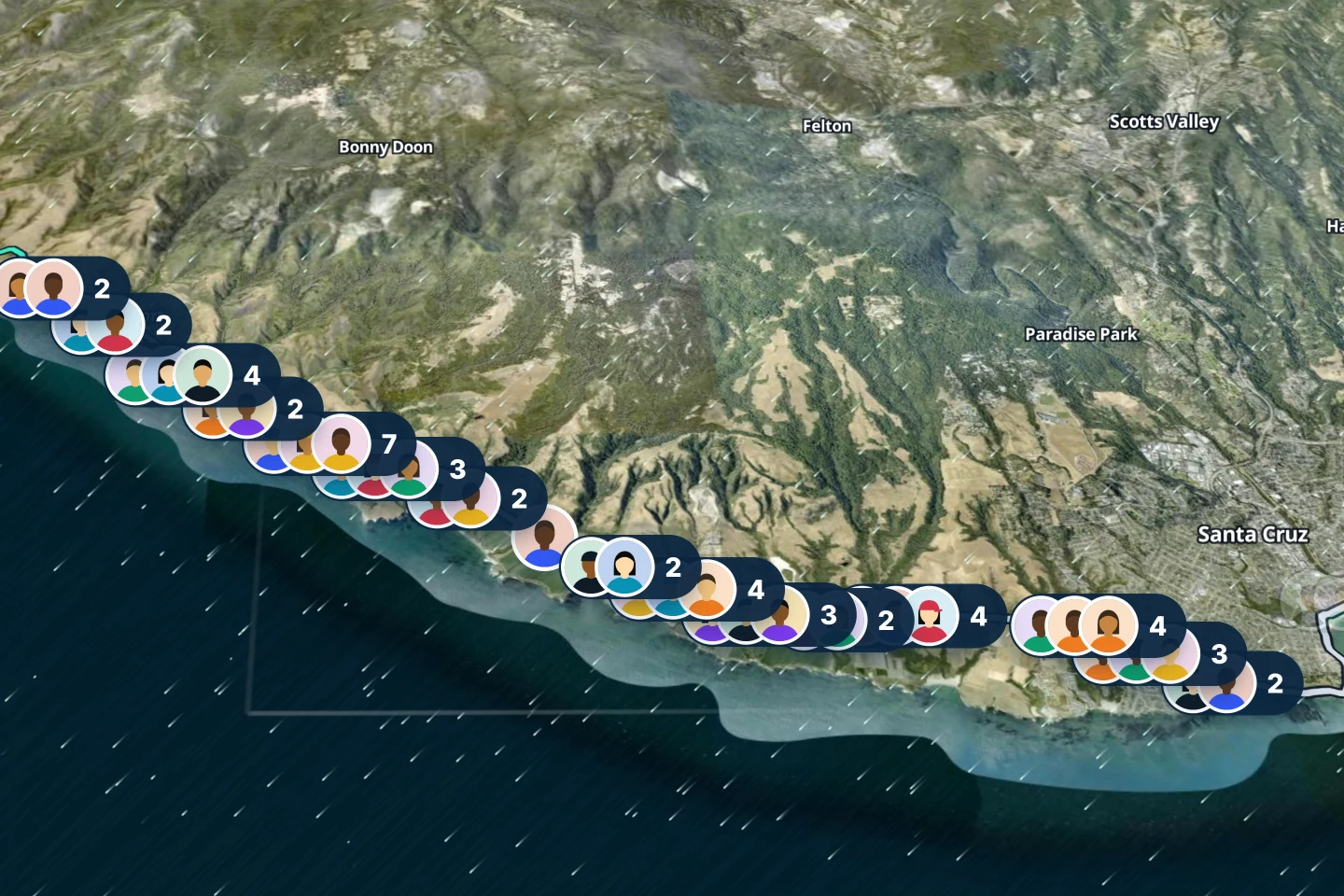
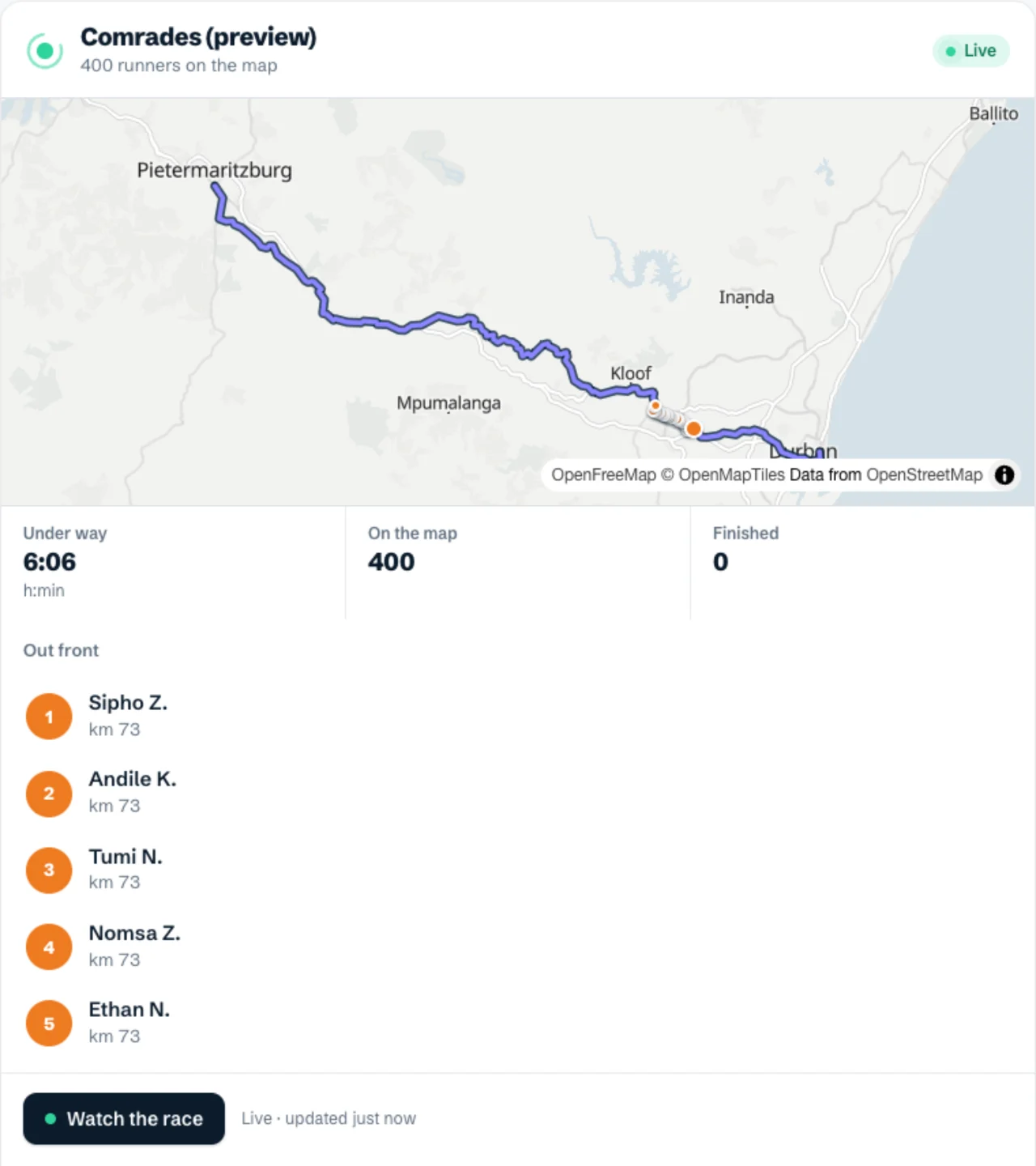
- Where it goes: your race's page at livedot.me. It shows every participant who chose to be seen, live on your course, with a box to find one by name.
Make a QR code of the same link for the race village, the start-line screen and the back of the race number, so supporters on the course can follow too.
The bespoke way: the live map on your own website
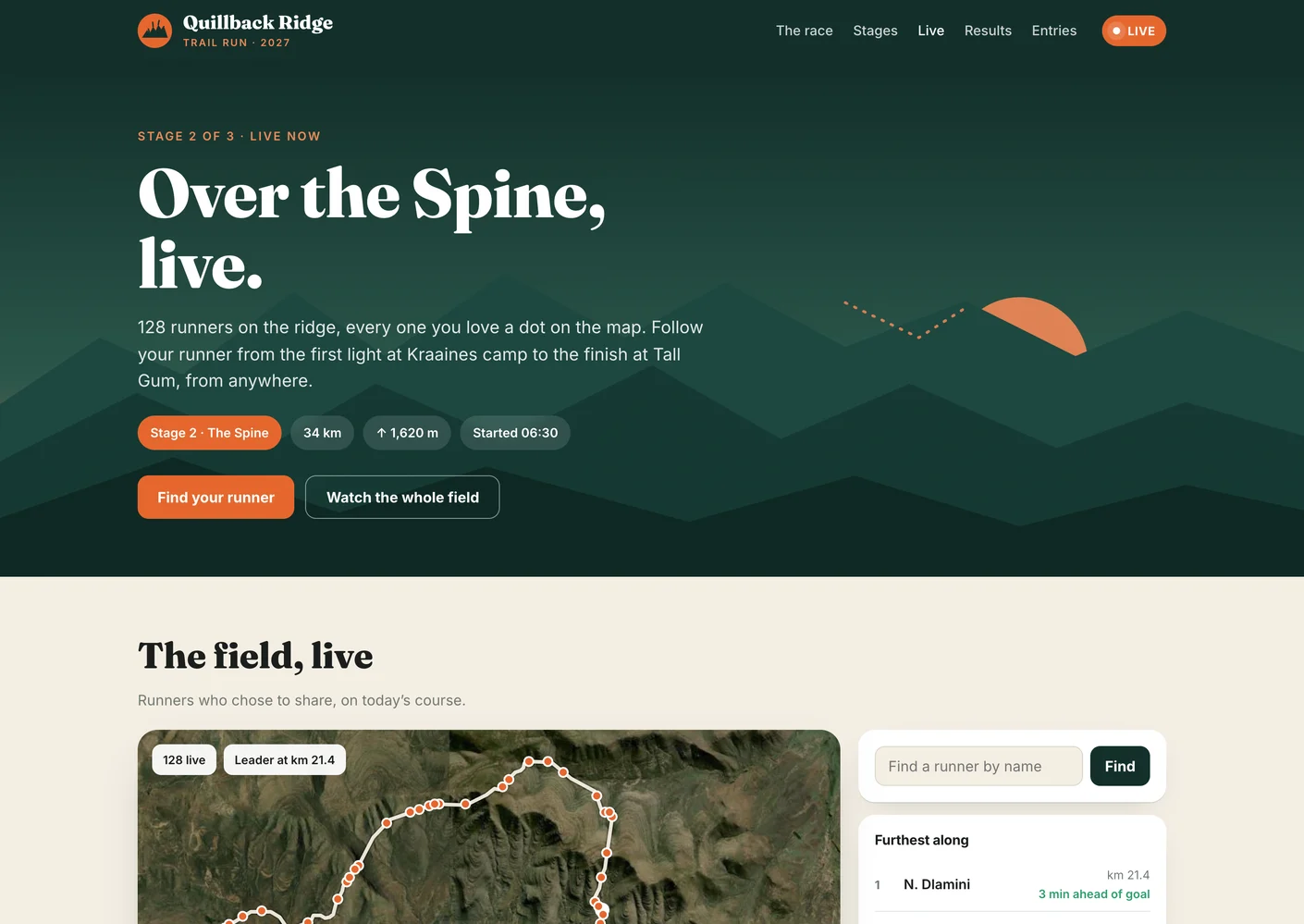
With a bespoke page, $200 per event, the live map of your race sits on your own website, in your styling, beside your news and your results, and your race's live page at livedot.me carries your logo, colours, hero picture, sponsors and wording. A person at livedot sets it up with you.
See how it looks on a made-up race: the bespoke page, and its map on the race's own website.
Which should I choose?
| Free | Bespoke, $200 per event | |
|---|---|---|
| Your race's live page at livedot.me | Yes | Yes, in your styling |
| A Follow live button on your website | Yes | Yes |
| The live map inside your own website | No | Yes |
| Your sponsors and your wording on the page | No | Yes |
| Set up by | You, or a person at livedot with you | A person at livedot, with you |
| For visitors | Free | Free |
Questions
Is there a free way to add live tracking to our race website?
Yes. Your race's page at livedot.me is free, thanks to ProLend. Add a Follow live button or link on your website that opens it. Everyone who taps it sees the field live, in any browser.
Can the live map sit inside our own website?
Yes, with a bespoke page: $200 per event. livedot sets up the live map of your race on your own website, in your styling, beside your news and results. See the example at livedot.me/bespoke/website/.
Do our visitors need an app?
No. The race page and the map open in any browser on any phone or computer, with no app and no account.
What do visitors see?
Every participant who chose to be seen, live on your course, with the furthest along at the top, a box to find one by name, and each one's pace or speed, finish time and the weather where they are.